






Last updated: 23 October 2026
Modern teams push code multiple times a day. But how do you verify that the changes made are free from bugs? And how do you integrate testing as part of your pipelines? In this blog, let’s explore how to integrate Keploy into your CI/CD pipelines. We’ll be using GitHub Actions for the examples.
What is Keploy?

Keploy is an API and integration testing tool that:
-
Records real API calls along with DB and queue interactions from your application
-
Generates test cases and mocks from that traffic
-
Replays them as deterministic tests during CI/CD
You don’t need to change your application code or add SDKs – Keploy hooks into network traffic (via eBPF) and captures it.
So the basic idea is very simple:
-
Record traffic in dev or staging once
-
Commit Keploy test cases to your repository
-
Replay them on every PR or push in the CI pipeline
Note: Now that we understand what Keploy is, let’s integrate it into our pipeline. But before that, you need to have recorded test cases for the application you plan to run in the CI pipeline.
For this blog, I’ll be using a FastAPI–Postgres application.
You can view the source code of the application here: Github
How to record test cases using the Keploy CLI?
Let’s record a few test cases using the Keploy CLI.
Use the following command to install the Keploy CLI:

Once you have installed the Keploy CLI, let’s start recording not a movie, but your application’s network calls. To do this, you need to run your application along with Keploy.
Now, let’s capture the test cases:
Use the following cURL commands to send requests to the application:
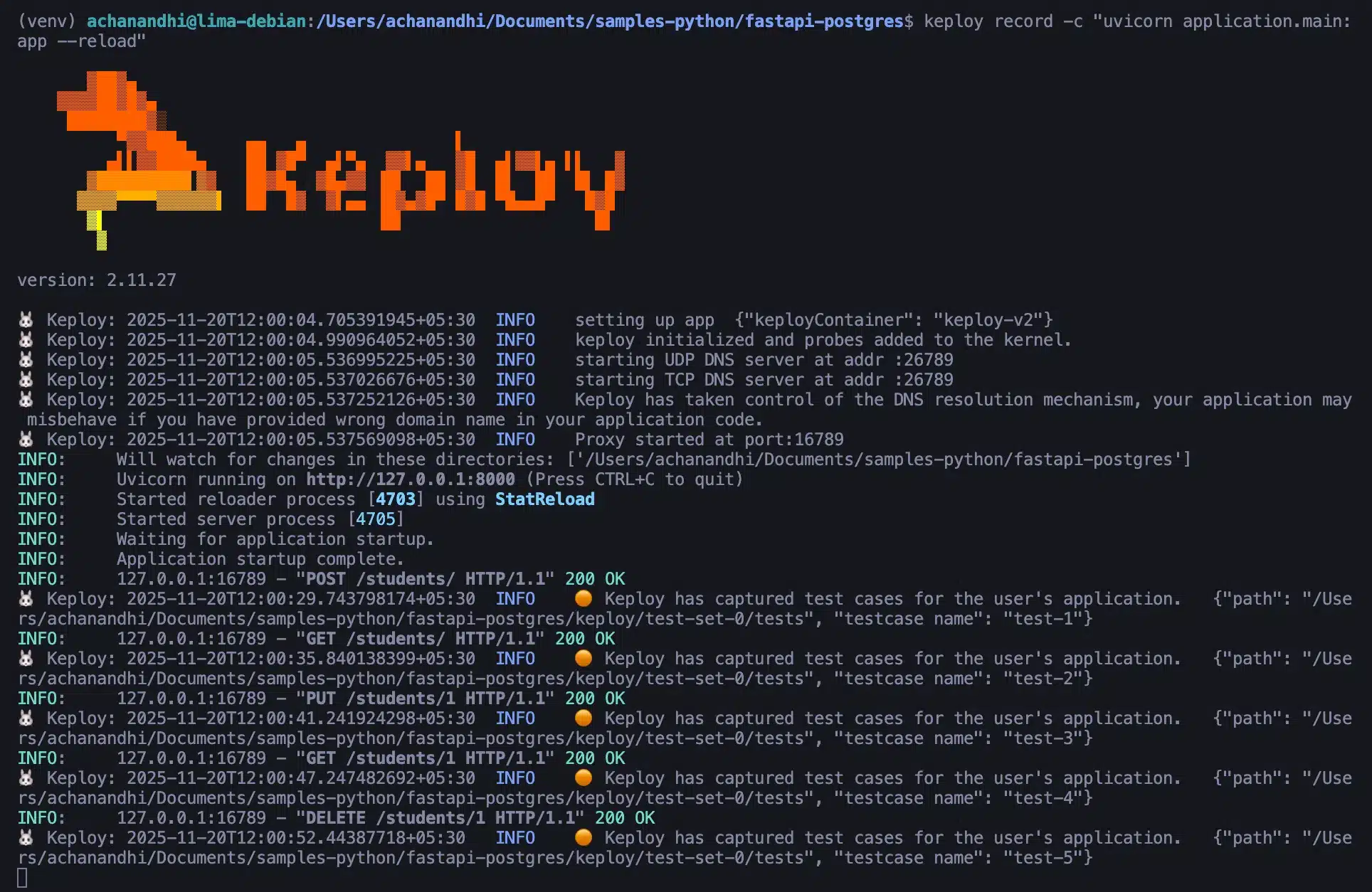
You can see that Keploy has successfully captured all the test cases. Now, let’s move to the main topic of this blog: how to integrate Keploy into GitHub Actions.
How to Integrate Keploy in GitHub Actions
Since we’ve already recorded the test cases using Keploy, the next step is to create a pipeline and integrate Keploy into it.
Below is the complete GitHub Actions workflow file:
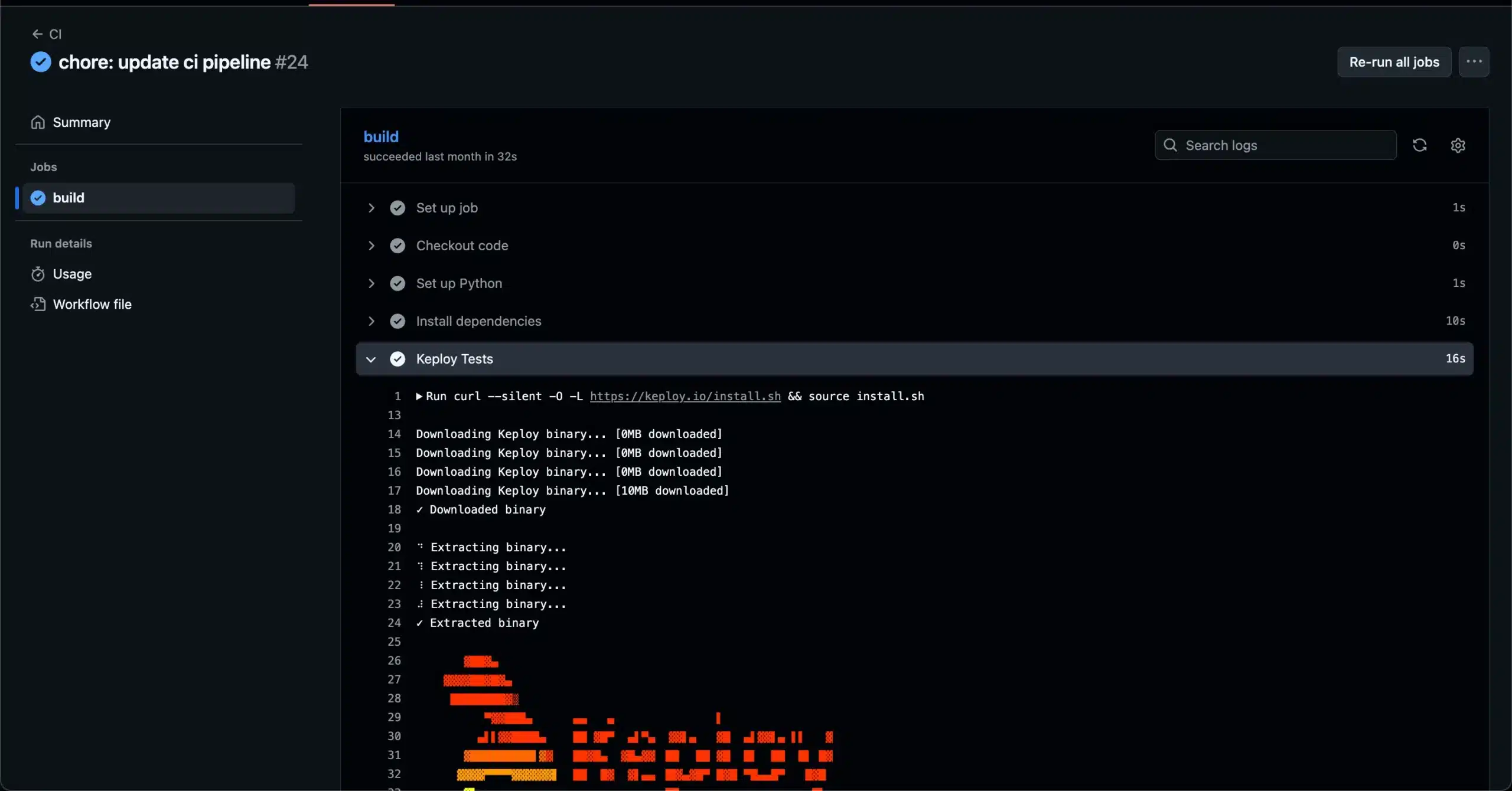
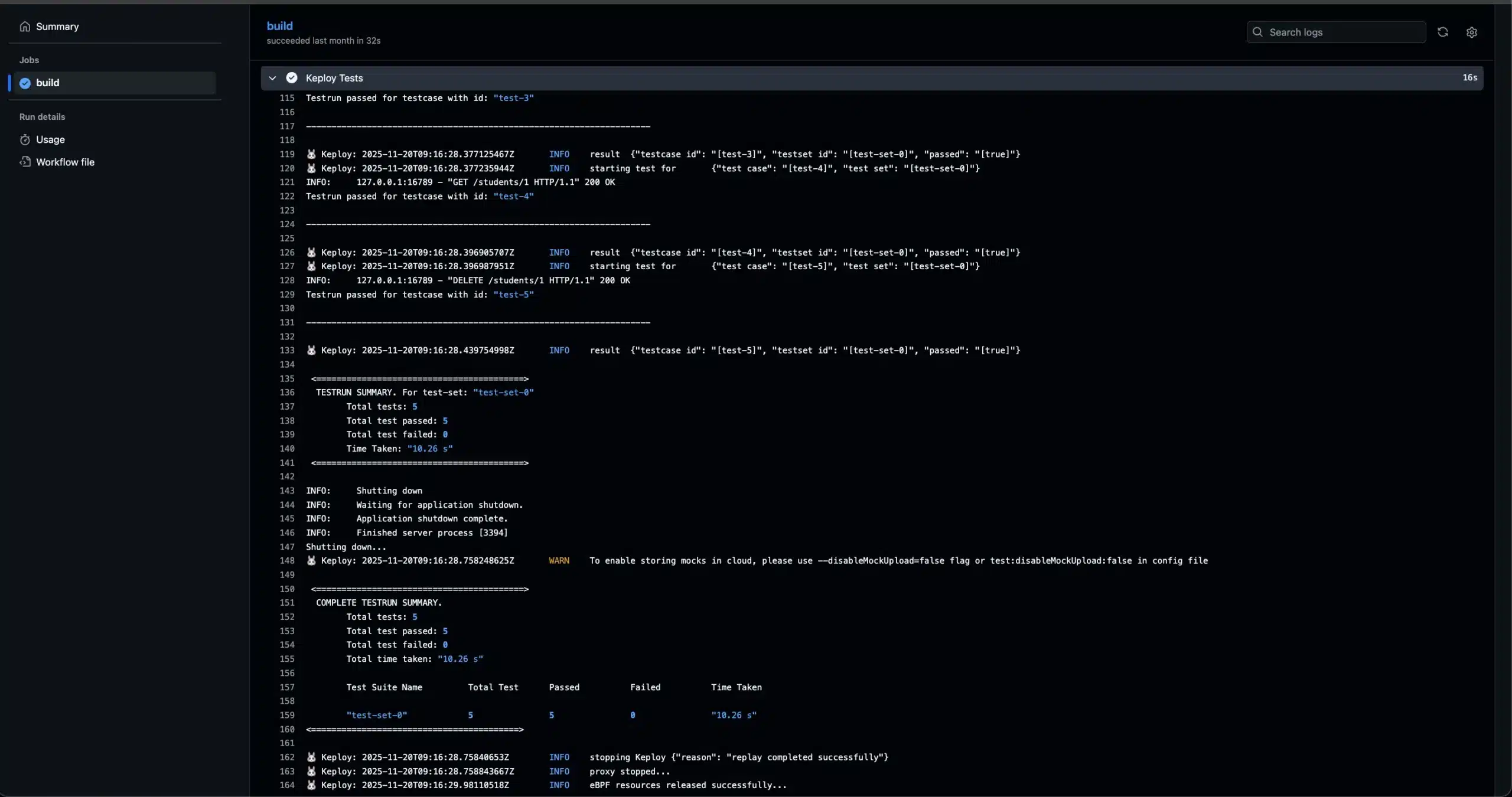
You can also view the exact output in the GitHub Actions logs: Github Actions logs
How to Record and Replay Test Cases in CI/CD Using Keploy
In the first section, we integrated the already recorded test cases and then replayed them in the CI/CD pipeline. But if you want to record and replay test cases directly within your CI/CD pipeline, you can use the code below as a reference.
The script below includes both steps recording and replaying along with the GitHub Actions workflow file.
The script file:
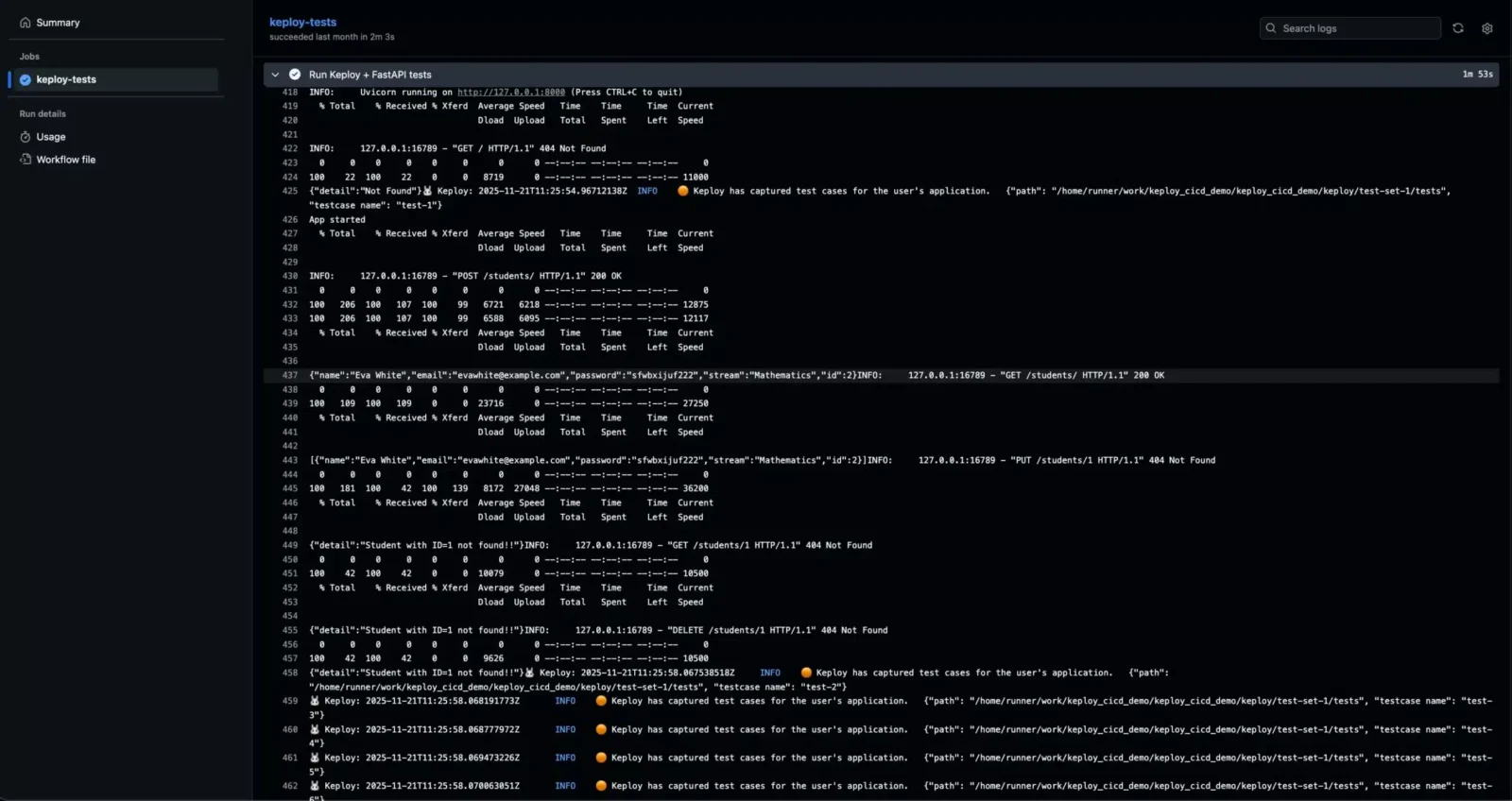
Recording the test cases using Keploy in the CI Pipeline:
Replaying the test cases using Keploy in the CI Pipeline:
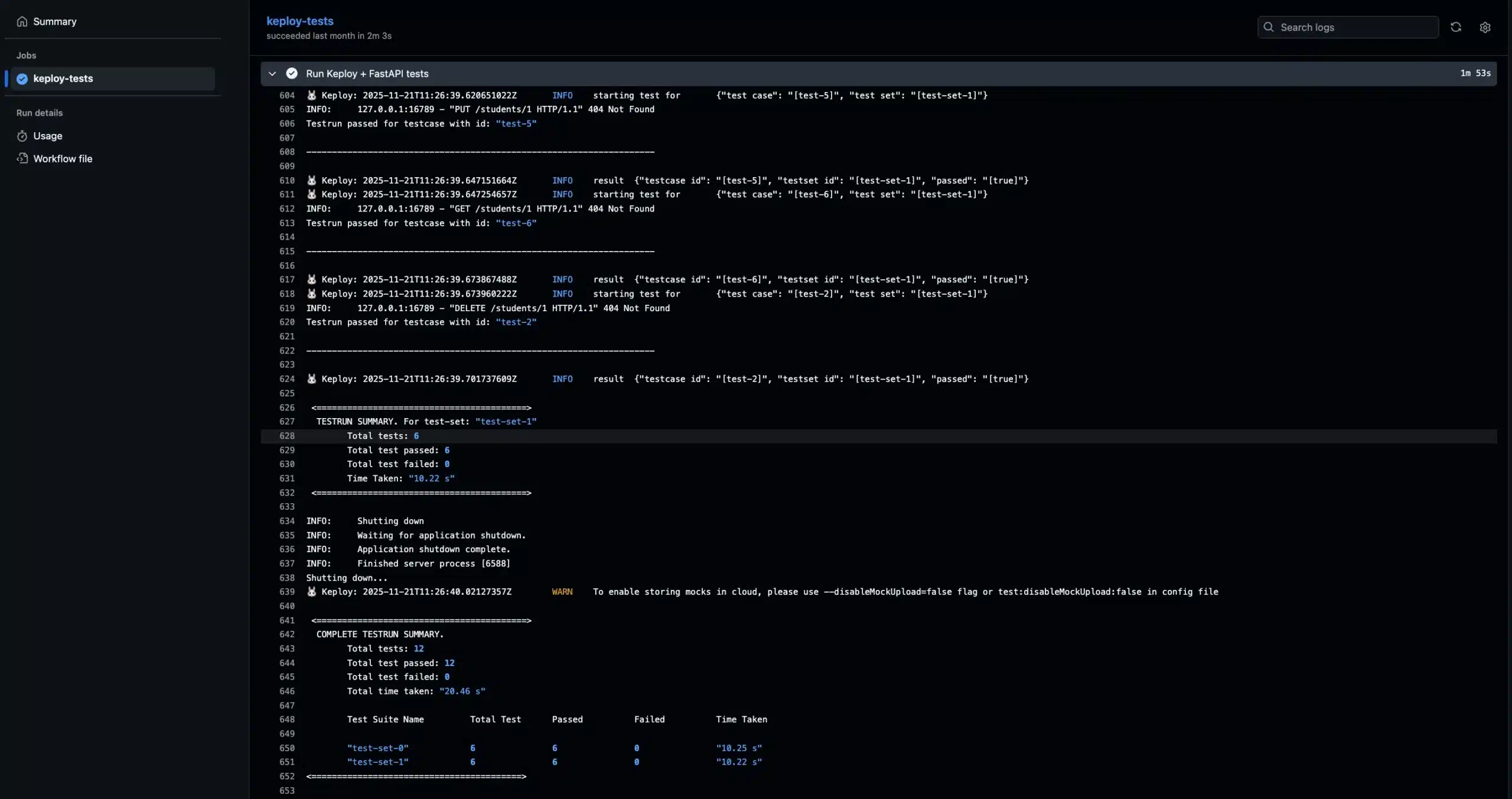
You can view the GitHub Actions logs at the provided URL. The workflow will perform both record and replay steps: Github Actions logs
How to Catch Breaking API Changes on Every Pull Request
Breaking API changes come in two kinds. A contract change alters the API’s shape, such as a removed endpoint or a new required field. A behavior change keeps the same shape but returns different data. Catching both on every pull request takes two checks that run side by side in GitHub Actions.
| Check | What it catches | Free tools | What it needs |
|---|---|---|---|
| Spec diff | Contract changes: removed endpoints, new required parameters, changed response types | oasdiff (OpenAPI), GraphQL Inspector (GraphQL), buf breaking (gRPC) | An up-to-date API spec in the repository |
| Traffic replay | Behavior changes: same shape, but different status codes, values or side effects | Keploy | Recorded tests in the repository and a free Keploy account |
To run Keploy on every pull request, trigger the workflow on pull_request, store your API key as a repository secret named KEPLOY_API_KEY, and run keploy test. If a replayed response changes, the job fails. To make that failure block the merge, mark the job as a required status check in your branch protection rules.
Conclusion
In this blog, we explored how to integrate Keploy into a CI/CD pipeline. The example we used was based on GitHub Actions, but the same approach can be applied using shell scripts on any CI/CD platform.
We also learned how to record and replay test cases in CI/CD using Keploy. If you want to customize the workflow, you can easily modify the configuration for example, replace Postgres with any other database or update the cURL commands to match your application’s APIs.
Adding an automated testing phase to your CI/CD pipeline helps you catch bugs early and ensures that every change pushed to production is reliable.
FAQs:
1. Does Keploy work only with GitHub Actions?
No. Keploy is platform-agnostic. You can use the same scripts with GitLab CI, Jenkins, CircleCI, Bitbucket, or any platform that supports running shell commands.
2. Can I run both record and replay inside the same CI/CD workflow?
Yes. Your pipeline can first record fresh test cases and then replay them in the same workflow to validate the new build.
3.How does integrating Keploy improve DevOps productivity?
It reduces manual testing effort, increases confidence in deployments, speeds up delivery, and catches regressions early, making CI/CD pipelines more reliable.
4. Can I customize which test cases Keploy replays?
Yes. You can filter test cases, organize them into folders, or selectively run tests using flags in your CI/CD scripts.
5. Can Keploy be used for microservices-based applications?
Yes. Keploy works well with microservices because it captures interactions between services and mocks them during replay, ensuring isolated and consistent testing.
6. What free tool can catch breaking API changes on every pull request in GitHub Actions?
Use two checks. A spec diff tool such as oasdiff catches contract changes like removed endpoints or new required fields, while Keploy replays recorded API traffic to catch behavior changes that keep the same shape but return different data. Both run free in GitHub Actions; Keploy needs a free account, with its API key stored as a repository secret.