






Automated Test Equipment (ATE) is an automated system that checks the functionality of electronic components and devices without manual intervention. While the hardware gets the attention, it’s the software layer, test execution frameworks, instrument control, data management, and CI/CD integration, that makes ATE accurate, scalable, and intelligent. Common ATE software includes LabVIEW, TestStand, and SCPI-based tools, with newer platforms adding AI and cloud capabilities.
Automated Test Equipment (ATE) is a key component of electronic system reliability and performance across industry. While hardware, such as test fixtures, signal generators, and probes, gets most of the attention, it’s the software that delivers the intelligence, accuracy, and scalability. In this blog, we focus on the software side of ATE: how it’s built, the tools most commonly used, and why it matters more than ever in today’s fast-paced testing environments.
What is automatic test equipment (ATE)?
Automatic Test Equipment refers to an automated testing and verification system for checking the functionality of electronic components and devices. It reduces human error in testing and accelerates the quality-checking process.
ATE software operates instruments, runs test scripts, compares results, and reports abnormalities, testing each device against specified standards without human involvement.
What are the components of an ATE system?
An ATE system combines hardware and software elements that work together to measure electronic equipment effectively. The key software elements can be categorized as:
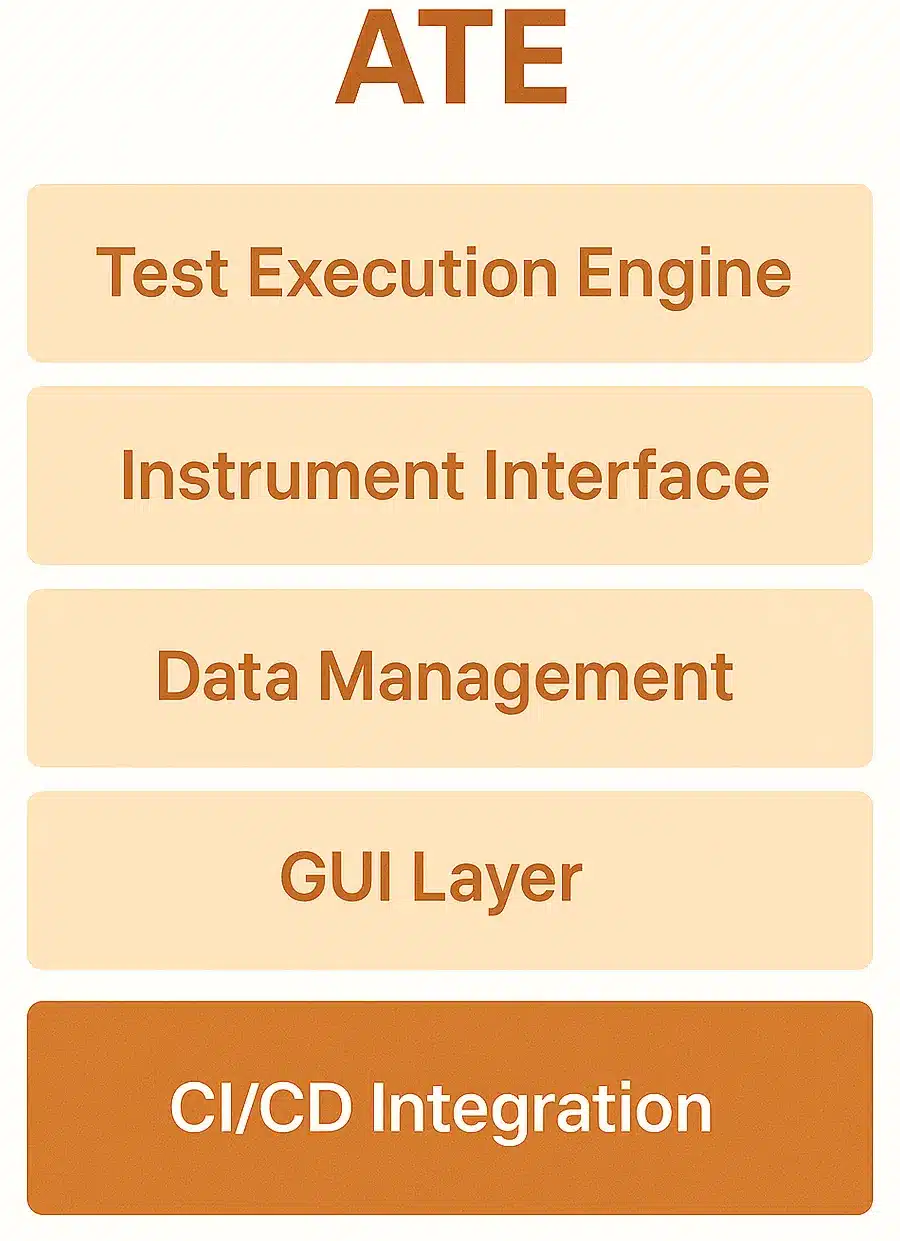
- Test execution frameworks: Control test case flow, supporting sequential or concurrent runs for more efficient testing.
- Instrument control interfaces: Standard interfaces such as VISA and SCPI let the software communicate with instruments, supporting compatibility and smoother integration.
- Data management systems: Sophisticated ATE software handles high volumes of data to record, store, and analyze test results quickly and accurately.
- Graphical user interfaces (GUIs): GUI layers make setup and test observation easier, lowering the technical barrier for end users.
- Integration modules: Enable integration with CI/CD pipelines, version control systems, and bug trackers, making ATE part of the software development process.
Where is ATE used?
Automated Test Equipment systems are used at every stage of a product’s life cycle, from original design to long-term maintenance. Here’s where ATE, specifically its software layer, comes into play.
1. Design verification
Engineers use ATE in early product development to test pre-production prototypes and models, catching design defects before mass production. ATE software automates challenging test sequences that simulate real application, voltage stress, thermal performance, or timing variation. By analyzing the results, designers can make changes to schematics or component selection early, saving time and cost later.
Application: A chip designer might use ATE to run signal integrity tests on a new processor to ensure it meets performance specifications under load.
2. Manufacturing testing
On the production line, ATE systems run fast, repeatable, automated quality tests on every unit, including functional testing, boundary scan tests, in-circuit testing (ICT), and end-of-line testing. The software controls hardware probes, test sequences, and logs, and flags any unit that fails. High throughput with low false negatives and positives is the most important feature for economically viable large-scale manufacturing.
Example: At a cell phone factory, every unit passes through an ATE station that tests touchscreens, speakers, sensors, and network modules, all controlled via scripts and interfaces written in ATE software.
3. Field diagnostics
Field-deployed ATE is used for routine maintenance, repair, and performance verification. Software-based diagnostics can run in the field, by technicians or remote systems, to monitor failure, degradation, or out-of-limit operation in real time. High-end ATE often integrates with remote monitoring so predictive maintenance or repair happens without sending devices back to the factory.
Example: In telecom, ATE software installed in base stations or routers can test them, log failures automatically, and raise alarms when a component starts to fail.
How does ATE help?
The benefits of ATE, especially when powered by capable software, include:
- Speed and efficiency: Automated tests are orders of magnitude faster than manual tests, especially at high volumes.
- Accuracy and repeatability: Software applies test conditions reliably, with no risk of human error.
- Flexibility: Test cases can be changed in software without altering hardware settings.
- Data-driven decisions: Built-in analytics provide immediate feedback, improving quality assurance and production planning.
Why is ATE used, and when is it needed most?
The main reason to use ATE is to ensure a device works as intended, reliably and consistently.
ATE is most critical when:
- Large volumes of testing must be done with little or no human intervention.
- Systems are safety-related (for example, aerospace, defense, or medical equipment).
- Time-to-market demands rapid, scalable test processes.
- Heavy documentation and traceability are required for conformance.
The software layer is where it counts: it handles test logic, automates reporting, and integrates into company-wide quality control systems.
Why does ATE matter?
ATE is key to maintaining product reliability, speeding up testing, and reducing development and production costs. It removes the risks of manual testing, such as human error, variation, and inefficiency, especially in high-volume or complex products.
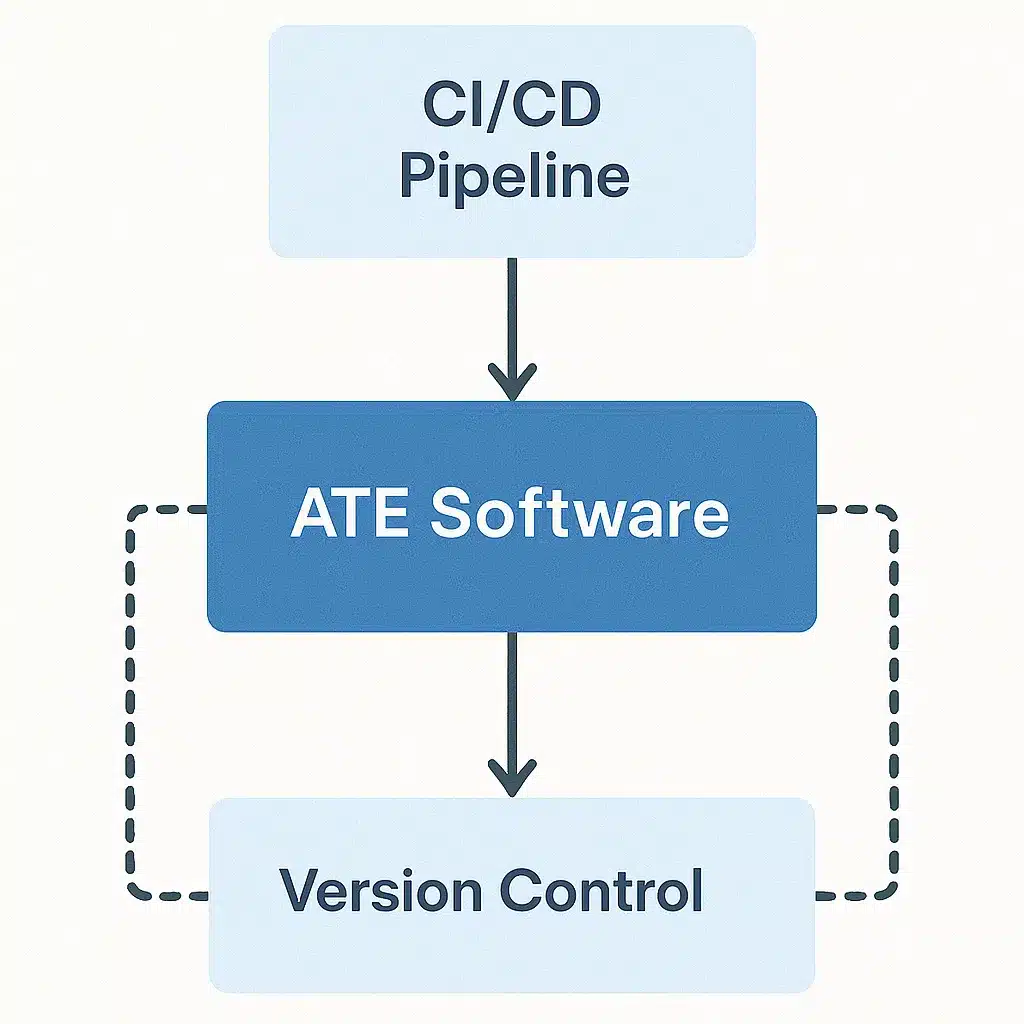
Beyond simply running tests, it’s ATE’s software that makes it an intelligent, adaptive system.
1. Facilitates DevOps pipeline integration
ATE software integrates with DevOps and CI/CD pipelines, version control systems (such as Git), and issue trackers (such as Jira). Tests can run automatically on any code or firmware change, giving immediate feedback on how changes affect hardware behavior, with traceability and compliance reporting built in.
Why it matters: This shortens development cycles, improves collaboration, and keeps quality a continuous part of the build process.
2. Automates test development and running
ATE software lets test engineers build a test model or script once and reuse it across platforms and stages (prototyping, manufacturing, post-deployment). Tests can be queued, retried, or triggered on events, such as a software build completion or hardware assembly, without intervention.
Why it matters: This improves consistency, saves time, and enables scalable testing even in complex environments with thousands of test cases.
3. Provides intelligent reporting and insights
ATE systems collect vast amounts of test data. The software layer turns it into dashboards, summaries, and trend reports on metrics like failure rates, test coverage, and performance drift. Advanced platforms can even use AI and ML to predict failures or optimize coverage.
Why it matters: These insights drive better decisions, whether modifying a design, optimizing a production line, or catching common field issues early.
4. Reduces operating cost through scaling and reuse
Because ATE software is configurable and modular, test frameworks can be reused across products or generations and scaled without proportional cost increases. Teams can build libraries of reusable test modules and deploy them quickly.
Why it matters: Over time, this reduces engineering overhead, shortens onboarding for new teams or products, and maximizes ROI on test infrastructure.
Automated test equipment software and tools
Several software packages and tools support ATE systems:
- LabVIEW: A graphical development environment for building complex test logic visually, saving development time.
- TestStand: Test execution software that supports LabVIEW, C, Python, and more to run test plans and report results.
- SCPI (Standard Commands for Programmable Instruments): A standard command set for instrument control that supports multi-vendor hardware.
- UTSL (Universal Test Specification Language): A platform-independent test description language for ASIC testing that enables reusable test logic.
- Data-driven testing (DDT): Separates test data from test scripts for greater reusability and less redundancy.
- Model-based testing: Tools like Tricentis Tosca generate test cases from models, making complexity and scalability easier to manage.
- Cloud-based and AI-enabled platforms: Next-generation ATE software adds scriptless development, machine learning for predictive maintenance, and cloud scalability.
Where Keploy fits in ATE software
Modern ATE systems increasingly expose APIs, dashboards, and cloud services, and those software components need testing too. This is where Keploy helps, not with the hardware testing itself, but with the API and software layer around it.
Keploy is an open-source test platform that auto-generates test cases and mocks by recording live API calls, with no scripting. It’s useful when you’re building or updating the software pieces of ATE systems, such as REST APIs for test orchestration, monitoring dashboards, or remote diagnostics.
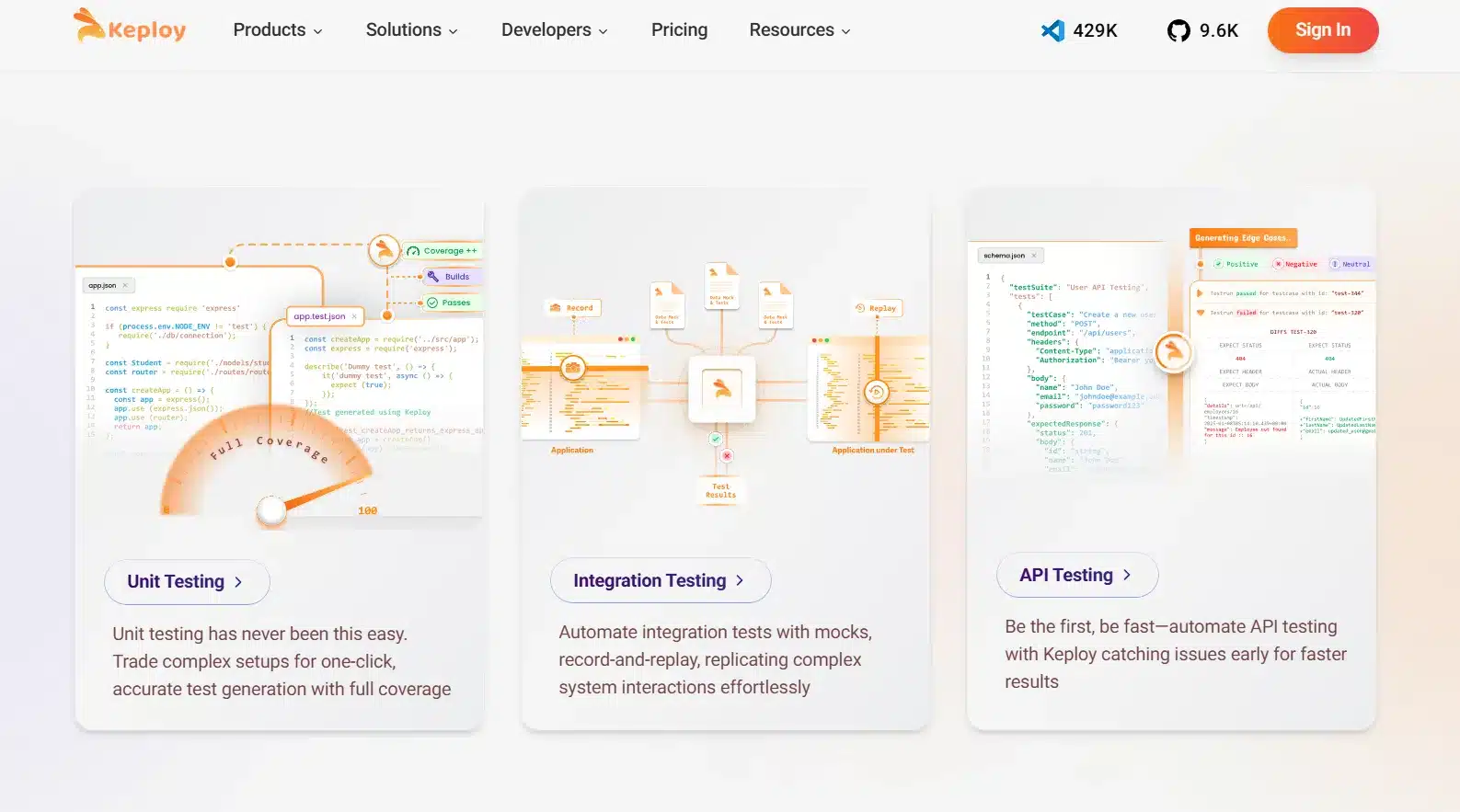
Why Keploy matters for ATE software:
- Mimics real-world scenarios: Keploy replays actual API traffic to create test cases, so your software is tested against real usage patterns.
- Enables hardware-less testing: Keploy mocks can stand in for instruments or external system responses during early development, so you can test the software layer without the hardware.
Testing the software side of your ATE stack? Keploy auto-generates API tests and mocks from real traffic and runs them in your CI/CD pipeline, no scripting required. Try Keploy for API testing
Conclusion
Automated Test Equipment has come a long way from a passive collection of instruments. Today, its power lies in the software, from automating test cycles and surfacing meaningful analytics to connecting with modern development tools. As electronics grow more complex and production cycles shorten, intelligent, adaptive, integrated ATE software is no longer optional, it’s a requirement.
Whether you’re developing next-gen electronics or ramping up production volume, investing in the right ATE software architecture ensures quality, speed, and lasting consistency.
FAQs
What is the function of software in Automated Test Equipment (ATE)?
Software deployed in ATE controls testing, allows for interaction with the hardware, captures and processes data, and integrates into development workflows.
Can ATE software be industry-agnostic, and how can Keploy help?
Yes. ATE software is modular too, and therefore it may be just as beneficial to car manufacturing, aerospace, telecommunication, etc. Software such as Keploy facilitates that to be achieved by allowing groups of people to model real-world conditions and pre-test APIs without the need to install the hardware – perfect for distributed or systems-based complex industry types.
Is ATE software easy to use across industries?
Yes. As modular software, ATE software can be used in any industry like automotive, aerospace, telecom, and consumer electronics.
Do I need programming experience to use ATE software?
No. Although scripting provides more flexibility, even most platforms have low-code or GUI interfaces to support those with no programming experience.
How does ATE software maximize test efficiency?
It supports testing in parallel, automates data analysis, minimizes human involvement, and continuous integration for faster, smarter testing cycles.
Recommended Blogs
- AI-Powered Test Automation: Exploring AI-Powered Test Automation Tools — Discover how AI is revolutionizing software testing with smarter, faster, and more reliable automation tools.
- Unit Testing in Python is Way More Convenient Than You’ve Thought — Explore how Python’s testing frameworks like
unittestandpytestsimplify writing and managing unit tests. - Good vs Bad Unit Tests: Tips for Making the Best Decision — Learn to distinguish well-written from poorly constructed unit tests, and how to improve your test suites.
- Playwright Alternative For API Testing — Explore top alternatives offering robust API testing features, seamless integration, and improved performance.