





E2E Testing
E2E Testing is a method to test a software from the consumer’s perspective. It involves simulating real scenarios, including user interfaces, backend testing. The purpose of E2E testing is to validate the application’s overall behavior, including its functionality, reliability, performance, and security.
E2E Testing helps in identifying issues when one or more components interact with each other. It is usually done after integration testing, which tests individual component. Then E2E tests determines if the components interact well or not, which ensures that the application meets the user’s requirements.
For an in-depth comparison between system testing and integration testing, you can read the article titled "System Testing vs Integration Testing: Why They Matter?"
Automation Of E2E Tests with CI/CD Workflows
As your project grows, manual E2E Tests become less manageable. This is especially true of testing user interfaces, because a single action in a UI can lead to many other actions. This complexity makes automating tests essential. End-to-end tests can help automate user-interaction testing, saving valuable time.
With the speed software changes nowadays, automated tests have become absolutely necessary for developing a good software.
Once we have the parameters and test cases to work upon, we can implement it via code in a CI/CD Pipeline to run on every push event in a software repository. It helps you in identifying bugs earlier making a reliable software to use.
Steps to automate E2E Tests:
-
Analyse and make it clear on the aspects the application is supposed to be tested.
-
Setup test environment.
-
Analyse requirements and dependencies
-
List down what response should happen during the test.
-
Design test cases
-
Setup Workflow and define the events for the workflow to run(eg. on commit and push)
-
Run, test and revise
Challenges During Automated Testing
Here are the 3 most common test automation challenges that teams usually face while adopting automation testing:
-
Test Script Issues: Test scripts can be brittle, breaking with minor changes in the UI or API endpoints. This is especially true for tests that rely heavily on specific selectors or expected responses that are subject to change.
-
Test Code Duplication: Duplication in test scripts can lead to maintenance nightmares, where a change in the application requires updates in multiple places within the test suite.
-
Over-reliance on UI for Data Verification: Relying too much on UI elements for data verification can make tests slower and more prone to failure due to rendering issues or changes in the UI.
-
Unnecessary Noisy Data: Unnecessary noisy data in test scripts and test results can obscure important information, making it difficult to identify actual issues and understand the state of the application under test leading to flaky tests.
How Keploy solves these challenges:
A few months ago, I discovered Keploy, an open-source utility designed to transform user traffic into test cases and data stubs. Keploy simplifies the process of testing backend applications using authentic data by generating mocks and stubs, enhancing testing efficiency and accuracy.
Keploy streamlines the process of capturing and converting real-world user traffic into mocks and stubs for subsequent replay testing. It also introduces Test Deduplication, effectively eliminating redundant tests, thus addressing a significant challenge in the testing domain. Moreover, Keploy enhances its utility by offering native integration with leading testing frameworks, including JUnit, gotest, pytest, and Jest, further simplifying the testing workflow.
To demonstrate how Keploy works, let’s outline a simplified workflow to illustrate its capabilities in capturing user traffic and converting it into test cases and data stubs for a backend application.
To install Keploy, run the following command:
(On MacOS and Windows, additional tools are required for Keploy due to the lack of native eBPF support.)
You should see something like this:
Clone this sample application and move to the application directory and download its dependencies using go mod download . (You would need Golang)
In the application directory, run the following command to start PostgresDB instance:
docker-compose up -d
Now, we will create the binary of our application:-
go build
Now we are ready to record user-traffic to generate tests:
Generate testcases
To generate testcases we just need to make some API calls. You can use Postman, Hoppscotch, or simply curl:
this will return the shortened url.
GET Request:
Now, let’s see the magic! 🪄💫
Now both these API calls were captured as a testcase and should be visible on the Keploy CLI. You should be seeing an app named keploy folder with the test cases we just captured and data mocks created:
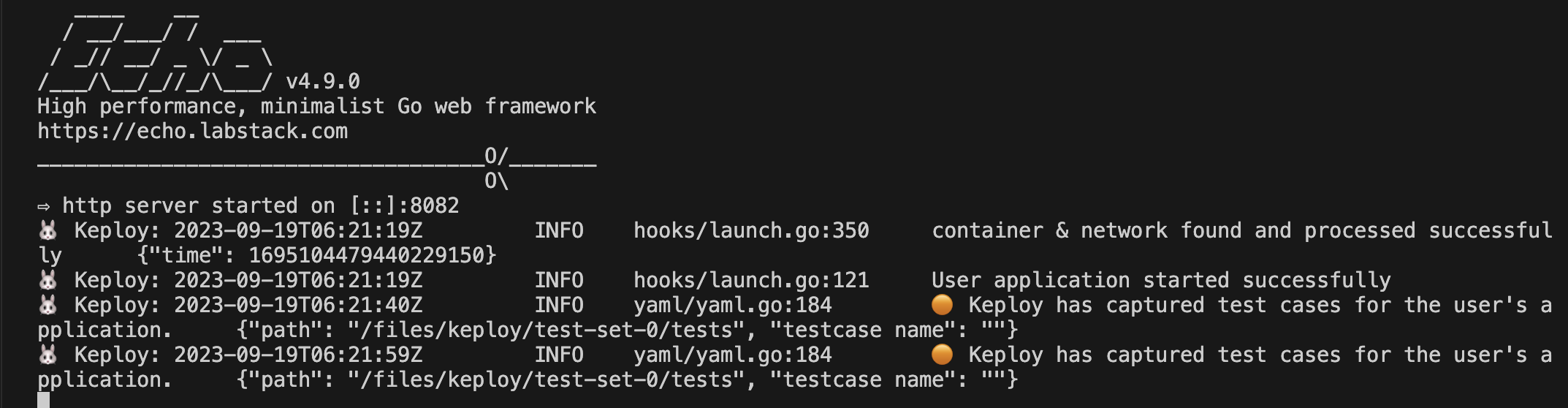
This is a single generated mock sample:
Run the captured testcases
Now that we have our testcase captured, run the generated tests:
So no need to setup dependencies like Postgres, web-go locally or write mocks for your testing.
The application thinks it’s talking to Postgres
We will get output something like this:
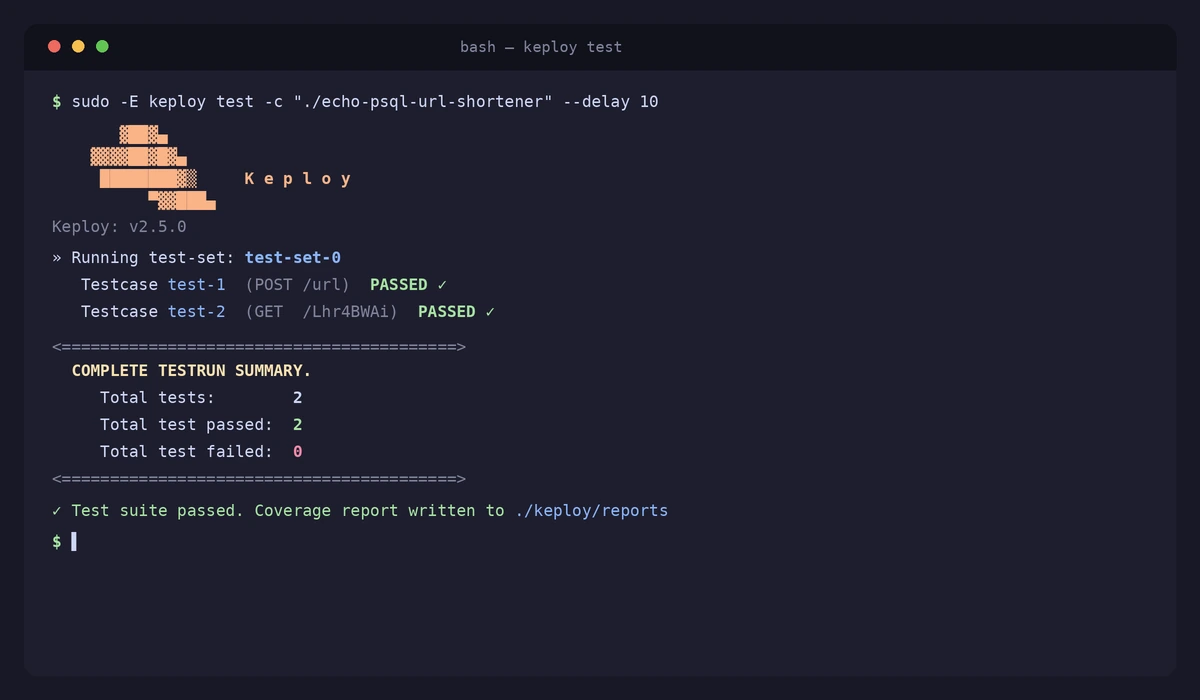
A reports folder will be generated in the Keploy directory to see the generated test results and it will look something like this :
Additionally, if writing Keploy’s command, seems repetitive and boring, we can also leverage its configuration file to list everything in one-go.
Generate keploy-config:
Here is the keploy-config file:
You can also filter out the noisy data(e.g Date) to have accurate tests
Now that you are aware of Keploy’s capabilites, let’s go ahead and see what else can it do!
Keploy Integration with native frameworks
As mentioned earlier, we can integrate Keploy with native frameworks like JUnit, go-test, pytest as well as Jest to do more stuff like Test Coverage etc.
For example, here is how we can integrate Keploy with Jest:
Pre-requisites
Get Keploy jest sdk
Update package file
Update the package.json file that runs the application:
Usage
If your Node.js application and test environment run inside Docker, generating and exporting NYC coverage reports requires additional considerations around container paths and process shutdown.
For the code coverage for the keploy API tests using the jest integration, you need to add the following test to your Jest test file. It can be called as Keploy.test.js.
Now let’s run jest tests along keploy using command:-
To get Combined coverage:
Integrating Keploy into workflows for automated testing
Keploy integration into CI/CD workflows enables automated testing by capturing API requests and responses during development. It generates test cases based on this captured data, allowing for continuous testing without manual intervention. This ensures that any changes in the codebase are automatically validated, enhancing the reliability and efficiency of the development process.
Let’s perform a simple demonstration for automated testing using Keploy:
In this demo, we are going to run Keploy with a sample go application using echo framework and Postgres.
This is the Github workflow I created:
Along with a script:
The workflow activates upon a push event to the repository. Here’s the sequence it follows:
-
The code is built.
-
A Postgres instance is initiated.
-
The applications run, with Keploy recording all API calls.
-
Test sets are executed to validate the changes.
-
A report file is generated and reviewed to conclude the workflow.
This process is easily replicable on GitHub by cloning the repository and re-triggering the workflows using GitHub Runners. Similarly, this workflow can be adapted and implemented with other CI/CD tools like Jenkins and CircleCI, ensuring broad compatibility and flexibility for automated testing and integration.
Conclusion
In conclusion, automating End-to-End (E2E) testing within CI/CD workflows represents a pivotal advancement in the realm of software development and quality assurance. By leveraging tools like Keploy, developers can overcome traditional challenges associated with manual testing, such as inefficiency, inaccuracy, and the inability to keep pace with rapid development cycles. Keploy, with its innovative approach to generating test cases and data stubs from real user traffic, not only simplifies the testing process but also significantly enhances its effectiveness and reliability. Integrating such automation into CI/CD pipelines ensures that applications are rigorously tested from the end user’s perspective, guaranteeing that each component functions harmoniously within the broader system. This shift towards automated E2E testing facilitates the delivery of high-quality software that meets user requirements and withstands the demands of the modern digital landscape, ultimately leading to more reliable, secure, and user-friendly applications.
Faq’s
1. What is E2E testing in the context of CI/CD pipelines?
End-to-end (E2E) testing verifies the entire application flow from frontend to backend. It ensures all integrated parts work as expected before deployment. In CI/CD, E2E tests run automatically during builds or pre-deployment stages.
This helps catch bugs early and avoid post-release issues.
2. Why should E2E tests be integrated into the CI/CD pipeline?
Integrating E2E tests ensures your application works as a whole before going live. It reduces manual testing effort and increases deployment confidence. Bugs are caught earlier in the development lifecycle. This leads to faster releases and higher-quality software.
3. When should E2E tests be triggered in a CI/CD pipeline?
E2E tests are typically run after unit and integration tests pass. They are often triggered in staging or pre-production environments. Running them before deployment prevents faulty code from reaching users.
You can also schedule nightly runs for broader regression coverage.
4. What tools can help run E2E tests in CI/CD pipelines?
Popular tools include Cypress, Playwright, Selenium, and Keploy for API-based E2E. CI platforms like GitHub Actions, GitLab CI, and Jenkins integrate easily with them. Docker or Kubernetes can be used to mimic production environments. Choose tools that support automation and parallel execution.
5. What are common challenges in E2E testing in CI/CD, and how to solve them?
Challenges include flakiness, long test durations, and environment inconsistency. Use stable test data, mocks, and retry logic to reduce flakiness. Parallelization and test prioritization speed up pipelines.
Containerized environments ensure reliable test execution.