





Manual testing uses human testers to execute test cases by hand, which suits exploratory, usability, and ad-hoc testing. Automation testing uses scripts and tools to run pre-written tests, which suits repetitive, regression, load, and performance testing. Neither replaces the other; most teams combine them, using manual testing for human judgment and automation for speed and scale. Tools like Keploy help bridge the two by turning real API traffic into automated tests.
Imagine that you’re baking a cake. You can do everything the hard way, measuring flour, mixing batter, and preheating the oven just right, or you can use a smart kitchen device that measures, mixes, and bakes at the touch of a button. Both can make a great cake, but each involves trade-offs in control, labor, and consistency.
Software testing works similarly. Manual vs automation testing is a choice between hands-on work and a machine’s efficiency. Some tests are done manually, relying on human sense and observation, while others are automated, driven by scripts and tools. In this blog, we’ll cover manual vs automation testing thoroughly: where each shines, their limitations, and how to find the right balance for your project.
What is manual testing?
Manual testing is the process of executing test cases by hand with no automation tool. Testers simulate end-user actions by directly interacting with the app, looking for bugs, UI inconsistencies, and unexpected behavior.

For example, a QA engineer manually testing an online shopping website would add items to a cart, apply discount codes, and check that the checkout total is accurate. Manual testing is easy to adapt and flexible with changes, which makes it suitable for usability and exploratory testing, and it doesn’t require programming skills. However, it’s slow for repeated testing, prone to human error, and not easily scalable.
What is automation testing?
Automation testing relies on tools and scripts to run pre-written test cases automatically. This approach is better for repetitive, high-frequency, or performance tests.
For example, an automated regression suite can run hundreds of tests overnight after a new build, something that would take days to do manually. The benefits of automated testing are faster execution, predictable outcomes, and suitability for large-scale regression and performance testing. That said, it requires initial setup, technical skill to build and maintain scripts, and it’s weaker at subjective judgments like user experience.
Key differences between manual vs automation testing
Let’s look at the key differences between manual and automation testing:
| Factor | Manual Testing | Automation Testing |
|---|---|---|
| Execution | Human testers execute tests | Scripts and tools run tests |
| Speed | Slower, especially for large sets | Much faster, especially for repetitive tasks |
| Cost | Lower upfront cost | Higher initial investment but cost-effective long-term |
| Accuracy | Prone to human error | Highly consistent and precise |
| Suitability | Exploratory, usability, ad-hoc tests | Regression, load, performance tests |
| Scalability | Limited | Highly scalable |
Understanding these differences matters when weighing manual testing vs automation testing for your project.
When to use manual testing
Use manual testing when:
- The product is in its early stages of development with frequently shifting requirements.
- Usability or exploratory testing is needed to gather qualitative feedback.
- Tests are run rarely or only occasionally.
- Human judgment is needed to catch subtle UI/UX problems.

Manual testing wins when a bit of creativity and adaptability is needed.
When to use automation testing
Use automation testing when:
- Test cases are stable and need to run repeatedly and frequently.
- Regression testing on large projects is necessary.
- Cross-browser or cross-environment compatibility must be tested.
- Performance or load testing is important.
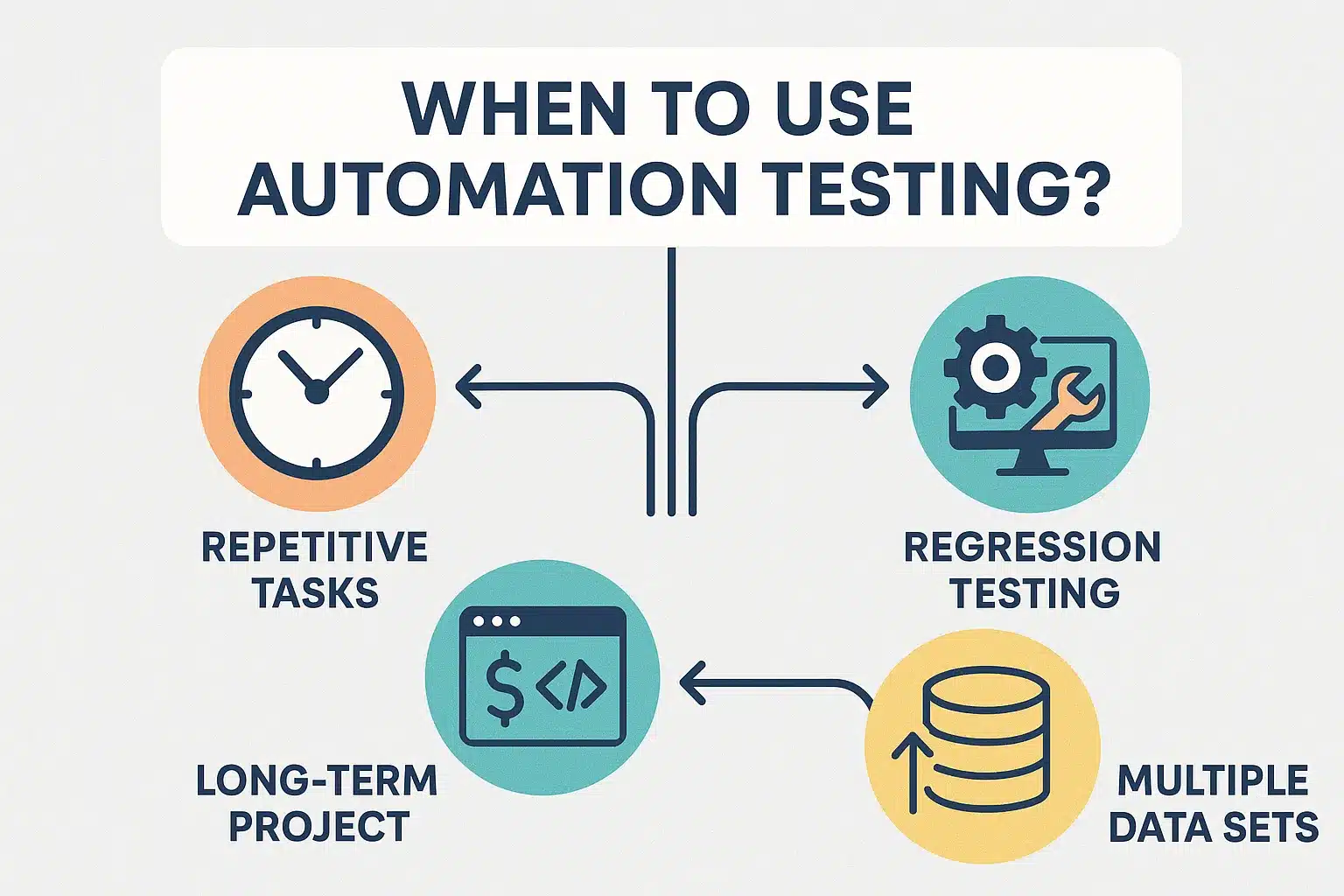
In short, automation testing wins when you need to save time and achieve consistent coverage on large codebases.
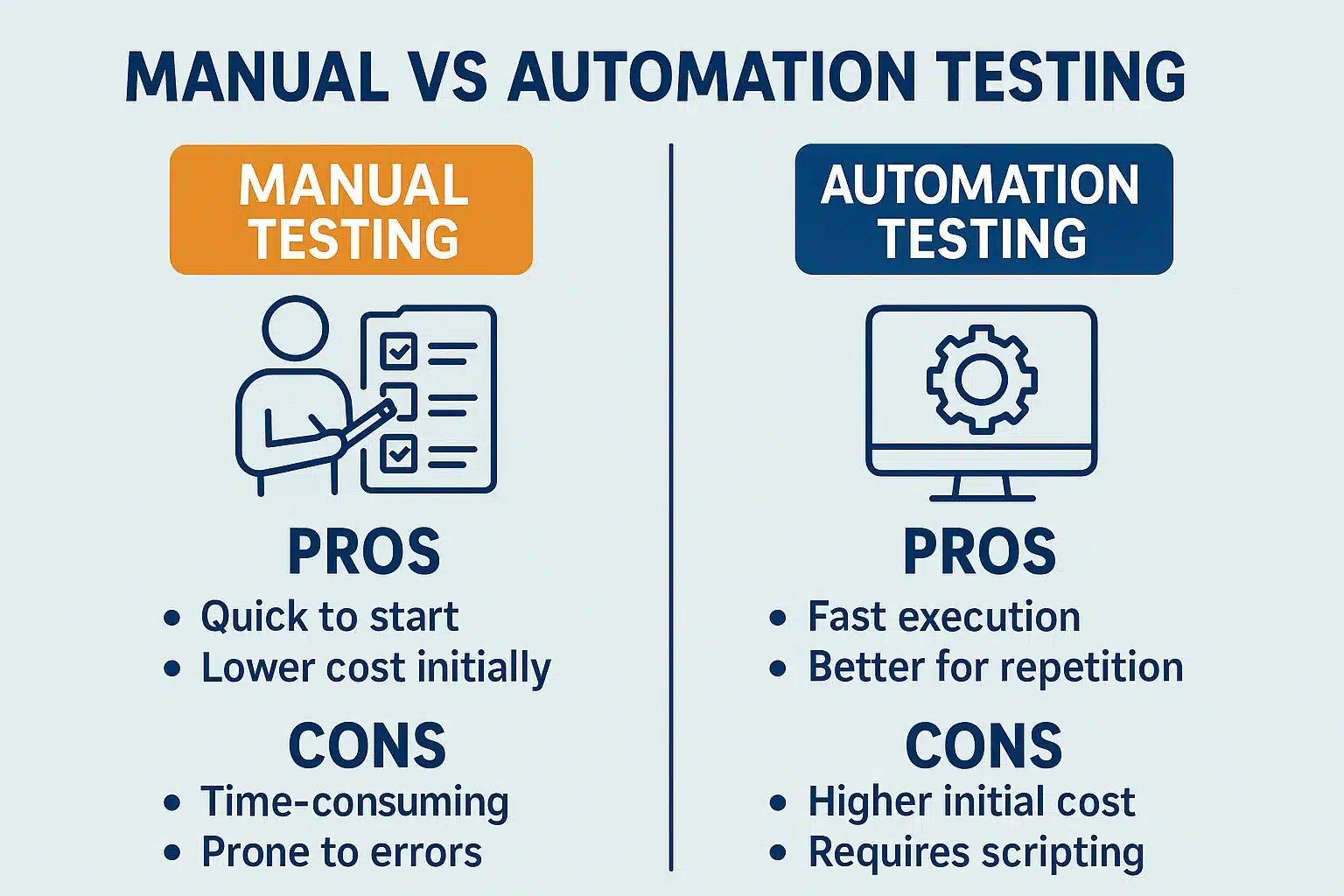
Manual testing pros
- Adaptable and flexible to changes
- No programming knowledge required
- Great for user interface feedback and exploratory testing
Manual testing cons
- Time-consuming and repetitive
- Risk of uneven test coverage
- Not scalable for large projects
Automation testing benefits
- Fast execution and repeatability
- Supports parallel and large-scale testing
- Economical on long-term projects
Automation testing limitations
- Higher upfront setup cost and time
- Requires coding and maintenance skills
- Limited for subjective or visual elements
Cost, time, and accuracy in manual vs automation testing
Manual testing looks cheaper in the early stages but becomes costly over the long term due to effort and potentially missed defects. Automation testing costs more upfront in infrastructure and script writing, but delivers faster, more precise results across multiple test cycles. While automation is more accurate, it can’t replace human judgment where subjective interpretation is needed, which is why a combination of manual and automation testing is usually necessary.
How to decide: manual vs automation testing
Deciding when and where to use manual vs automation testing depends on several factors:
- Project complexity and size (larger, more complex projects are better handled by automation)
- Test run frequency (frequent regression favors automation)
- Budget and team capacity (smaller budgets might favor manual initially)
- Application type (very complex UIs might need manual monitoring)
Teams should try both approaches to find the best mix of coverage and efficiency.
Test automation tools
The right test automation tool can boost productivity significantly.
Selenium, Katalon Studio, Keploy, and Postman are a few of the tools that make scripting and running automated tests simple, enabling faster feedback cycles and more reliable releases. Choosing the right tool is key to successful automation and strong ROI. For more, see our guide to the top 7 test automation tools.
Keploy’s role in connecting manual and automation testing

Keploy streamlines the shift from manual to automated testing. It records live API calls during manual testing and turns them into automated test cases, reducing the human effort spent on writing and maintaining scripts. With strong mocking support, Keploy speeds up isolated API testing, shortening test cycles and improving reliability.
Turn manual API testing into automated tests. Keploy records real API traffic and converts it into test cases and mocks automatically, straight into your CI/CD pipeline. Try Keploy for API testing
Conclusion
The choice between manual and automation testing isn’t either/or, it’s about recognizing each one’s strengths and applying them wisely. Automation testing speeds up repetitive tasks and ensures consistency, while manual testing provides the fine-tuned judgment needed for exploratory and usability testing. By combining both methods and using the right tools like Keploy, teams can improve software quality, speed up releases, and stay flexible. Ultimately, a balance between automation and manual testing is what delivers successful software products.
FAQs
1. Is manual testing outdated?
Ans: No. Although automation is picking up steam, there is still a place for manual testing in terms of usability, exploratory testing, and where human intuition is key. It is an accompaniment to automation and not its substitute.
2. Is it worth it for small projects to implement automation testing?
Ans: Yes, especially if they are repetitive or expansion-burdened. But manual testing can turn out to be less expensive in the first place for tiny, extremely changing projects.
3. Is automation testing faster than manual testing?
Ans: Automation testing is way faster for repetitive and bulk tests. Manual testing provides more qualitative feedback but takes more time.
4. What are the automation testing skills needed?
Ans: Automation of tests involves knowledge of programming, automation framework working knowledge, test script writing, and test script maintenance.
5. Am I stuck using just one testing technique?
Ans: No. The union of manual and automation testing delivers end-to-end coverage by utilizing the strength of each for greater quality and efficiency.