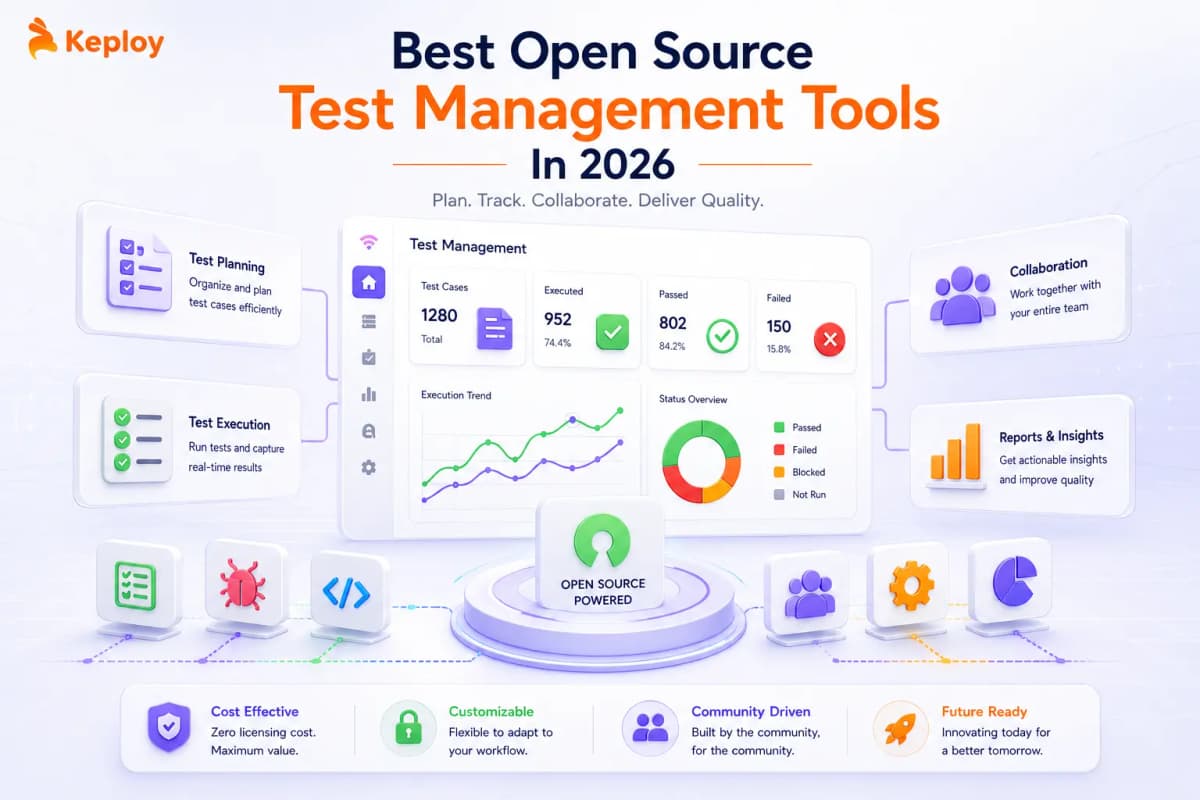






Not every open source test management tool solves the same problem, and picking the wrong one creates more overhead than it saves. For API-first teams, the bigger unlock isn’t better organization – it’s skipping manual test creation altogether, which is what Keploy is built for. This guide matches each tool to the team it actually fits.
Test management tools solve a problem every growing QA team faces: knowing at any moment what has been tested, what broke, and whether the software is ready to ship. Without this visibility, regression testing results get buried across spreadsheets and issue trackers, making it impossible to answer the most basic release question – has anything that was working before stopped working now? Without a central platform, test coverage lives in spreadsheets that go stale, defects get buried in issue trackers with no traceability, and release decisions get made on gut feel rather than data.
Open source test management tools have matured significantly in 2026, offering enterprise-grade test case management, defect tracking, CI/CD integration, and reporting at zero licensing cost.
What is Test Management?
Test management is the structured process of planning, organizing, and controlling testing activities across the software development lifecycle, covering test case design, execution scheduling, defect tracking, and results reporting.
What Are Test Management Tools?
Test management tools are software platforms that centralize these activities in one place. They provide a test case repository, execution tracking, defect management workflows, CI/CD integration, and reporting dashboards.
In 2026, leading platforms also support AI-assisted test case generation, native Jira integrations, and real-time visibility for distributed QA teams. They range from lightweight open source options to enterprise-grade commercial platforms, with open source tools offering comparable core functionality at zero licensing cost.
According to the Stack Overflow 2025 Developer Survey, 84% of developers are already using or planning to use AI tools in their workflows. Test management platforms that support AI-assisted test generation and automated CI/CD result ingestion are where that shift is most directly felt in QA teams.
Modern platforms go beyond basic test case storage. Sophisticated solutions now offer risk-based test prioritization, predictive analytics on test coverage gaps, and AI-assisted test case generation from requirements or API interactions. Cloud-based options provide real-time collaboration across distributed teams with no local infrastructure overhead.
Key benefits teams gain from using a dedicated test management tool:
- Centralized test case repository with version control and search, replacing scattered spreadsheets
- Real-time execution tracking and defect traceability across builds
- Reporting that translates test data into release-readiness decisions
Open Source Test Management Tools
Open source test management tools offer a compelling alternative to commercial platforms, eliminating licensing fees while providing a level of customization that commercial vendors typically cannot match. Teams can adapt the tools to their specific workflows, extend functionality through custom development, and avoid long-term vendor lock-in.
The open source model means tools evolve based on real-world testing challenges rather than vendor roadmaps. Many open source test management platforms have matured to offer enterprise-grade functionality, including role-based access control, scalable architecture, and API integration capabilities, making them viable for organizations of all sizes.
Open Source Vs Commercial Test Management Tools
Open source tools are less onerous on your budget because there is no licensing fee. This can be a major budget limitation, especially if you are a small organization or have a small budget for a team. This may allow you to use the tool across your entire organization and break down silos between non-development teams.
Another major benefit of open source tools is the flexibility of configuration and extended custom development. Sequencing added functionality, or custom development, to fit your organization’s processes in open source, is less expensive than working within an established framework in a commercial vendor, which tends to limit the organization’s capacity to characterize its work processes and workflows.
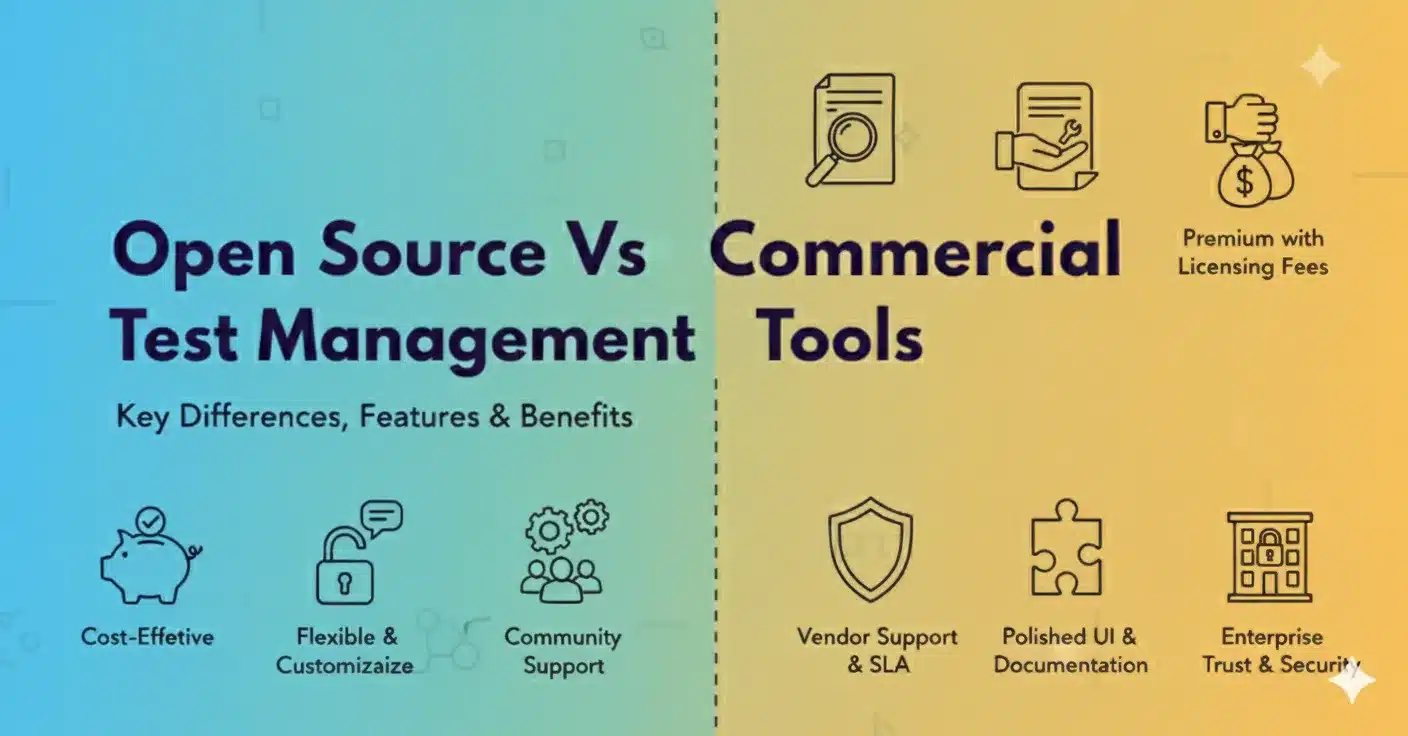
The benefit of open source tools in relation to community support, may afford users with diversity of options to support collaborative problem solving and resolution if there is enough community and organizational users. Commercial products will come with a vendor providing dedicated support which can only be trusted as far as the vendor support team is concerned – they may be as responsive as you need during the hours of operation outlined in your contract, but they frequently charge a premium for help.
Security and transparency typify open source systems, organizations are often able to audit code and are able to see for themselves that security has been implemented appropriately. Commercial tools rely on trust in the vendor’s security practices and do not give the organization visibility into the vendor’s actual implementation.
That being said, commercial tools will usually have more polished user interfaces and have all of the options of support options and documentation required to provide the enterprise with reassurance, professional services and guaranteed service levels that organizations require for mission-critical applications.
The most widely adopted commercial test management tools in 2026 include:
- TestRail- used by teams that need enterprise reporting and milestone tracking;
- Zephyr Scale and Xray- both native Jira apps built for agile teams embedded in Atlassian ecosystems; and
- Qase- offers AI-assisted test case generation alongside standard management features.
Teams evaluating open source options should benchmark these against the commercial alternatives before committing.
Best Open Source Test Management Tools: Quick Comparison Table
| Tool | Best For | Key Strength | Deployment | Learning Curve |
|---|---|---|---|---|
| Keploy | API Testing & Test Generation | AI-powered test generation | Cloud/On-premise | Low |
| TestLink | Traditional Test Case Management | Mature ecosystem | Web-based | Medium |
| Kiwi TCMS | Comprehensive Test Management | Modern interface | Docker/Cloud | Low |
| Testopia | Bugzilla Integration | Database-driven | Web-based | Medium |
| Squash TM | Enterprise Testing | Rich feature set | Java-based | High |
| RTH (Requirements and Testing Hub) | Requirements Traceability | ALM integration | Web-based | Medium |
| Testrail (Free Tier) | Team Collaboration | User-friendly interface | Cloud/On-premise | Low |
| Zephyr Community | Agile Testing | Jira integration | Plugin-based | Medium |
Detailed Tools List
1. Keploy
Keploy is a test management tool that builds on test management capabilities with AI-powered test generation and full support for API testing. Keploy eliminates manual test case writing entirely. Instead of asking teams to define test scenarios upfront, Keploy observes real API traffic using eBPF-based capture and converts those interactions into test cases automatically – complete with mocks for every external dependency. Teams get regression coverage that reflects actual production behavior, not assumed behavior.

Features:
-
AI-based automatic test case generation from API calls.
-
Real-time test execution monitoring and reporting
-
Easy integration with continuous integration and continuous deployment (CI/CD) pipelines with other common tools.
-
Full API testing support including REST, GraphQL, and gRPC.
-
Mock generation for external dependencies.
-
Full test coverage metrics and analytics.
-
Cross-platform compatibilities with easy deployment options.
Use Case: Keploy excels in modern microservices architectures where API testing forms the backbone of quality assurance. Development teams building API-first applications benefit from automatic test generation that captures real user interactions and converts them into comprehensive test suites. The tool particularly shines in continuous integration environments where rapid feedback loops are essential.
Competitive Advantage: Unlike traditional test management tools that require manual test case creation, Keploy’s AI-powered approach automatically generates comprehensive test suites by observing actual API interactions. This unique capability reduces test creation time by up to 80% while ensuring better coverage than manually written tests. The tool’s ability to generate realistic test data and mocks for external services sets it apart from conventional solutions.
Pricing: Free open source core. Enterprise plans with advanced features available at keploy.io/pricing.
Ready to stop writing test cases manually? Try Keploy free
Generate your first test suite from real API traffic in minutes. No scripting required.
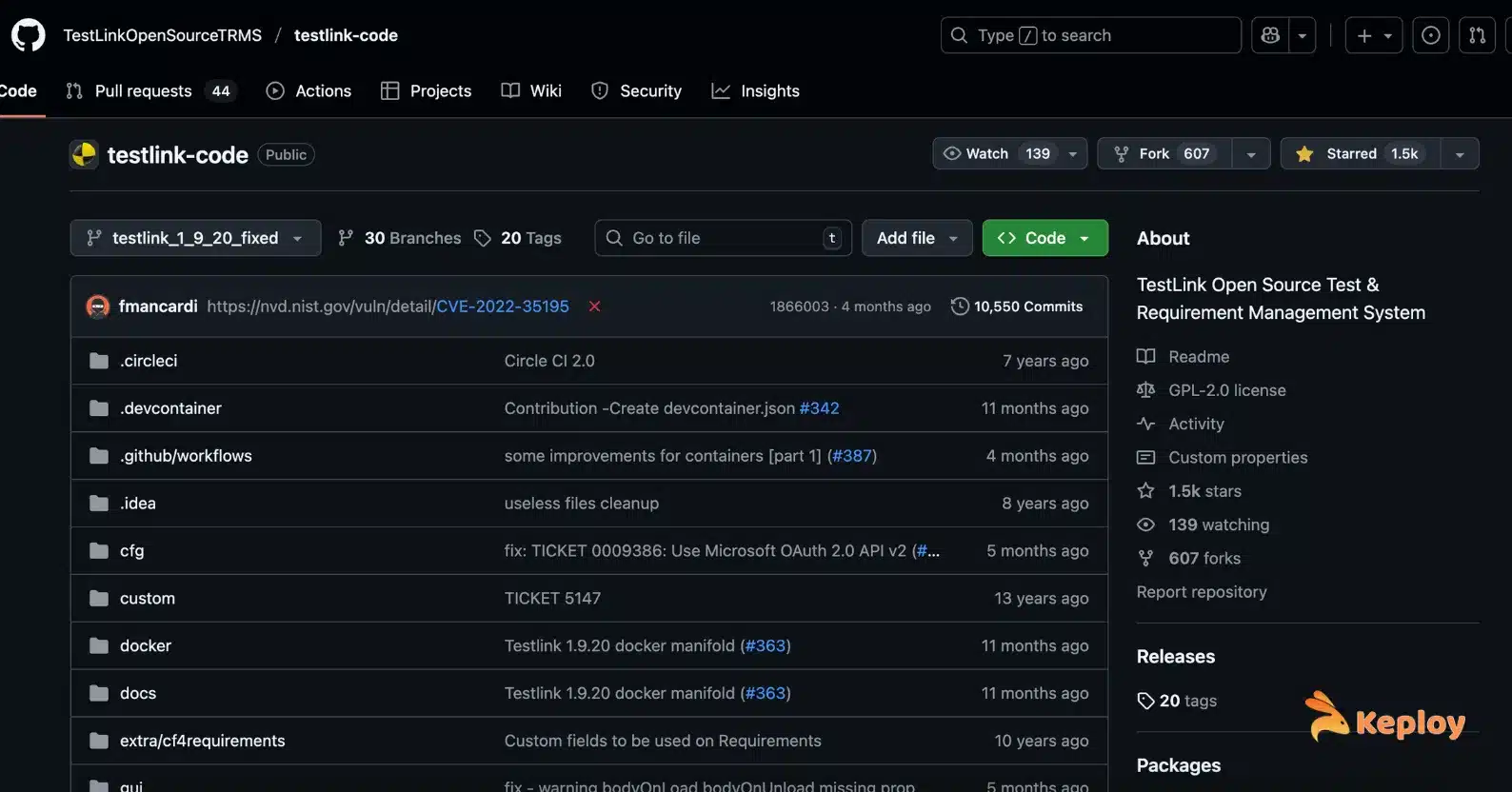
2. TestLink
TestLink is one of the most established open source tools for test case management and offers a robust set of features for map classic testing workflows. With its well established ecosystem and features, TestLink is suitable for organizations migrating from manual to structured testing processes.
Features:
-
Comprehensive test management of test cases including hierarchical structures.
-
Planning of test execution and tracking.
-
Requirements management and traceability matrix.
-
Multi-project support with role-based access control.
-
Feature-rich reporting tools in variety of formats.
-
Integration with common bug tracking tools.
-
Support for keyword driven testing.
-
Custom field definitions for specific organizational needs
Use Case: TestLink is suited for organizations with defined testing processes that want a comprehensive set of test case management features and do not see significant changes in their testing workflow. If your teams process is high volume with a complex approval process, reporting or regulatory requirements across multiple projects, TestLink can effectively help to manage your testing process.
Competitive Advantage: TestLink’s competitive advantage is its maturity and extensive functionality supporting the entire test management life cycle. Additionally, the number of ways TestLink can be customized for process compatibility provide organizations with a mechanism to implement the tool with minimal workflow disruption. TestLink has a solid track record, extensive documentation from many users, and support from a large community.
Pricing: Free, fully open source.
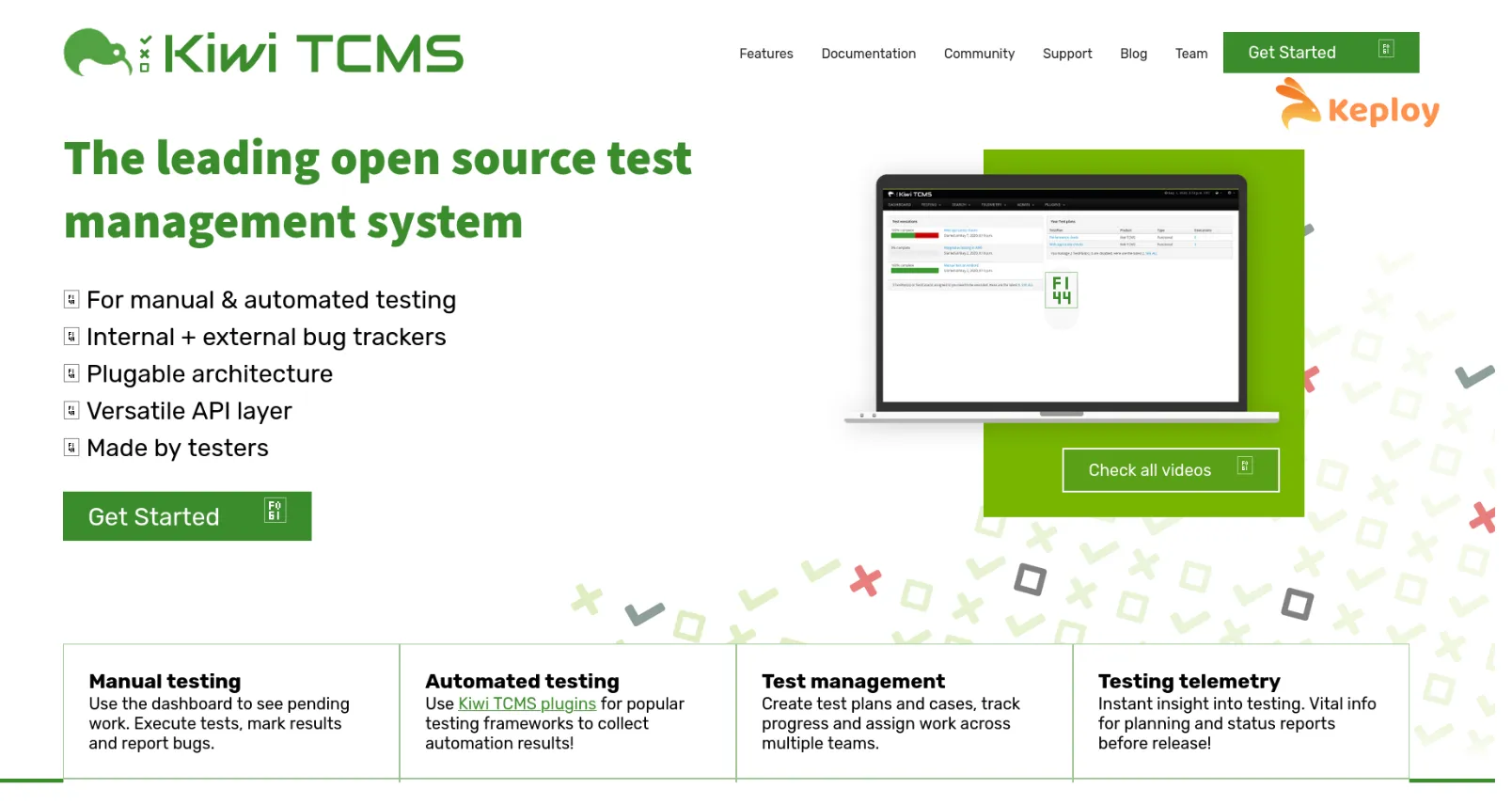
3. Kiwi TCMS
Kiwi TCMS provides modern test case management with an easy-to-use interface and integrated collaborative features. It is designed for modern web technologies and delivers an excellent user experience while still providing powerful testing features.
Features:
-
Modern, responsive web interface that has everything you will need to use it well.
-
Essential capabilities for test planning and execution.
-
Search and filter your test database to provide you with flexibility over large amounts of data.
-
Instant collaboration features to team such notifications for teamwork purposes.
-
Configure your workflow and optionally approval types.
-
Integrate with common development tools and continuous integration/continuous development (CI/CD).
-
Comprehensive API for custom integrations
Use Case: Kiwi TCMS is for teams that appreciate rich user experience and modern workflows. It works extremely well for Agile teams that members must create, execute and collaborate quickly on testing. There can be tremendous productivity benefits for teams that need to locate test information quickly and collaborate in real-time.
Competitive Advantage: Kiwi TCMS provides features for a modern user experience as well as the full functionality. It is simple and can be adopted by teams that may not have a technical background. As a result of its modern usability, teams spend the minimum of time on training to obtain best in class functionality. The development community comes together regularly to improve functionality, or obtain more from existing capabilities.
Pricing: Free open source. Paid cloud hosting plans available for teams that prefer a managed deployment.
4. Testopia
Testopia collaborates with Bugzilla to provide a test case management system driven by a database. The tool provides a unified way to track defects and manage tests to make team workflows around Bugzilla as simple as possible for teams.
The following features are availble:
-
Bugzilla integrated interface for defect and test management in one location.
-
Database driven architecture for data integrity.
-
Easy sharing of test cases and organization through categories and priority.
-
Advanced reporting and the ability to run your own custom queries and have reports run against data in another location or instance.
-
Test run management with execution tracking with detail.
-
User permission system that mimics Bugzilla permission.
-
API access for custom integration you may need or to automate tasks.
-
Bulk operation that aid in the ease of managing test cases.
Use Case: Testopia is perfect for any teams using the Bugzilla infrastructure who would like to incorporate test management without to introduce another tool into their life. This integration is most helpful in team environments and where test management and defect tracking want to be tightly integrated to provide shared visibility.
Competitive advantage: The Bugzilla integration significantly reduces silos that promote confusion between defect tracking and test management, this integration allows the team to make fewer changes to their work context which promotes consistency between defect tracking and test management. In addition the team is already familiar with the Bugzilla interface and using it to share user permissions.
Pricing: Free, fully open source.
5. Squash TM
Squash TM is to the level of enterprise-grade that provides a set of test management software that has been built for larger testing initiatives. The scalable architecture and full feature set are well suited to complex testing environments that have strict limitations.
Features:
-
Complete management of test cases with better organization capabilities.
-
Requirements management and requirement traceability.
-
Campaign management oversight for managing coordinated testing.
-
Advanced reporting and business intelligence capacity.
-
Integration with most popular ALM and development tools.
-
Custom workflows and approval processes.
-
Multi-language capacity for global teams.
-
Enterprise level security and access control functionality.
Use Case: Squash TM fits best with large, enterprise, organizations that have complex testing requirements, multiple teams and a broad range of compliance requirements. Squash TM can be especially useful in regulated industries that require comprehensive documentation, traceability and audit trails.
Competitive Advantage: Squash TM is an enterprise product and has features of high-end, commercial products. It’s full set of features and robust architecture provides them a way to carry out complex testing in practice while also remaining performant and reliable in production at a suitable scale.
Pricing: Free open source community edition. Paid enterprise support and professional services available.
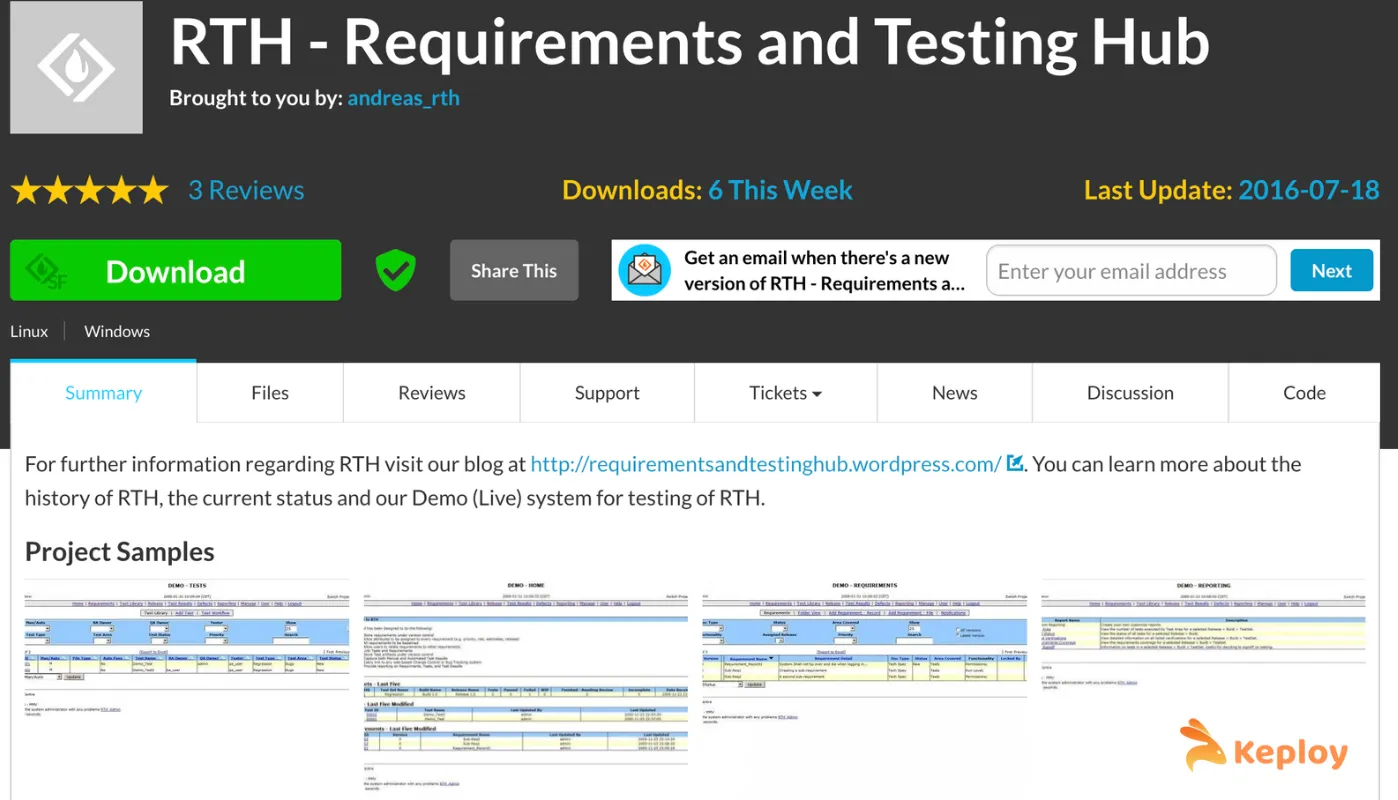
6. RTH (Requirements and Testing Hub)
RTH specializes in requirements traceability and Application Lifecycle Management (ALM) integration. This focus makes it ideal for teams needing strong connections between requirements, tests, and development artifacts.
Features:
-
Comprehensive requirements management and traceability
-
Test case creation with direct requirements linking
-
ALM tool integration for unified project visibility
-
Impact analysis for requirement changes
-
Collaborative review and approval workflows
-
Comprehensive audit trails and compliance reporting
-
Custom field definitions for specific organizational needs
-
Integration with popular development and project management tools
Use Case: RTH works best for organizations with complex requirements management needs and regulatory compliance requirements. It excels in environments where traceability between requirements, tests, and deliverables is critical for audit and compliance purposes.
Competitive Advantage: RTH’s strength lies in its comprehensive requirements traceability capabilities that exceed most test management tools. The deep integration with ALM processes provides visibility across the entire development lifecycle, making it valuable for complex projects with extensive documentation needs.
Pricing: Free, fully open source.
7. TestRail (Free Tier)
TestRail is a commercial test management platform by SmartBear that offers a free tier for small teams. It provides a user-friendly test management experience with a focus on collaboration and workflows that are easy to adopt across teams of varying technical ability.
Features:
-
User-friendly interface that is easy to learn.
-
Manage and organize test cases thoroughly.
-
Facilitate real-time collaboration with team notifications.
-
Flexible test suites and easy-to-follow workflows for test execution.
-
Connect to contemporary popular development and communication tools.
-
Detailed reporting with customizable formats
-
Fully mobile compliant for remote tests.
-
API access for custom integrations and automation
Use Case: Testrail is especially useful for teams who prioritize an acceptable user experience that can be adopted at a fast pace. It is especially well suited for agile teams creating tests quickly that can be executed and collaborated on without a lot of training or configuration of creating complex workflows.
Competitive Advantage: Testrails professional features with great usability make it more irreplaceable for your team than other full featured testing tools. Once a team is up and running, the experience of reducing barriers to adoption while fully-featured shows great consideration and maximizes the functionality of the tool.
Pricing: Free tier available for small teams. Paid plans available for professional features. Verify current pricing at testrail.com.
8. Zephyr Community
Zephyr Community offers a direct integration with Jira to provide full test management in existing Atlassian ecosystems. This integration provides fluid workflows for teams already using Jira for project management and issue tracking.
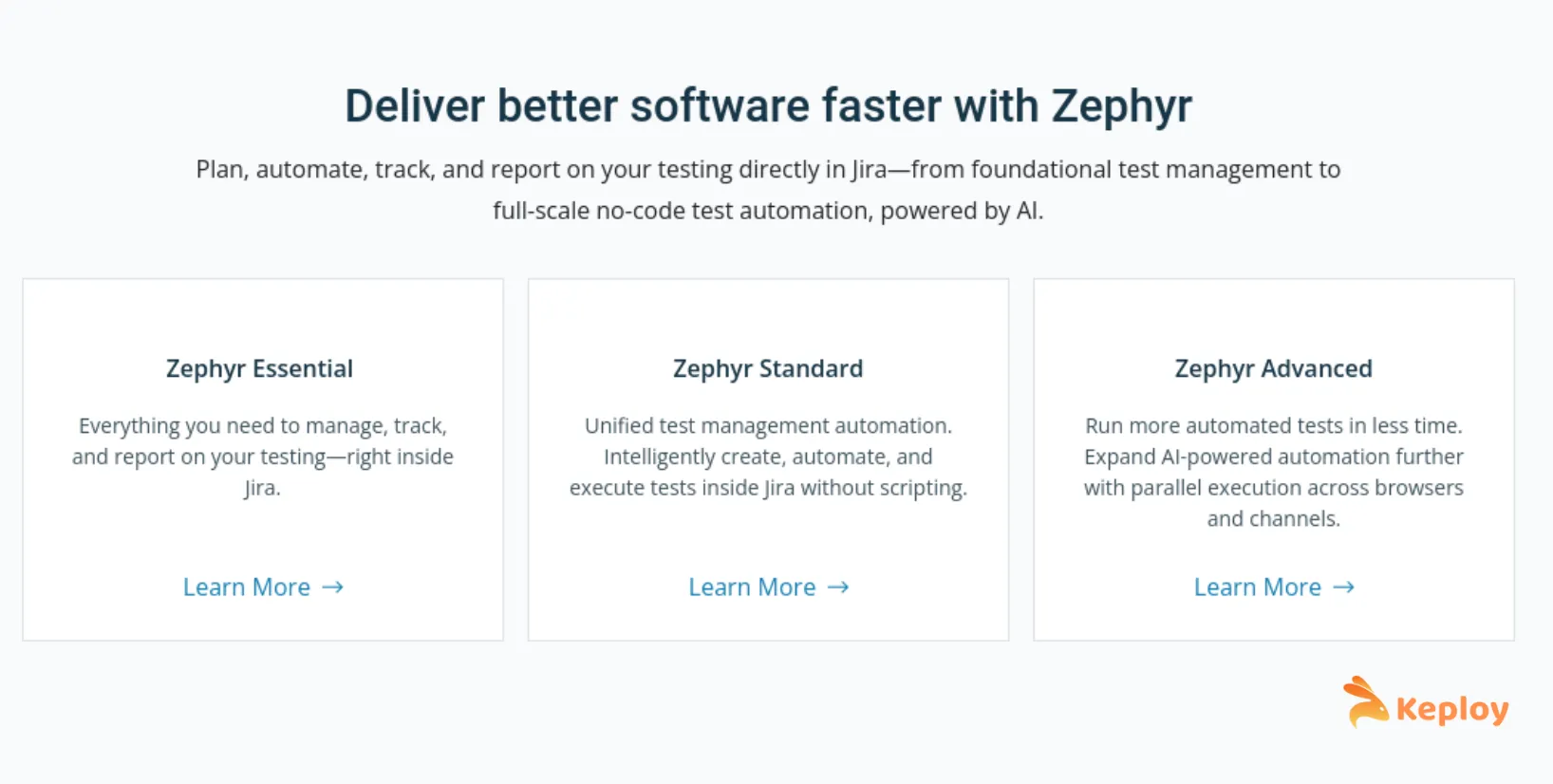
Features:
-
Native Jira integration for streamlined project management.
-
Full test case management in Jira interface.
-
Test execution tracking with detailed test result management.
-
Automated reporting integrated with Jira dashboards
-
Support for both manual and automated test management
-
Custom workflows tailored to Jira processes.
-
Collaboration features leveraging Jira notifications.
-
Integrations with other Atlassian tools and third-party apps.
Use Case: Zephyr Community works extremely well for teams deeply embedded in Atlassian ecosystems that want full test management without needing additional tools or switching contexts. It is especially useful for agile teams, who use Jira for sprint planning and tracking issues.
Competitive Advantage: The deep Jira integration eliminates the context switch between project management and test management tools. This makes workflows easier and more efficient while ensuring consistent data from project management to testing activities.
Pricing: Free as a Jira plugin for the community version. Zephyr Scale (paid) available for larger teams needing advanced reporting and analytics.
Which Test Management Tool Is Right for Your Team?
The right tool depends on your stack, team size, and workflow. Use this table as a reference guide:
| Your Situation | Best Fit | Why |
|---|---|---|
| Team already embedded in Jira | Zephyr Community | Native Jira integration with no context switching |
| API-first or backend-heavy team | Keploy | Generates tests automatically from real traffic without scripting |
| Enterprise team with compliance requirements | Squash TM or RTH | Requirements traceability, audit trails, multi-team coordination |
| Small team with zero budget | TestLink or Kiwi TCMS | Fully open source, no licensing cost |
| Team currently using Bugzilla | Testopia | Native Bugzilla integration with shared permissions |
| Team prioritising ease of use with a free start | TestRail (Free Tier) | Best user experience of any tool listed, free tier available |
Benefits of Using Test Management Tools:
- Centralized test case repository with version control, categorization, and search. Test documentation stays organized and accessible across teams and projects.
- Improved collaboration through shared test cases, real-time execution updates, and stakeholder-facing progress visibility in one platform.
- Traceability linking test cases to requirements, defects to executions, and results to specific builds. Essential for impact analysis and compliance reporting.
- Automation integration allowing test management platforms to trigger automated test suites, ingest results, and update test statuses without manual overhead.
Testing Management: Why Test Management Matters?
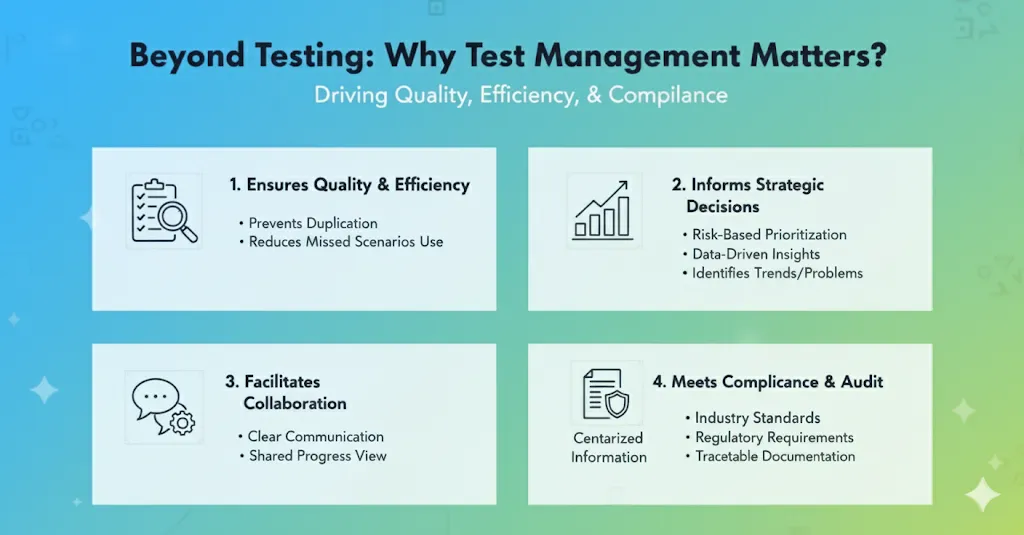
Without structured test management, QA teams end up testing the same things twice, missing critical scenarios, and making release decisions without knowing what was actually covered. The overhead compounds fast – developers ask "is this tested?", QA leads cannot answer with confidence, and the answer becomes "let’s ship and see."
Good test management makes testing intentional rather than reactive. Teams can prioritize test effort based on risk and business impact, rather than testing what is easy or familiar. The result is fewer surprises in production and a clearer picture of where quality risks actually sit.
At the organizational level, test management supports compliance and audit requirements. Many regulated industries require documented evidence of testing – who ran what, when, against which build, and what the result was. A test management platform creates this audit trail automatically as teams work, without requiring additional documentation overhead.
For distributed teams, structured test management provides the shared visibility that prevents coordination failures. Remote QA teams working across time zones need a single source of truth for test status, not a mix of Slack threads, spreadsheets, and memory.
Common Challenges in Test Management
Organizations frequently struggle with test case organization and maintenance as applications grow in complexity. Managing thousands of test cases across multiple projects becomes unwieldy without proper categorization and search capabilities.
Test execution tracking presents another significant challenge, particularly in distributed teams working across different time zones. Coordinating test activities, sharing results, and maintaining visibility into testing progress requires sophisticated communication and reporting mechanisms.
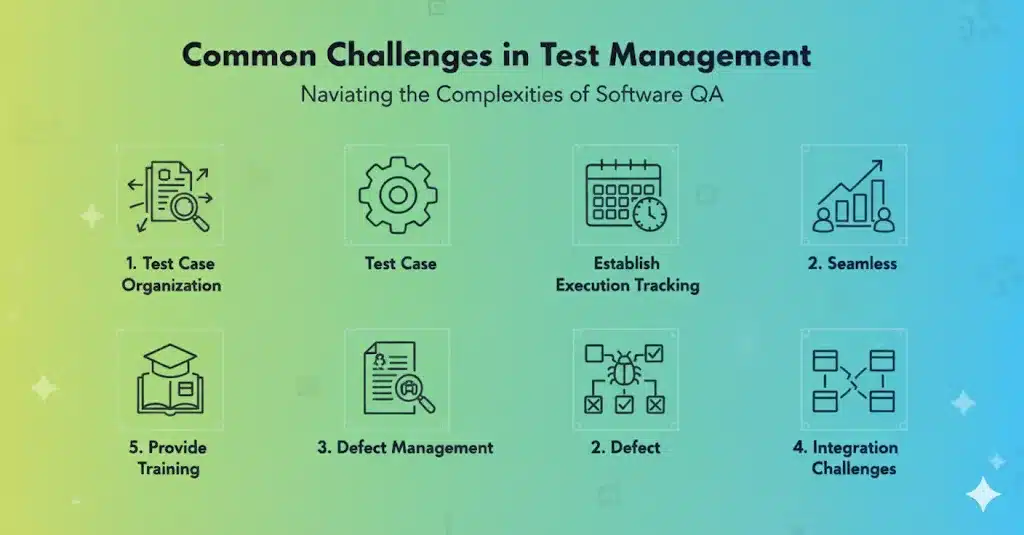
Defect management complexity increases exponentially as teams grow and projects multiply. Tracking defects from discovery through resolution while maintaining clear communication between stakeholders demands robust workflow management capabilities.
Integration challenges emerge when test management systems must work alongside existing development tools, continuous integration pipelines, and automated testing frameworks. Poor integration leads to data silos and manual overhead that reduces overall efficiency.
Teams typically address this by selecting open source automation tools with native CI/CD and plugin support for popular test management platforms, reducing the configuration overhead that causes most integration failures.
How to Choose the Right (Open Source) Test Management Tool?
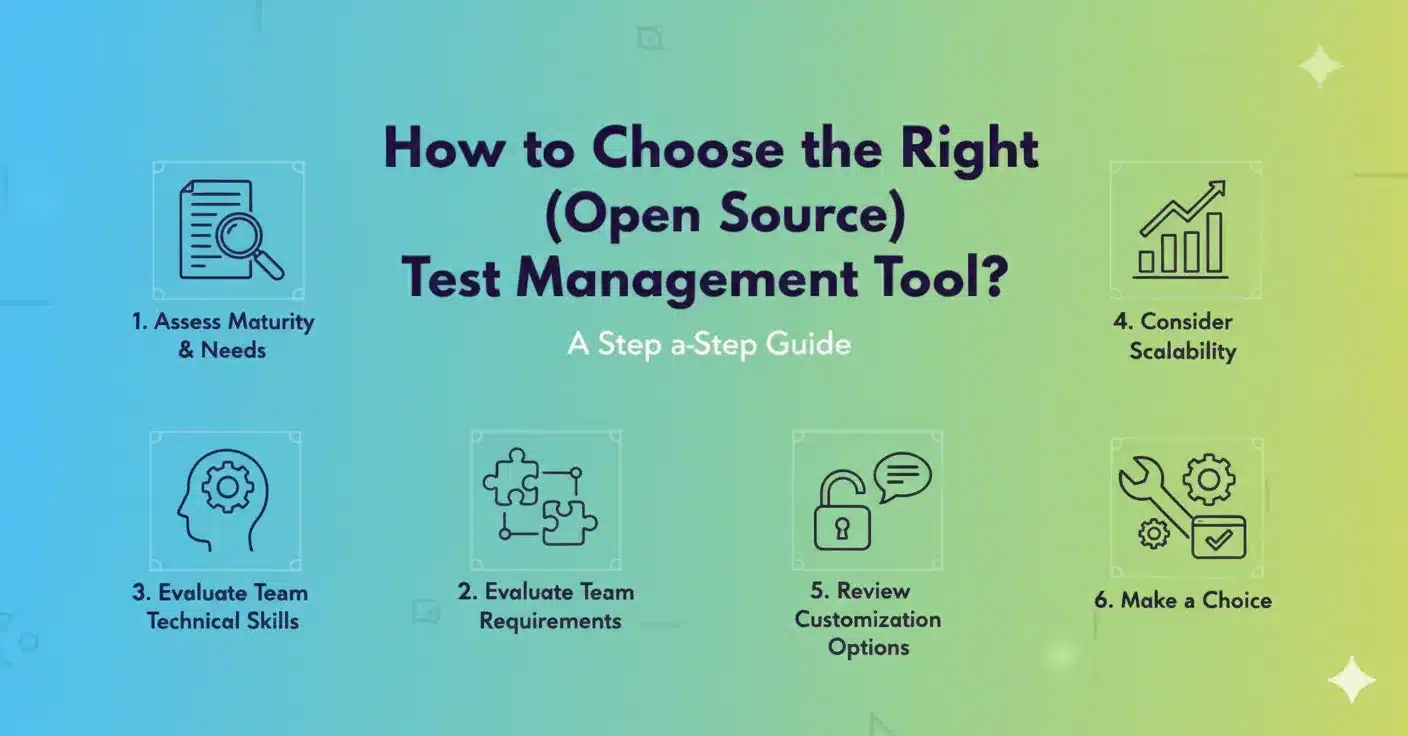
Selecting the right test management tool depends on your application architecture, team expertise, and long-term workflow requirements. The wrong choice creates logistical problems that outweigh any benefits – the right one becomes a foundation your QA process scales on.
Evaluate Current Testing Maturity First, evaluate your organization’s testing practices and testing maturity. Teams with established processes may benefit from an expansive tool, such as Squash TM or TestLink, while teams transitioning from manual processes may need a simple tool, such as Tarantula or Kiwi TCMS.
-
Evaluate Technical Interoperability: Assess, will the testing management tool need to integrate into existing infrastructure? Teams with a Jira heavy team will want to evaluate Zephyr Community. Teams that are still working in Bugzilla may still want to use Testopia if they can. Companies working towards API first workflow will find Keploy’s automation capabilities will be the most valuable.
-
Limit User Complexity: It may seem obvious, but is the complexity of the tool going to match your team’s capabilities? More advanced tools will provide more features, however, with more features comes more trainings and more overhead for maintenance. Tools with lower complexity that offer intuitive user interfaces, such as Testrail or Kiwi TCMS, improve adoption with teams that may not be less technical.
-
Evaluate Scalability: Evaluation of current team size or projected size will also be paramount. Some tooling does user stories well with small teams, however, other tools do not have the back-end support for enterprise scale story handling. Be certain that any tool evaluates the projected needs of the organization without the necessity for a complete migration of artifacts.
-
Customization Review Background: Consider how much customization your organization requires. Open source tools provide a lot of customization, but the complexity of implementation can be quite different from one tool to another. You should also consider whether you have the resources to implement and manage your own modifications on top of the basic tool implementation.
-
Jira Integration Requirements: If your team already uses Jira for project management, this is the single most important filter. Zephyr Community is purpose-built as a Jira-native test management app and requires no context switching. TestLink and Kiwi TCMS offer Jira integration via plugins but are not native. Keploy integrates with Jira indirectly through CI/CD pipelines.
-
AI Capabilities in 2026: AI-assisted test case generation has moved from a differentiator to a near-standard feature in 2026. Keploy generates tests automatically from real API traffic without any scripting. Commercial platforms like Qase and BrowserStack Test Management offer AI for test case suggestions from requirements documents. Teams evaluating tools for long-term use should verify whether AI capabilities are genuinely embedded or surface-level additions.
-
Shift-Left Testing Alignment: Teams adopting shift-left testing need a test management tool that connects to the development phase, not just QA handoff. Look for tools that support test case creation from requirements, integrate with version control, and surface test coverage data in developer workflows from the first commit. Tools that require manual test setup only after development is complete aren’t built for shift-left practices.
Best Practices for Using Open Source Test Management Tools
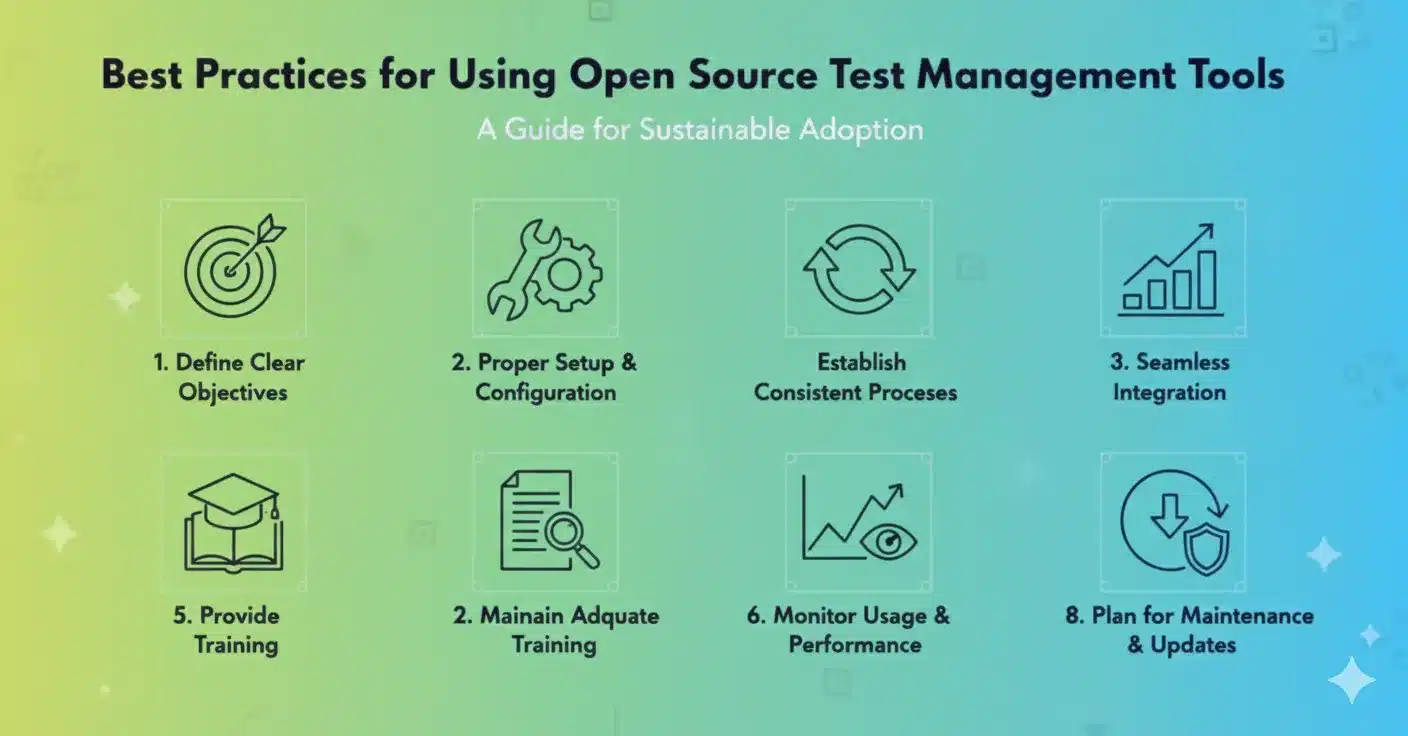
Utilizing open source test management tools successfully is a combination of common practices that increase the benefits and reduce the common problems associated with the implementation of these types of tools. These practices are required for effective adoption, which ultimately determines sustainability and or success:
-
Set Clear Goals It is important to have well-defined goals for the adoption of the test management tool–before implementation. Whether it is to obtain better traceability, eliminate manual work, or improve collaboration, define specific goals that will direct the tool selection process, implementation, and overall purpose. It is also crucial to evaluate the progress against these objectives to expand on in the future.
-
Commit to Appropriate Set-up and Configuration It is equally important to take the time to properly configure the tools to meet organizational workflows and requirements. Similarly to many implementations failing because a team rushed to use the tool without spend adequate time on planning, poorly configuring the tool initially will waste a lot of time and effort when the team is using the tool on a day-to-day basis.
-
Create Consistent Practices Create standardized practices regarding the overall process for writing, executing and managing test cases. Consistency will allow team members to work together seamlessly with reliable data that can be shared with other project like teams.
-
Implement Gradual Adoption Roll out test management tools gradually rather than attempting organization-wide implementation immediately. Start with pilot projects or single teams to identify issues and refine processes before broader deployment.
-
Provide Adequate Training Invest in comprehensive training for all team members who will use the tool. Even intuitive tools benefit from structured training that covers best practices and advanced features. Consider both initial training and ongoing education for new team members.
-
Ensuring Data Quality Implement data quality criteria and review considerations to ensure test management tools house accurate and up-to-date knowledge. Periodic data or information scraping and verification prevents the tools from falling into untrustworthy circumstances over time.
-
Track Usages and Performance Identify tool usage data and performance metrics, potentially identifying avenues toward optimization. Gaining insight into the tools is utilized across teams will lead to improved identification of methodical process review, and reign in any needs for additional training, permittable.
-
Crete Plans for Maintenance and Update Create/update schedules for open source tools. Performing maintenance tasks frequently ensures appropriate performance and protections from security threats, while adequate timing for updates provides an opportunity for benefits from new tools or enhancements as necessary.
Keploy and Test Management: What Makes Keploy Different?
Keploy embodies a paradigm shift in test management by offering automation of the behaviors with application of AI to fundamentally change the ideas of teams toward testing. As opposed to creating testing cases manually, Keploy is designed to observe real behavior of the application and truly create testing suites often and completed based on real API behavior.
Revolutionary Approach to Test Generation Traditional test management technologies ask for test case creation from its users, which takes a great deal of time, and inherently leaves gaps in coverage. With Keploy’s AI solution it captures snapshots of communication with API and generates comprehensive test cases automatically. Additionally, it has proven to lead to better coverage, by more rapidly generating the testing cases in less time than would be possible through traditional test generation through manual processes.
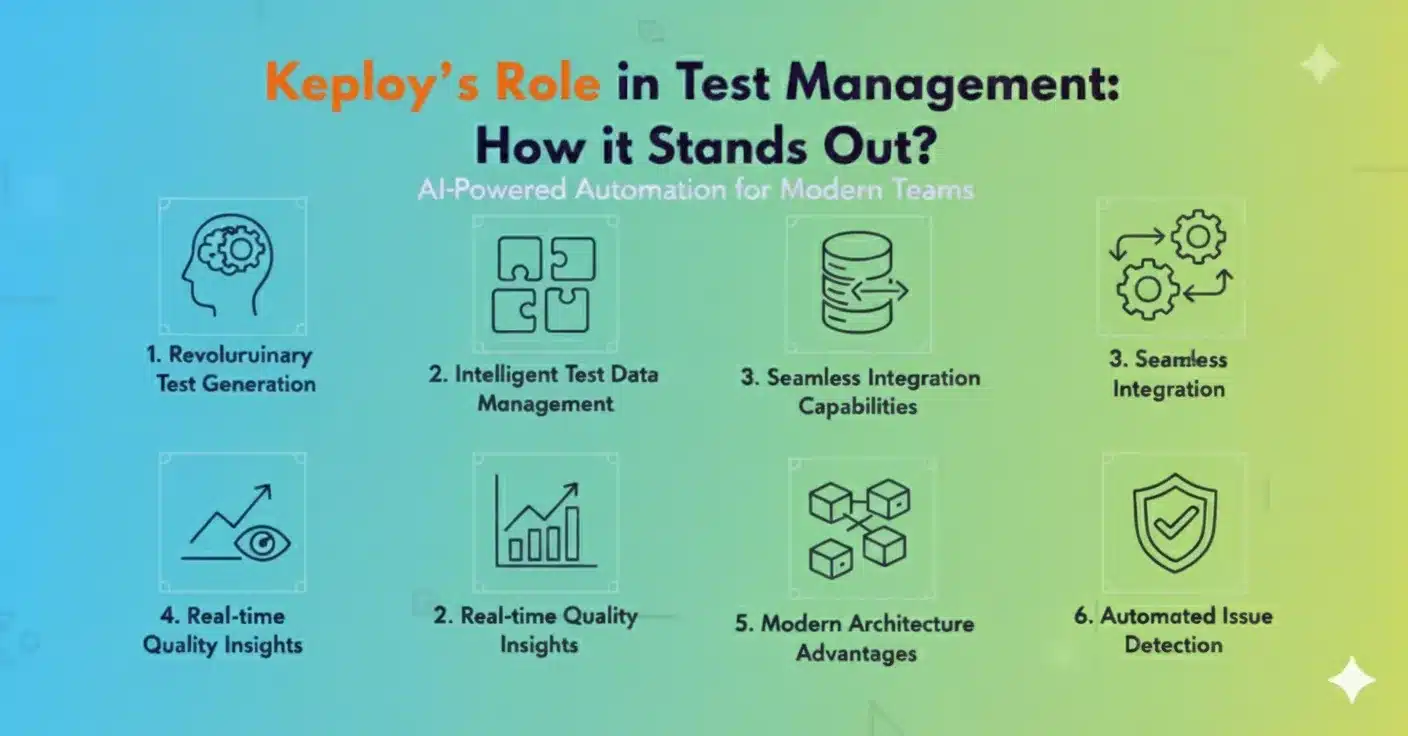
Test Data Management with Intelligence Keploy extends beyond test case management to include test data management with intelligence. The platform generates realistic test data automatically based on real-world interactions, so manual processes for test data creation and maintenance are not required. This is very useful for complex applications with complex data interactions.
Integration That Is Seamless While common test management tools require a lot of configuration work to integrate with CI/CD, Keploy is built for a modern development workflow, and all integrations naturally fit into the platform. Any modern CI/CD system will immediately benefit from Keploy with no setup hassle.
Quality Insights that are Real-time Keploy delivers real-time application behavior and test coverage insights beyond simple test management reporting. The platform also sees potential problems before they become problems and offers things we can do to increase test quality.
Built for Modern Architectures Keploy is built for cloud-native, or microservices architectures, and understands modern application patterns better than legacy test management tools. The architectural purpose allows for more effective testing methods for modern apps.
With the combination of AI automation, intelligent test data management, and modern integration, Keploy stands as a next-generation platform that best looks to address the limits of traditional test management value.
Further Reading
Dive deeper into the concepts discussed in this article with these resources from the Keploy blog. Explore how AI-powered testing, seamless integrations, and modern testing strategies can transform your development lifecycle.
-
5 Best Open Source API Testing Tools: Expand on the article’s tool comparison with this in-depth review of the top open-source tools dedicated to API testing.
-
Top 10 Futuristic Open Source Testing Tools: Look ahead at the next generation of testing solutions and see where the industry is heading.
-
Top Test Automation Tools to Boost Your Software Testing Efficiency: Compare leading automation tools that help integrate and streamline the workflows discussed in the article.
-
Best Test Data Management Tools: Delve into one of the key challenges of test management by exploring dedicated tools for handling test data effectively.
Conclusion
Open-source test management tools have experienced substantial growth and maturity, now offering enterprise-level features that rival the expense of commercial platforms. From powerful, AI-based platforms like Keploy which reimagine the process of creating tests through level of automation, to fully integrated managed open-source solutions like TestLink and Squash TM which embody the traditional test management model, any organization around the globe, large or small, now has multiple accessible options for improving their own test process.
The key to success is to align the capability of the tools with an organization’s needs, and both technical, team, and development environment experience and toolkit. Whether you want intelligent test automation, full requirements traceability, or seamless integrations with existing development tools, the open source world of tool solutions can diversify your testing process. As the software development process continues to redesign toward fully distributed automated and data driven processes, specifically with AI enabled tools in the market, open-source test management tools can help organizations to adapt to those implementations quickly without the constraints of a vendor.
FAQs
What is the difference between test management tools and test automation tools?
Test management tools organize what to test, who tests it, and what the results mean. They handle test case repositories, execution tracking, defect linking, and reporting. Test automation tools execute the tests themselves using scripts or AI agents. Some platforms like Keploy and BrowserStack Test Management now combine both functions, but traditionally they solve different problems.
What is the best free test management tool?
For teams with no budget, Kiwi TCMS and TestLink are the strongest fully open source options. Keploy offers a free open source tier specifically for API testing and automated test generation. For general test case management with a commercial free tier, TestRail supports small teams at no cost.
Do I need a dedicated test management tool if my team already uses Jira?
Jira alone is not a test management tool. It lacks test case repositories, execution tracking, and test-specific reporting. Teams using Jira typically add Zephyr Community or Zephyr Scale as native Jira apps to get full test management without leaving the Atlassian ecosystem. Open source alternatives like Kiwi TCMS and TestLink also integrate with Jira via plugins.
How do I choose between open source and commercial test management tools?
For small teams with technical resources and no compliance requirements, open source tools like Kiwi TCMS or TestLink deliver enterprise-level functionality at zero cost. For teams that need guaranteed support, polished interfaces, and vendor-backed security compliance, commercial tools justify the investment. The deciding factors are typically support requirements, customization needs, and whether your team has the resources to manage the tool infrastructure independently.
What key features should I look for in a test management tool?
The five features that matter most are a test case repository with search and version control, execution tracking with real-time status visibility, defect linking to your issue tracker, CI/CD integration for automated test result ingestion, and reporting that supports actual release decisions. In 2026, AI-assisted test case generation is also becoming a standard expectation for modern QA teams.
Why do spreadsheets fail for test management at scale?
Spreadsheets break down when test suites grow beyond a few hundred cases. There’s no version control, no execution tracking, no traceability between test cases and requirements, and no way to see real-time status without manual updates. Teams end up with multiple outdated versions, missed coverage, and no reliable answer to "is this tested?" when it matters most.
When should teams move from spreadsheets to a test management tool?
The right time is when manual tracking creates more overhead than value. Specific signals: your team spends more time updating spreadsheets than running tests, defects are slipping through because coverage is invisible, or onboarding new QA members takes weeks because the process lives in someone’s head. If any of these apply, the switch is overdue.
How is AI changing test management?
AI is shifting test management from manual test case creation to automatic generation. Tools like Keploy generate tests from real API traffic without scripting, while platforms like Qase suggest test cases from requirements documents. For teams, this means maintaining comprehensive coverage no longer requires proportional manual effort. AI handles routine creation and maintenance while human QA focuses on exploratory testing and edge cases.
How do test management tools integrate with CI/CD pipelines?
Most modern test management tools connect to CI/CD pipelines through APIs or native integrations with GitHub Actions, Jenkins, and GitLab CI. This allows automated test runs to push results directly back into the platform, update test statuses automatically, and generate reports without manual input after each deployment. The integration eliminates the overhead of moving test results between systems manually.
How do test management tools support shift-left testing?
Shift-left testing requires test planning to start at the requirements phase rather than at handoff to QA. Test management tools support this by linking test cases directly to requirements or user stories, making it visible when a feature goes into development without test coverage. Tools with native Jira integration or requirement traceability features are the strongest fit for shift-left workflows.