





The right open source automation tool depends on which testing layer you’re strengthening, and no single tool covers all of them well. For API and backend testing specifically, Keploy generates tests automatically from real traffic without manual scripting. This guide breaks down all 10 tools by testing layer, so you can pick the right one for what you actually need.
Modern software development is continuously operating in a high-paced environment with high-pressure expectations to produce quality applications. To meet this expectation, open source automation tools help provide a faster, smoother testing process for today’s applications by providing a single tool to test all layers, including web, mobile, API, and performance. Therefore, testing is now accessible to companies regardless of the licensing price tag of the tool; however, selecting the most efficient tool from an overcrowded ecosystem can often be overwhelming.
Understanding how these open source tools fit into modern testing practices helps teams navigate this complexity with greater clarity.
What are Open Source Automation Tools?
Open source automation tools are software applications that enable automation of repetitive tasks, including software development, workflow processing, and software testing that occur during the software development cycle.
These software applications are freely available for use, modification, distribution, and integration into customised software workflow processes.
They can be used for many types of automation, including:
-
UI Automation – Simulate user actions for web/mobile applications.
-
API Automation – Validate API Endpoints, Responses, and Integration Flows.
-
Performance Testing – Measure how an application performs when under a heavy workload.
-
Workflow Automation – Allow users to create workflows that connect multiple applications together.
By taking advantage of these features, organisations can improve the speed at which they develop their applications, increase the quality of the software, and decrease the amount of manual effort required in the development process.
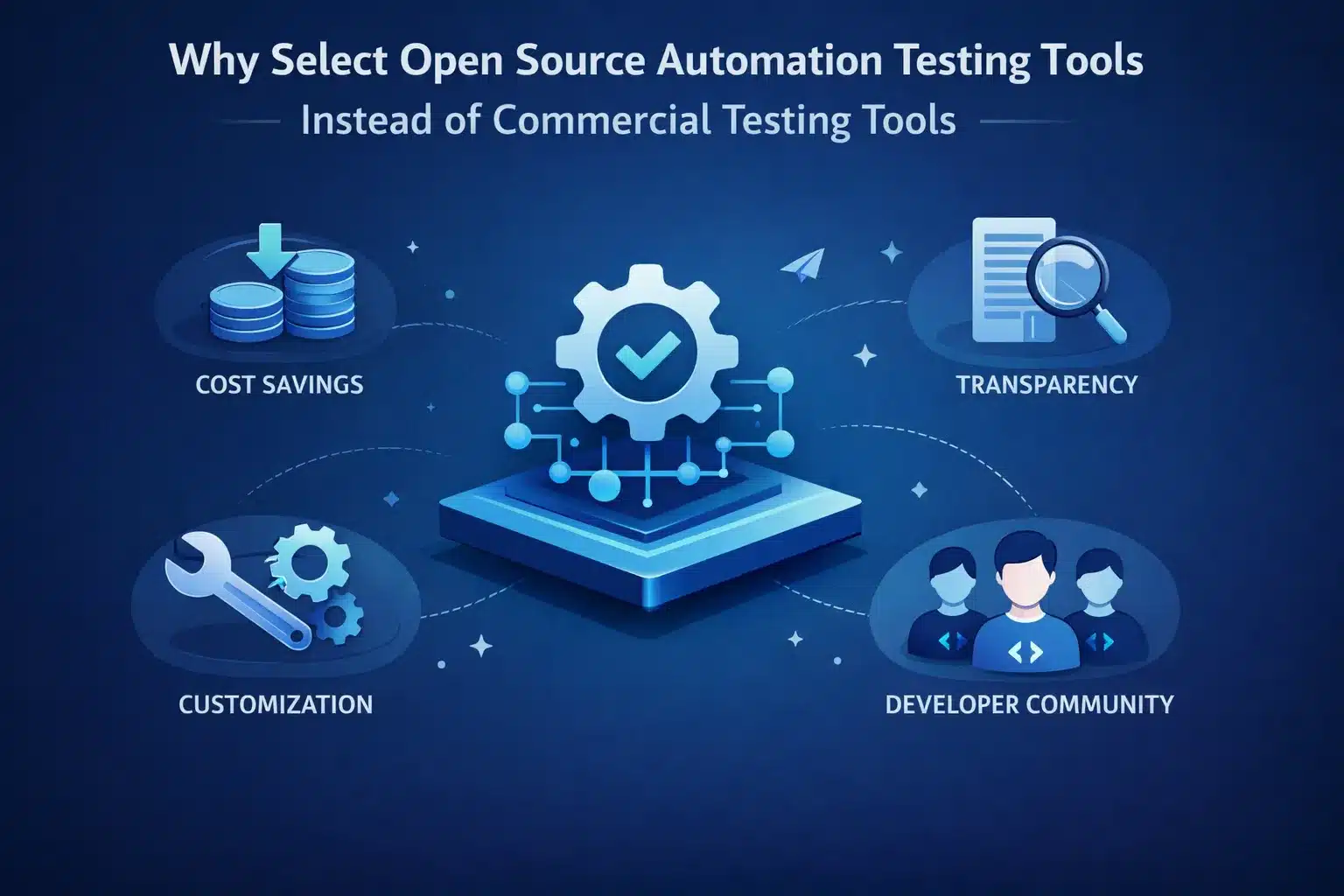
Why Select Open Source Automation Testing Tools Instead of Commercial Testing Tools?
Open-source software testing tools provide numerous advantages to users:
-
Cost savings – eliminating the need to pay licensing fees provides an opportunity for other investments in initial setup costs.
-
Customization – ability to change the source code for any specific need(s).
-
Access to a community – having an abundance of developers using open-source tools provides opportunities for plugin contribution and the ability to provide assistance to others.
-
Visibility – having access to all aspects of the way a tool is built gives everyone confidence in the reliability and safety of the tool.
The right balance of open-source tools will enable users to obtain the maximum advantages of automation testing and to minimize the potential hazards associated with the use of open-source tools.
10 Open Source Automation Tools to Help Businesses of Every Scale
Here’s a curated list of the most effective open source automation testing solutions to help you evaluate each as per your requirement:
| Tool | Category | Language Support | Best For | Pricing |
|---|---|---|---|---|
| Keploy | API Automation | Go, Java, Python, JavaScript | API-first teams, auto test generation | Free open source |
| Selenium | Web UI | Java, Python, C#, Ruby, JavaScript | Cross-browser web testing | Free open source |
| Cypress | Frontend | JavaScript, TypeScript | Modern web apps, fast E2E | Free + paid cloud |
| Playwright | Web/UI | JavaScript, Python, Java, C# | Cross-browser including Safari | Free open source |
| Appium | Mobile | Multi-language | iOS and Android automation | Free open source |
| Robot Framework | Generic | Python | Keyword-driven, reusable scripts | Free open source |
| SoapUI | API | GUI + Groovy | SOAP and REST API testing | Free + paid Pro |
| k6 | Performance | JavaScript | Load and stress testing | Free + paid cloud |
| Apache JMeter | Performance | Java/GUI | Load testing web apps and APIs | Free open source |
| Pytest | Unit/Functional | Python | Python application testing | Free open source |
1. Keploy

Category – API Automation and Integration.
Keploy is an AI-powered open source platform built specifically for API and integration testing. It captures real API traffic using eBPF-based tracing and automatically converts those interactions into test cases, complete with mocks for external dependencies. This removes the need to write test scripts manually and ensures tests reflect actual application behavior.
-
Key Features: Replay and record API calls, auto-generate test cases, mock dependencies, and support for continuous integration.
-
Use Case: Helps test microservice and API-driven applications, and is one of the most efficient regression testing tools for API-first teams.
-
How to Use: Integrates into your continuous integration/continuous deployment (CI/CD) pipeline with a quick and easy installation process.
-
Testing Type: API testing, contract testing and integration testing.
-
Pricing: Free open source core. Enterprise plans available at keploy.io/pricing.
As part of its commitment to the open source community, Keploy also runs the Keploy OSS Fund to support contributors and open source projects
2. Selenium
Category – Web Automation and User Interface (UI) Testing.
Selenium is the most widely adopted open source web automation framework, with over a decade of production use across enterprise and startup environments. It supports every major browser and programming language, making it the default choice for teams that need cross-browser UI test coverage without vendor lock-in.
-
Key Features: Broad browser compatibility with extensive support for multiple programming languages (Java, Python, C#) and a strong community, as well as providing parallel testing.
-
Use Case: Web Application UI Testing by Automating across numerous browsers.
-
How to Use: Write your automated scripts in whichever programming language you prefer and then link to your existing continuous integration tools.
-
Testing Type: Functional UI Testing and Regression Testing.
-
Pricing: Free, fully open source.
3. Cypress

Category: Front-End Automation
Cypress runs directly inside the browser, giving it access to the application in a way that traditional WebDriver-based tools cannot match. Tests execute with automatic waiting, real-time reloads, and a built-in debugger, making it significantly faster to write and maintain than Selenium for JavaScript-heavy applications.
-
Key Features: Fast test execution, built-in wait/retry, JavaScript-based, live reload.
-
Use Case: Modern web apps with dynamic content.
-
How to Use: Install via npm, write tests in JavaScript or TypeScript.
-
Testing Type: UI automation, end-to-end tests.
-
Pricing: Free open source core. Paid Cypress Cloud plan for parallelization and analytics.
4. Playwright
Category: Web/UI Automation
Playwright is Microsoft’s cross-browser automation framework with native support for Chromium, Firefox, and WebKit (Safari). Unlike Cypress, it supports multiple programming languages and true parallel execution without a paid plan, making it the stronger choice for teams that need both Safari coverage and multi-language support.
-
Key Features: Multi-browser support, auto-waiting, screenshots & video recording.
-
Use Case: Cross-browser functional testing and visual regression.
-
How to Use: Integrates easily with Node.js projects and CI/CD pipelines.
-
Testing Type: End-to-end automation.
-
Pricing: Free, fully open source.
5. Appium

Category: Mobile Automation
Appium is the industry standard for mobile app automation, using the WebDriver protocol to test native, hybrid, and mobile web applications across iOS and Android. A single API works across both platforms, significantly reducing the overhead of maintaining separate test codebases for each mobile OS.
-
Key Features: Native, hybrid, and mobile web app testing, multi-platform support (iOS/Android), language-agnostic.
-
Use Case: Automating mobile application testing for Android and iOS.
-
How to Use: Write tests in Selenium WebDriver protocol, configure mobile devices/emulators.
-
Testing Type: Mobile functional testing.
-
Pricing: Free, fully open source.
6. Robot Framework
Category: Generic Automation Framework
Robot Framework uses a keyword-driven approach where test cases are written in a readable, tabular format that non-engineers can understand. Its library ecosystem supports UI, API, database, and desktop testing from a single framework, making it a good fit for cross-functional teams that include both technical and non-technical QA members.
-
Key Features: Keyword-driven, supports libraries for UI, API, and database testing.
-
Use Case: Teams seeking reusable, readable test automation scripts.
-
How to Use: Define keywords for test actions, run tests via command line or CI/CD.
-
Testing Type: UI, API, integration testing.
-
Pricing: Free, fully open source.
7. SoapUI
Category: API Automation
SoapUI is purpose-built for API testing with specific support for both SOAP and REST interfaces. It offers a drag-and-drop interface for creating test suites, built-in assertions, and load testing capabilities, making it accessible for teams without deep scripting experience who still need comprehensive API validation.
-
Key Features: SOAP and REST API testing, assertions, load testing, security scans.
-
Use Case: Testing API functionality and performance.
-
How to Use: Create test suites with a drag-and-drop interface; optional scripting.
-
Testing Type: API functional & load testing.
-
Pricing: Free open source edition. SoapUI Pro (paid) available for advanced features.
8. K6

Category: Performance & Load Testing
k6 is a developer-friendly performance testing tool where tests are written in JavaScript rather than XML or GUI configuration. It integrates natively with CI/CD pipelines and supports threshold-based quality gates, making it the modern replacement for legacy load testing tools like Siege and the preferred alternative to JMeter for teams that want code-based performance tests.
-
Key Features: Scriptable performance tests, CI/CD integration, cloud and local execution.
-
Use Case: Simulate traffic on APIs and services to identify bottlenecks.
-
How to Use: Write JavaScript scripts, run tests locally or in the cloud.
-
Testing Type: Performance/load testing.
-
Pricing: Free open source. Grafana Cloud k6 (paid) for distributed cloud execution.
9. Apache JMeter

Category: Performance Testing
Apache JMeter is one of the oldest and most battle-tested load testing tools available, with support for HTTP, FTP, JDBC, and dozens of other protocols. Its GUI-based test plan builder makes it accessible without coding knowledge, though it is increasingly considered a legacy tool compared to script-first alternatives like k6 for teams running modern CI/CD workflows.
-
Key Features: Multi-protocol support (HTTP, FTP, JDBC), GUI and CLI mode, extensive reporting.
-
Use Case: Stress testing and load testing web apps and APIs.
-
How to Use: Create test plans in GUI, run via CLI for automation.
-
Testing Type: Load and performance testing.
-
Pricing: Free, fully open source.
10. Pytest
Category: Unit and Functional Testing
Pytest is the most widely adopted testing framework in the Python ecosystem. It is simple enough for basic unit tests but powerful enough to support complex functional and integration test scenarios. Its plugin architecture means it integrates cleanly with CI/CD pipelines, coverage tools, and virtually any Python project.
- Key Features: Simple assertion syntax, parametrized testing, extensive plugin ecosystem (pytest-cov, pytest-mock, pytest-xdist), fixtures for test setup and teardown, parallel execution support.
- Use Case: Python applications needing comprehensive unit, functional, or integration test coverage with minimal setup overhead.
- How to Use: Install via pip, write test functions prefixed with test_, run via CLI. Integrates with GitHub Actions, Jenkins, and GitLab CI natively.
- Testing Type: Unit testing, functional testing, integration testing.
- Pricing: Free, fully open source.
Keploy vs Other Open Source Automation Tools
Choosing an automation tool depends on what you’re testing. While Selenium, Cypress, and Playwright focus primarily on browser automation, Keploy takes a different approach by generating API tests and mocks directly from real application traffic. This reduces manual scripting effort and helps engineering teams improve API test coverage faster.
| Feature | Keploy | Selenium | Cypress | Playwright |
|---|---|---|---|---|
| Primary Focus | API testing | Web UI | Web UI | Web UI |
| Generates tests automatically | ✅ | ❌ | ❌ | ❌ |
| Uses real API traffic | ✅ | ❌ | ❌ | ❌ |
| Built-in API mocking | ✅ | ❌ | ❌ | ❌ |
| Browser automation | Limited | ✅ | ✅ | ✅ |
| Best suited for | Backend & microservices | Cross-browser testing | Frontend testing | Modern web applications |
When Should You Choose Keploy?
Keploy is a strong choice if your application relies heavily on APIs or microservices and your team wants to reduce the effort required to write and maintain API tests manually. Teams that already have extensive Selenium or Playwright suites for browser automation can use Keploy alongside them to automate backend API validation.
Try Keploy on Your Own APIs
Record real API traffic from your application, automatically generate test cases and mocks, and see how Keploy fits into your existing development workflow.
What is Free in Open-Source Automation Testing Frameworks?
Most open source test automation tools are free to use, modify, and distribute. Some may offer paid enterprise features such as:
-
Fastest response time/customer service SLA
-
Cloud-Based Executions/Dashboard
-
Enhanced Reporting/Analytics
By knowing the licenses and community support offered by these open-source automation test solutions, you can minimize unanticipated costs and maximize returns on investments from your open-source automation testing solutions.
How to Choose the Right Open Source Automation Tool?
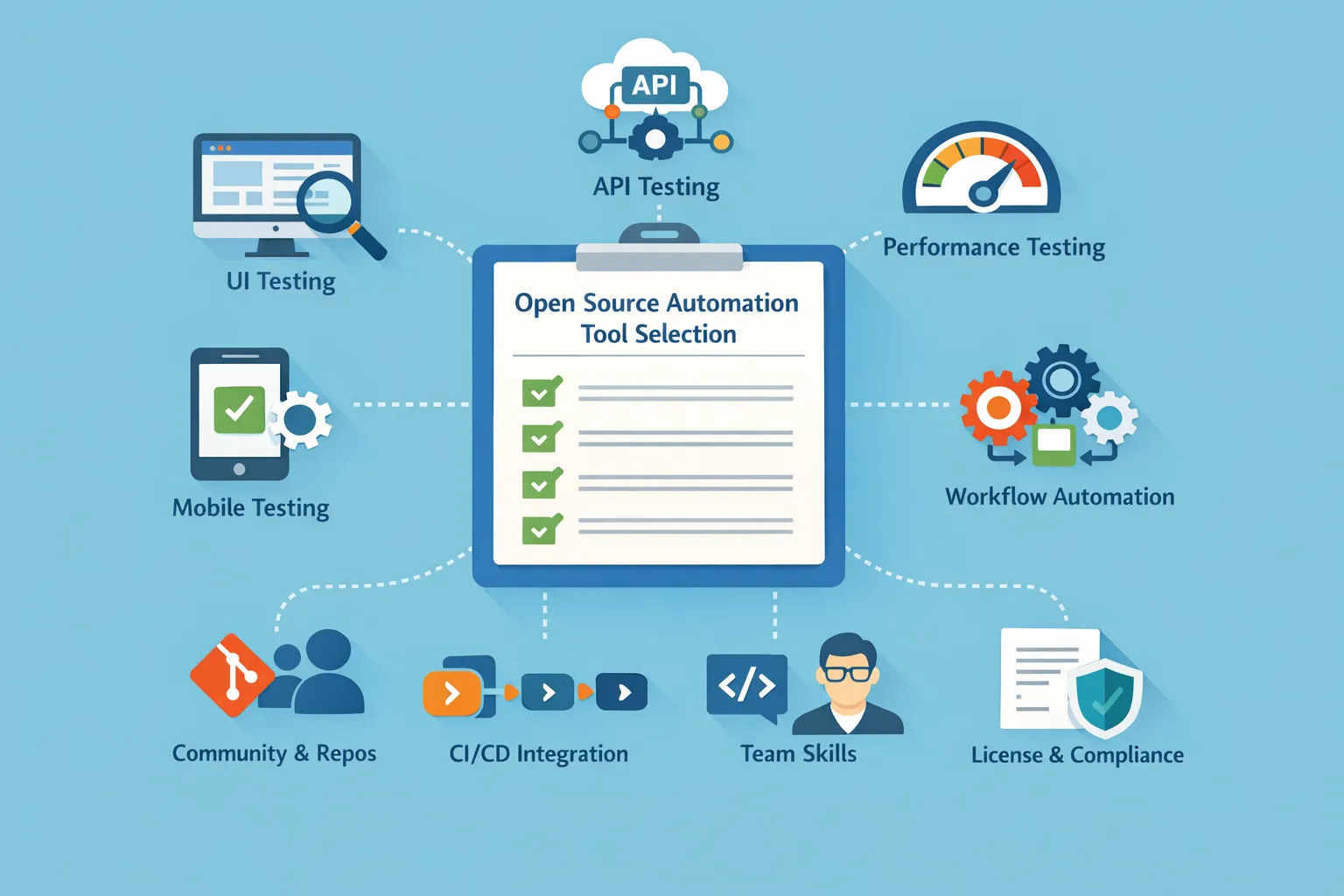
When selecting open source automation tools, consider the following factors:
-
Understand your Key Areas of Testing: UI, API, Performance, Mobile, and Workflow Automation Supported
-
Assess Activity of the Community: Active Repositories (Repos), Level of Support Available, Frequency of Updates.
-
Consider Integration into a CI/CD Process: To Make Sure Automated Execution Is Seamless.
-
Existing Skills Within Your Team: Must Match Existing Language/Framework Knowledge.
-
Licensing Structure and Roadmap: Is the Open Source License in Compliance with Your Business Policies?
By considering these factors, you can maximize your return on investment.
The clearest way to narrow your shortlist is by testing layer:
- For API and integration testing, Keploy and SoapUI address different ends of the spectrum – Keploy generates tests automatically from real traffic while SoapUI suits teams needing manual scripting control.
- For web UI testing, Selenium, Cypress, and Playwright each suit different team profiles – Selenium for maximum flexibility, Cypress for developer-first workflows, Playwright for cross-browser reliability. Appium handles mobile automation across iOS and Android.
- For performance and load testing, k6 integrates natively into CI pipelines while JMeter suits teams needing a GUI-driven approach.
- Robot Framework and Pytest serve teams working primarily in Python or needing keyword-driven, human-readable test scripts.
Conclusion
Choosing the right open source automation tools comes down to matching the tool’s design to your testing layer, team skill level, and deployment architecture. For API and microservices testing where manual mock maintenance has become a bottleneck, Keploy’s traffic-based approach removes the specification problem entirely. For web UI testing, Playwright has become the default for modern applications while Selenium remains the most flexible option for complex, multi-browser enterprise setups. For mobile, Appium remains the standard with no close open source alternative. For performance, k6’s developer-first design makes it the easiest to integrate into existing pipelines.
The best open source automation tools stack is rarely a single tool- it is a combination where each tool addresses the testing layer it was designed for, without requiring the others to do work outside their scope.
FAQs
1. Can open source automation tools be used in regulated or enterprise environments?
Yes, open-source automation tools are being used by several organizations in regulated industries through the use of their internal governance, performing security reviews, creating controlled CI/CD pipelines, and ensuring the use of tools that meet all licensing compliance requirements. Implementing auditing processes and role-based access controls will help ensure that an organization’s enterprise compliance and regulatory requirements are met.
2. How do open source automation tools scale as teams and test suites grow?
The scalability of open-source automation testing tools depends upon many factors, including whether or not it has the capability to execute tests in parallel, if it is compatible with CI/CD pipelines, and how the infrastructure for supporting the tests has been set up. When these tools are combined with the use of containerization, cloud runners, and distributed execution, they can be effectively scaled to support the large and complex test suites.
3. What skills are required to successfully adopt open source automation testing tools?
Teams need to have minimally each team member have a foundational programming knowledge, an understanding of testing concepts, and experience/knowledge of working with CI/CD workflows. Effective collaboration between the Developers and QA Engineers significantly increases the success of effectively implementing and maintaining open-source automation frameworks.
4. How do open source automation tools fit into a shift-left or DevOps testing strategy?
Open-source automation testing tools effectively support both the shift-left and DevOps methodologies by enabling testing to be performed earlier, performing automated regression testing continuously through CI/CD pipelines, and providing real-time feedback on the results of those automated regression tests to the development and QA teams. As a result, organizations can detect defects earlier and execute their release cycles more quickly and reliably.
5. What is the difference between open source automation tools and RPA tools?
Open source automation tools for testing focus on validating software – running test cases, checking API responses, and catching regressions before release. RPA (Robotic Process Automation) tools automate business workflows by mimicking human interactions with software interfaces, like filling forms or extracting data from legacy systems. The two categories serve different purposes and aren’t interchangeable.
6. Are open source automation tools reliable enough for enterprise use?
Yes. Tools like Selenium, Playwright, k6, and Keploy are used in production by enterprise teams at companies including Google and Netflix. The key factor is community health – a well-maintained project with active contributors and regular releases is as reliable as most commercial tools. Check a project’s GitHub activity and release cadence before adopting it at enterprise scale.
7. Can open source automation tools generate tests from real production traffic?
Most open source automation tools require developers to write test cases manually – you specify the inputs, expected outputs, and the tool executes the validation. Keploy takes a different approach by capturing real traffic between services and generating test cases and dependency mocks automatically from those actual interactions. This removes the manual authoring step entirely for API-driven systems, which is particularly valuable in microservices environments where service interactions change frequently. For teams where manual test maintenance has become a bottleneck, this traffic-based generation approach is the primary differentiator between Keploy and other tools in this list.
8. How is AI changing open source automation tools?
AI is reducing the scripting burden that has historically been the biggest barrier to adopting open source automation tools. Keploy generates tests from real traffic without any scripting. Community-built AI extensions for Playwright and Selenium are emerging to add self-healing locator capabilities. Teams can now achieve broader open source automation coverage without proportional growth in manual test writing effort.
9. When should teams choose open source automation tools over commercial ones?
Open source automation tools are the better fit in four specific scenarios:
- Budget constraints make per-seat or per-execution licensing costs prohibitive – open source tools eliminate this entirely.
- The team needs to customize the tool to fit specific workflows, languages, or CI/CD environments that commercial tools do not support out of the box.
- The team has strong engineering capacity to manage setup, maintenance, and updates without vendor support.
- When avoiding vendor lock-in is a priority, open source tools can be swapped or modified without contractual constraints.
Commercial tools make more sense when the team lacks the engineering capacity to maintain tooling infrastructure, needs dedicated support SLAs, or requires features like advanced analytics and compliance reporting.