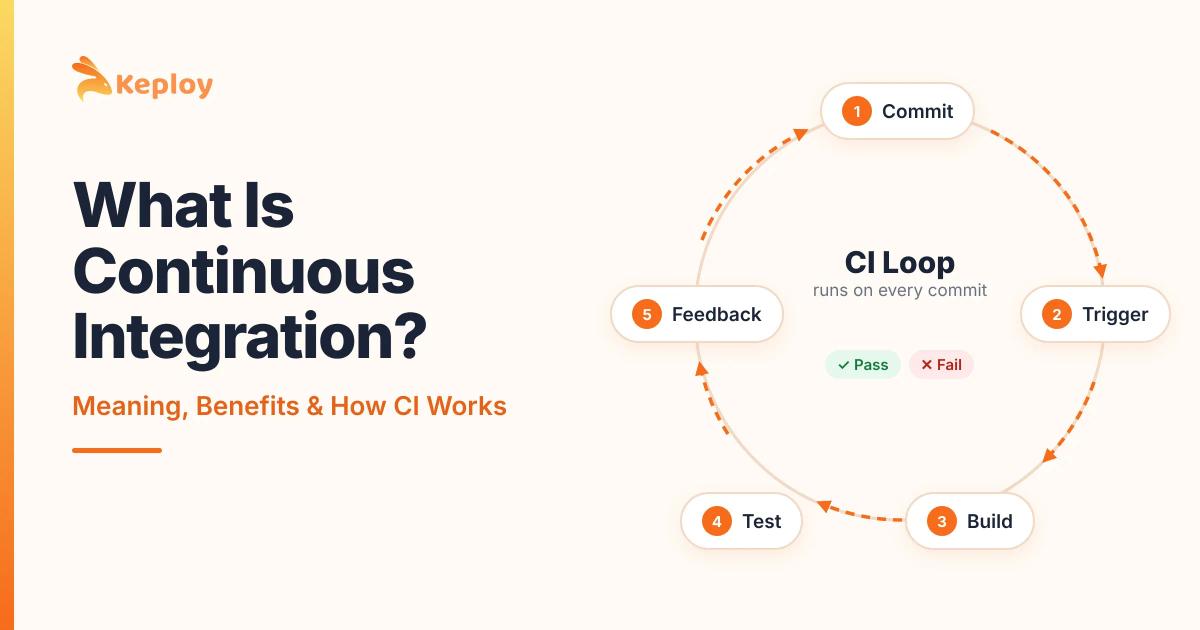






Continuous integration (CI) is a development practice where everyone on a team merges code into a shared branch several times a day, and each merge triggers an automated build and test run. Problems surface soon after the commit that caused them. Keploy fits into this process by turning real API traffic into tests that run on every pull request.
Continuous integration started as a fix for a problem developers had a name for: integration hell. Picture a team where everyone works on their own branch for three weeks, then tries to merge it all two days before a release. Every branch looked fine on its own. Put together, they broke the build in ways nobody could trace back to a single change.
The fix sounds almost too simple: merge small changes often and let a machine check each one. That habit quietly changes how a team works. Code reviews get smaller, releases stop feeling like events, and "it works on my machine" stops being an argument anyone has to settle.
What Is Continuous Integration (CI)?
Continuous integration is a software development practice in which every change is integrated into the main codebase as soon as it’s ready, then automatically built and verified, so the main branch always stays in a working state.
The key idea is that the main branch is never more than a small change away from working software. Developers don’t sit on finished work, and the team doesn’t wait for a big merge day to find out whether everything fits together.
What Does CI Mean in Software Development?
The continuous integration meaning sits in the two words themselves. "Integration" is combining your work with everyone else’s. "Continuous" means you don’t wait weeks to do it. In practice, that means merging at least daily and letting an automated build and test run check each merge.
The term goes back to Grady Booch in 1991. Extreme Programming turned it into a daily habit in the late 1990s, and Martin Fowler’s widely read article on the practice helped spread it across the industry in the early 2000s.
One thing worth clearing up: continuous integration (CI) isn’t the same as integration testing. CI is the practice of merging and verifying code often. Integration testing is one type of test that a CI run might include.
Benefits of Continuous Integration
If you’ve ever wondered why we need continuous integration when tests can run before a release, it comes down to timing. A bug found an hour after it’s written takes minutes to fix. The same bug found three weeks later takes an afternoon, plus a few Slack threads to figure out who changed what.
- Smaller merges, fewer conflicts: When people merge daily, each change is small enough to review and easy to untangle if something clashes.
- Faster feedback: Developers learn about a broken build while the change is still fresh in their head, not after they’ve moved on to something else.
- A main branch you can trust: If every merge is verified, the main branch is always in a state the team could ship.
- Shared visibility: Everyone can see whether the build is green or red, so problems don’t hide in someone’s local branch.
- Less release-day testing: Most checks already ran on every commit, so the final round before a release is shorter and calmer.
Here’s how the day-to-day picture changes once a team adopts it:
|
Area |
Without CI |
With CI |
|
How code gets merged |
Large merges at the end of a sprint or before a release |
Small merges, at least once a day |
|
When bugs are found |
Days or weeks after the code was written |
Soon after the commit that caused them |
|
State of the main branch |
Often broken, and nobody’s sure what works |
Verified on every merge |
|
Release prep |
Long manual test cycles |
Shorter, since most checks already ran |
|
Who knows the build status |
Whoever ran the build last |
Everyone, on every commit |
How Continuous Integration Works
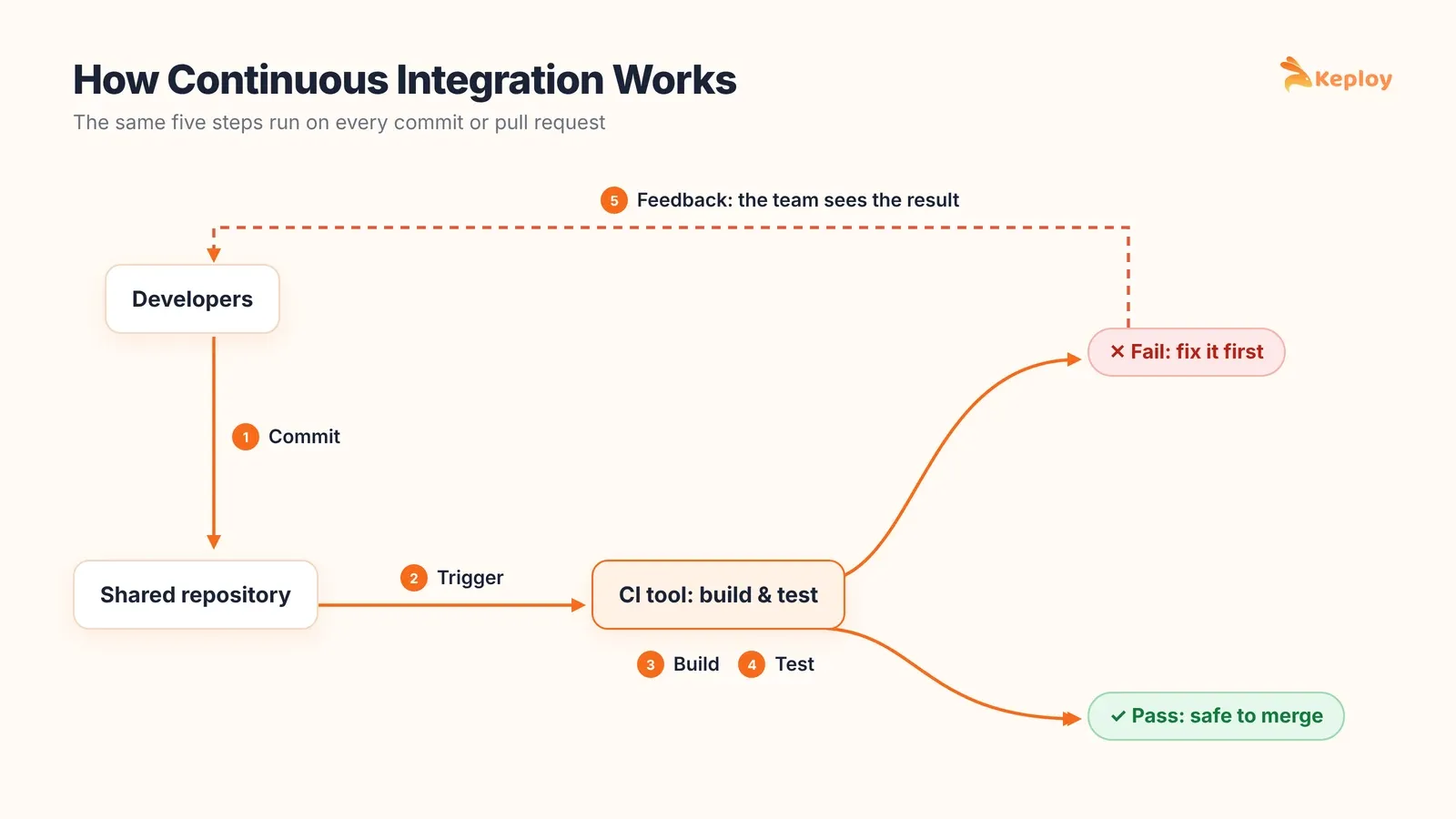
Nobody runs continuous integration by hand. Teams set it up in one of the popular continuous integration tools, such as Jenkins, GitHub Actions, GitLab CI/CD or CircleCI. Whichever one you pick, every run follows the same five steps:
- Commit: A developer pushes a small change or opens a pull request against the shared branch.
- Trigger: The CI tool notices the change and starts a new run automatically.
- Build: It compiles the code and pulls in dependencies, so a broken build shows up right away.
- Test: The automated test suite runs against that build.
- Feedback: The team sees a pass or fail result, and a red build gets fixed before anyone piles more changes on top of it.
Challenges of Adopting Continuous Integration
The tooling is rarely the hard part. Most teams can set up a pipeline in an afternoon. What takes longer is changing the habits around it, and that’s where adoption usually stalls.
- Merging daily feels risky at first: Developers used to long-lived branches worry about merging half-finished work. Trunk-based development and feature flags solve this by letting unfinished features sit in the main branch, switched off until they’re ready.
- A red build has to come first: CI only works if a failing build gets fixed right away. If people keep merging on top of a broken build, the main branch stops being trustworthy and the whole point is lost.
- The test suite has to be trusted: Flaky tests that pass and fail at random teach people to ignore red builds. Once that happens, real failures slip through too.
- Builds have to stay fast: If every run takes 40 minutes, developers stop waiting for results and start batching changes again, which quietly undoes the habit CI was meant to build.\
CI vs CD
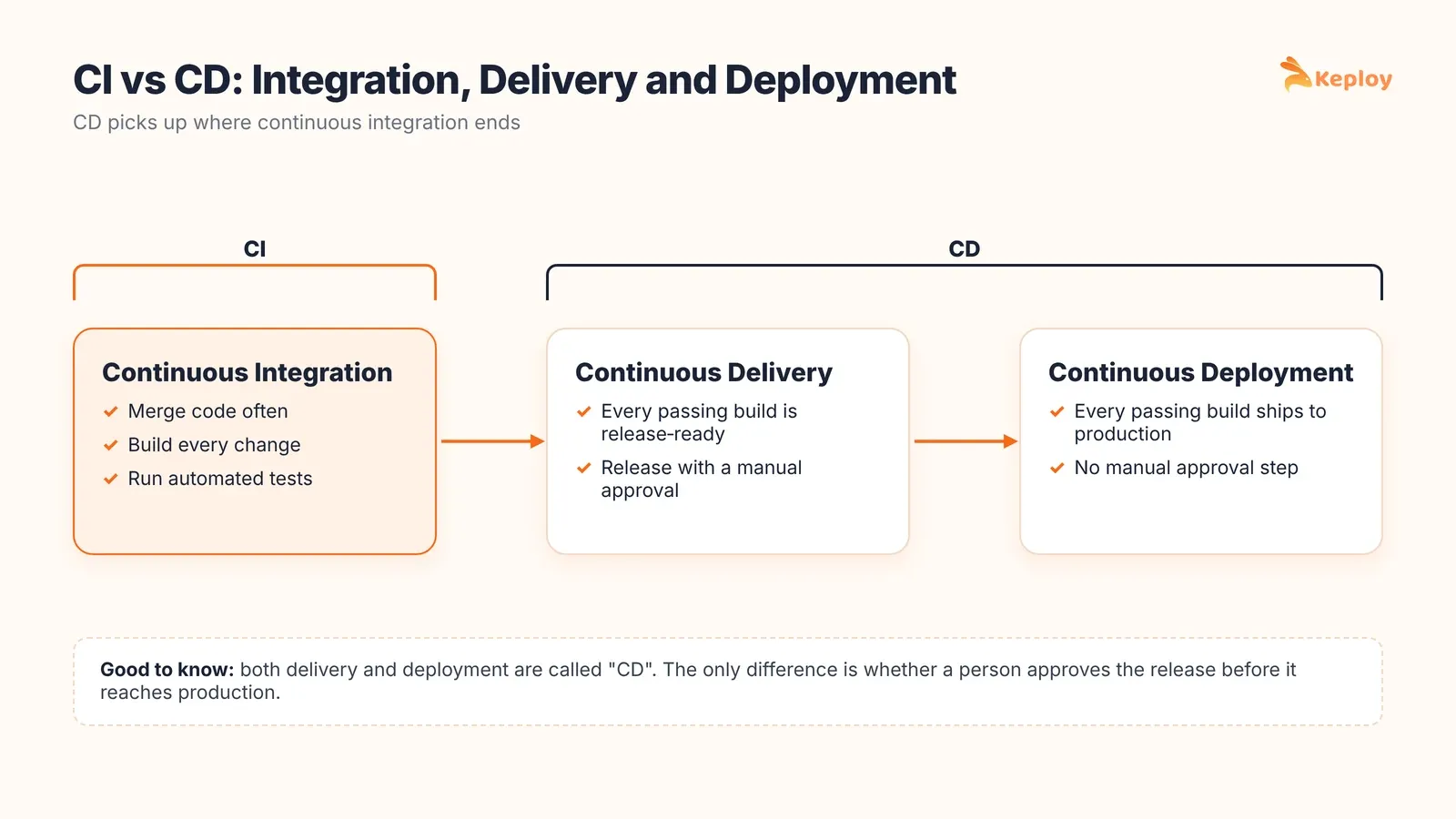
CI covers merging and verifying code. CD picks up where CI ends: continuous delivery keeps every verified build ready to release, and continuous deployment pushes it to production automatically. Together they make up CI/CD.
|
Aspect |
Continuous Integration (CI) |
Continuous Delivery / Deployment (CD) |
|
What it covers |
Merging, building and testing code |
Releasing verified builds |
|
Triggered by |
Every commit or pull request |
A build that passed CI |
|
Main output |
A tested build and a pass or fail result |
A release-ready or deployed build |
|
Main goal |
Catch problems early |
Ship changes safely and often |
Continuous Integration in Agile and DevOps
Agile teams ship in short sprints, and that only works if code is in a working state most of the time. Continuous integration gives them that. Instead of a messy merge at the end of each sprint, the team integrates as it goes, and the sprint demo runs on code that’s already been verified.
In DevOps, CI is usually the first automated step, the point where development hands off to everything that follows. It’s also where shift-left testing becomes practical, because tests run on every change instead of waiting for a QA phase at the end.
Testing in Continuous Integration
A CI run is only as useful as the tests behind it. A green build with weak tests just tells you the code compiles. That’s why continuous integration testing deserves its own planning, from which tests run on every commit to how long the whole suite takes.
API coverage is where many teams fall short. Services talk to databases, queues and third-party APIs, and those calls are exactly where a lot of real breakage happens. Writing and maintaining tests for every one of them by hand rarely keeps pace with how often the code changes.
Keploy helps with that part. It records real API traffic, turns it into tests with mocks for databases and downstream services, and replays them on every pull request. Because the mocks come from recorded calls, the tests don’t depend on live services being up. You can run Keploy tests in CI alongside your existing suite, and our guide to CI/CD testing covers how testing fits across the whole pipeline.
How to Tell If Continuous Integration Is Working
Having a pipeline doesn’t mean the practice is working. The real test is whether the habits stuck, and a few signals show that quickly:
- How often people merge: If most developers still merge once a week, the team has CI tooling but not continuous integration.
- How long a build takes: Short runs keep people waiting for results. Long ones push them back to batching changes.
- How long the main branch stays red: A broken build that sits for a day means nobody treats it as urgent.
- How many failures are real: If a large share of red builds turn out to be flaky tests, people will stop trusting the signal.
Teams that want a wider view of delivery performance often track these alongside DORA metrics, which measure how often you deploy and how quickly you recover from failures.
Conclusion
Continuous integration is less about tooling and more about one rule the whole team agrees on. Merge small, merge often, and treat a red build as everyone’s problem. The tools only enforce that habit.
If your team still merges once a sprint, don’t try to fix everything at once. Set up one pipeline, run the tests you already have on every pull request, and agree that a failing build gets fixed first. Then add coverage, starting with the APIs that break most often.
FAQs
What is CI?
CI is short for continuous integration. It’s the habit of merging code into a shared branch often, with an automated build and test run checking each merge before anyone builds on top of it.
What does CI stand for in software?
In software, CI stands for continuous integration. You’ll usually see it next to CD, which stands for continuous delivery or continuous deployment, depending on how far a team automates its releases.
Why is continuous integration important?
It shrinks the gap between writing a bug and finding it. Small, frequent merges are easier to review and fix, the main branch stays releasable, and teams spend less time on painful merges and last-minute testing.
What is the difference between CI and CI/CD?
CI covers merging, building and testing code. CI/CD adds the release side: continuous delivery prepares every verified build for release, and continuous deployment ships it to production automatically.
How often should you integrate code in continuous integration?
At least once a day per developer is the common baseline. Many teams merge several times a day through small pull requests, since smaller changes are faster to verify and easier to fix when a build fails.
Is continuous integration only for large teams?
No. Even a solo developer or a team of three benefits, because an automated build and test run catches mistakes you’d otherwise find later by hand. Small teams often find it easier to adopt, since there are fewer habits to change.