Assertion Tree
Assertion Tree
The Assertion Tree allows you to visualize and manage your entire test suite in a structured, hierarchical format.
Instead of viewing tests as isolated steps, the Assertion Tree gives you a complete flow-level perspective — including requests, responses, and assertions — in one interactive interface.
How to Access the Assertion Tree
- Navigate to an individual Test Suite
- Click on the "Visualize" button
- The system renders the full test suite in a tree format
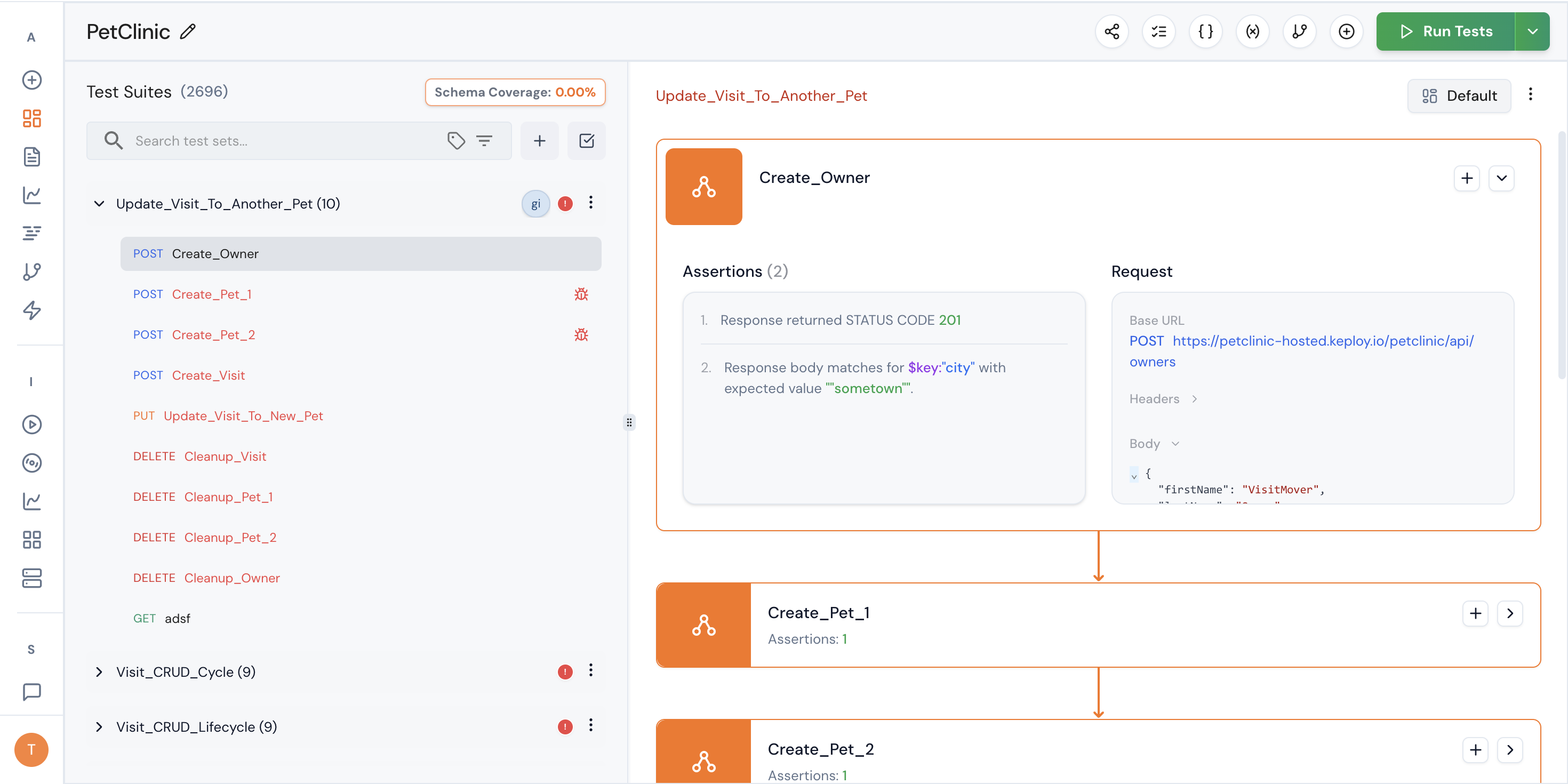
What You Can See
The Assertion Tree provides a visual representation of:
- All test steps in execution order
- Request details for each step
- Attached assertions
Each node in the tree represents a test step and contains:
- Request configuration
- Associated assertions
- Execution dependencies
This makes it easier to understand how your test suite behaves as a complete workflow.
What You Can Do
The Assertion Tree is fully interactive. You can:
1. View Complete Flow
Understand the entire API workflow from start to finish without switching between screens.
2. Inspect Assertions Inline
Quickly see which assertions are attached to each step, including:
- Status code validations
- JSON validations
- Header validations
- Schema validations
- Custom function validations
3. Add a New Step in the Flow
You can insert a new test step directly within the tree.
This allows you to:
- Expand an existing workflow
- Add conditional validation steps
- Introduce additional API calls
- Build multi-step integration flows
The new step becomes part of the structured execution sequence.
Why Use the Assertion Tree?
The Assertion Tree is particularly useful when:
- Your test suite contains multiple API calls
- You are testing end-to-end workflows
- Business logic spans multiple requests
- You need clarity on how validations are structured
- You want a visual representation instead of linear editing
It transforms test management from a flat list into a structured execution graph.
Typical Use Cases
- Authentication → Resource Creation → Validation → Cleanup flows
- Multi-step payment processing validations
- E-commerce checkout journeys
- Webhook-triggered event testing
- Integration testing across services
Best Practices
- Use the tree view to design full workflows before adding assertions
- Keep each step focused on a single responsibility
- Attach assertions at the correct step level
- Review flow dependencies to avoid unintended execution order
- Use visualization to debug failing multi-step tests faster
The Assertion Tree enables you to design, inspect, and extend complex API workflows with clarity and precision — all from a single visual interface.