





Generative AI testing tools use large language models and machine learning to automatically create test assets (test cases, test data, mocks, and stubs) from how your application actually behaves. Unlike conventional AI testing tools, which mostly refine or prioritise the tests you already have, they generate genuinely new ones and keep them current as the application changes, which makes them a strong fit for API, integration, regression, and end-to-end testing in fast-moving CI/CD teams.
I’ve spent enough time around software testing to notice how much the ground has shifted in the last decade. For a long time, "better testing" just meant more automation, and later, a bit of AI bolted on to flag flaky tests or reshuffle a run order. That was useful, but it never solved the part I actually dreaded: writing and maintaining the tests themselves. What changed that for me is a newer category built around microservices, heavy API traffic, and continuous deployment, what most people now call generative AI testing tools.
The distinction I care about is simple. Older software testing products assisted with testing tasks. Generative AI testing tools produce the test assets (cases, data, mocks, stubs) on top of that assistance. In practice, that difference is what actually moves the needle on speed, coverage, and how much QA work my team can realistically keep up with.
What are generative AI testing tools?
Generative AI testing tools use machine learning and large language models (LLMs) to create testing artifacts automatically. Instead of just analysing patterns to optimise the tests you already have, they generate genuinely new test cases, test data, and mock or stub objects based on how your application actually behaves.
That’s the line I draw between these and conventional AI testing tools, which mostly predict or optimise existing cases. Generative AI, by contrast, creates:
- Test cases from real traffic and code execution
- Mocks and dependency objects, generated automatically
- Tests that adapt as the application changes over time
What that means day to day is that both developers and QA engineers can spin up a large volume of current test cases and mocks quickly, stay in step with real-time changes, and keep code quality consistent across releases without babysitting every script.
How generative AI testing tools differ from AI testing tools
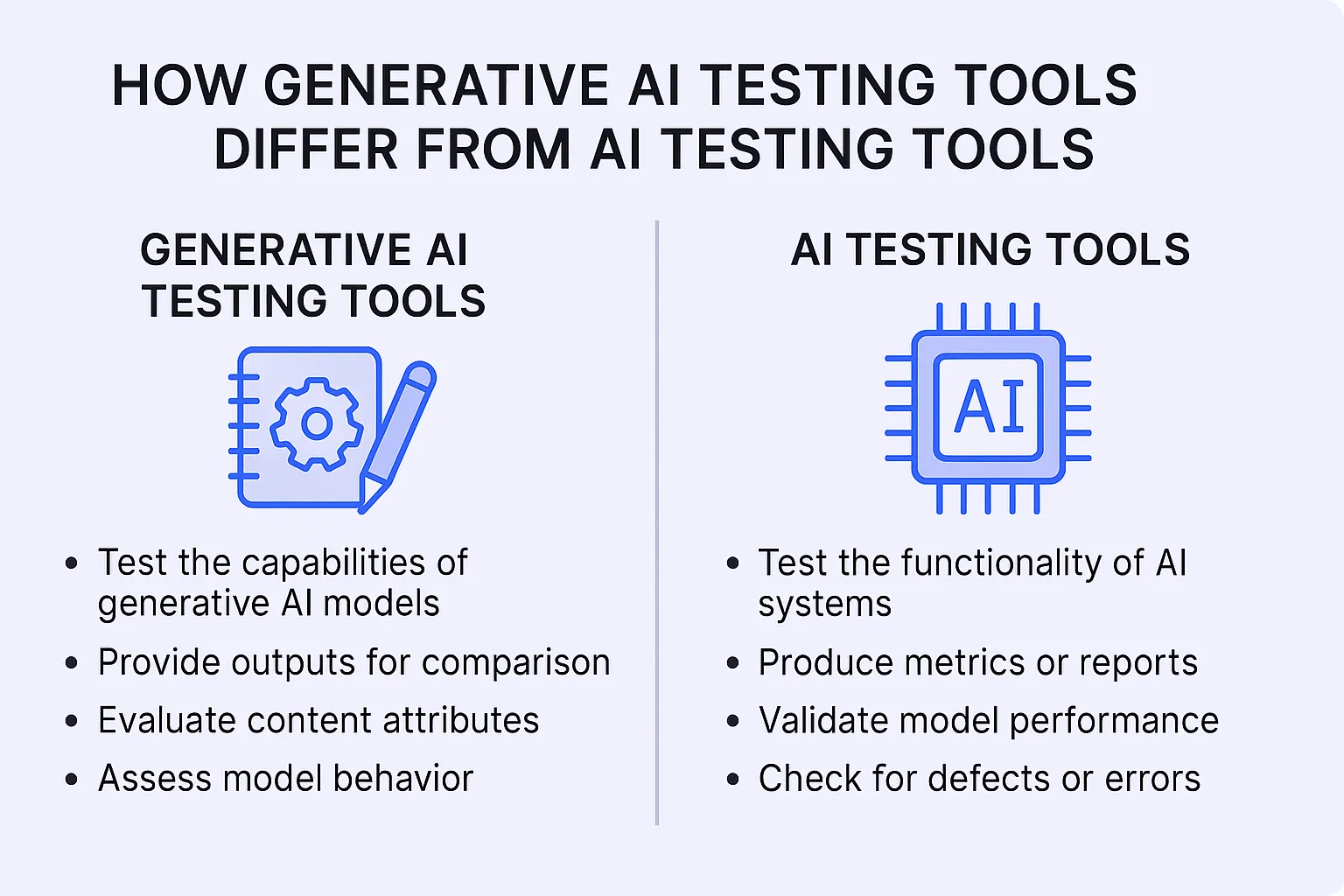
Traditional AI testing tools mostly make the existing process more efficient: spotting flaky tests, prioritising what to run, catching visual changes. Generative AI tools go a step further and write new test logic for you.
The short version I give people:
- Traditional AI testing tools improve efficiency by optimising the process.
- Generative AI testing tools automate the creation of the tests.
The second one is where I’ve personally saved the most time, because it cuts into the writing-and-maintaining work that eats up most of a tester’s week.
Core capabilities of generative AI testing tools
Here’s what I look for when I’m evaluating one of these tools, and where they pull ahead of traditional automation.
1. Automated test case generation
Generative AI tools can build solid test cases without you writing scripts, by analysing API call data, application logs, or user interactions.
2. Smart mocking and stubbing
Dependencies like third-party APIs or downstream microservices get mocked automatically, which makes runs more reliable and cuts down on flakiness, usually the first thing that breaks my integration suites.
3. Natural-language testing
Some of the newer tools let you describe a scenario in plain English and turn it into executable test cases. It lowers the barrier for anyone who isn’t fluent in a given test framework.
4. Continuous adaptation
The tests evolve as the application changes, so the maintenance overhead that normally piles up over a project’s life stays manageable.
How generative AI testing tools work
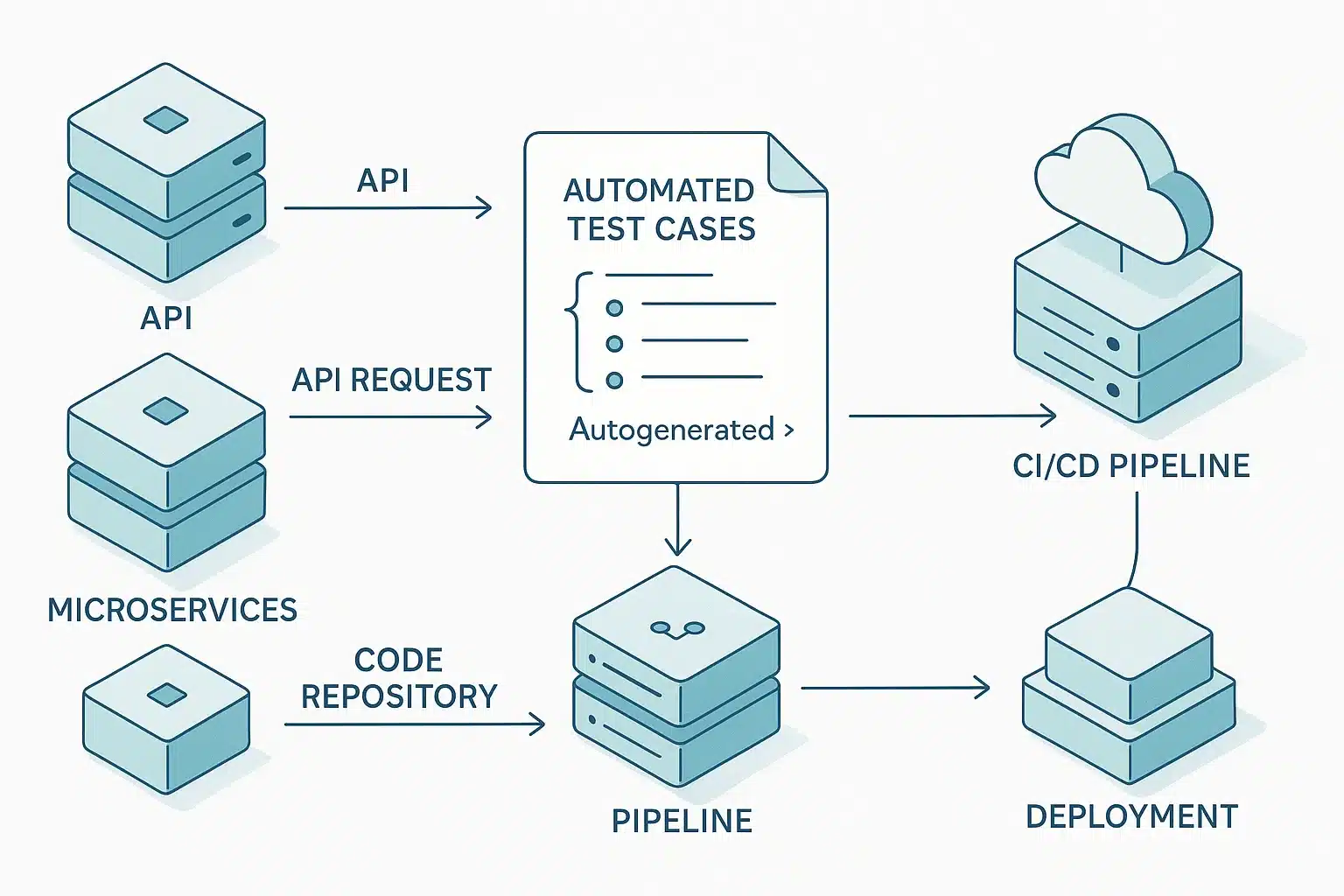
The workflow is straightforward once you see it in motion:
- Collect real application signals: API traffic, execution traces, logs.
- Model the application’s behaviour from that data using a generative model.
- Automatically generate test cases, mocks, and data sets from that model.
- Validate the generated tests at execution and fold them into your CI/CD pipeline.
- Feed execution results back in, so future generation gets sharper.
That last step is the one I’d underline. The feedback loop is what lets the test suite improve alongside the application instead of rotting the moment the code moves on.
Types of testing best suited for generative AI
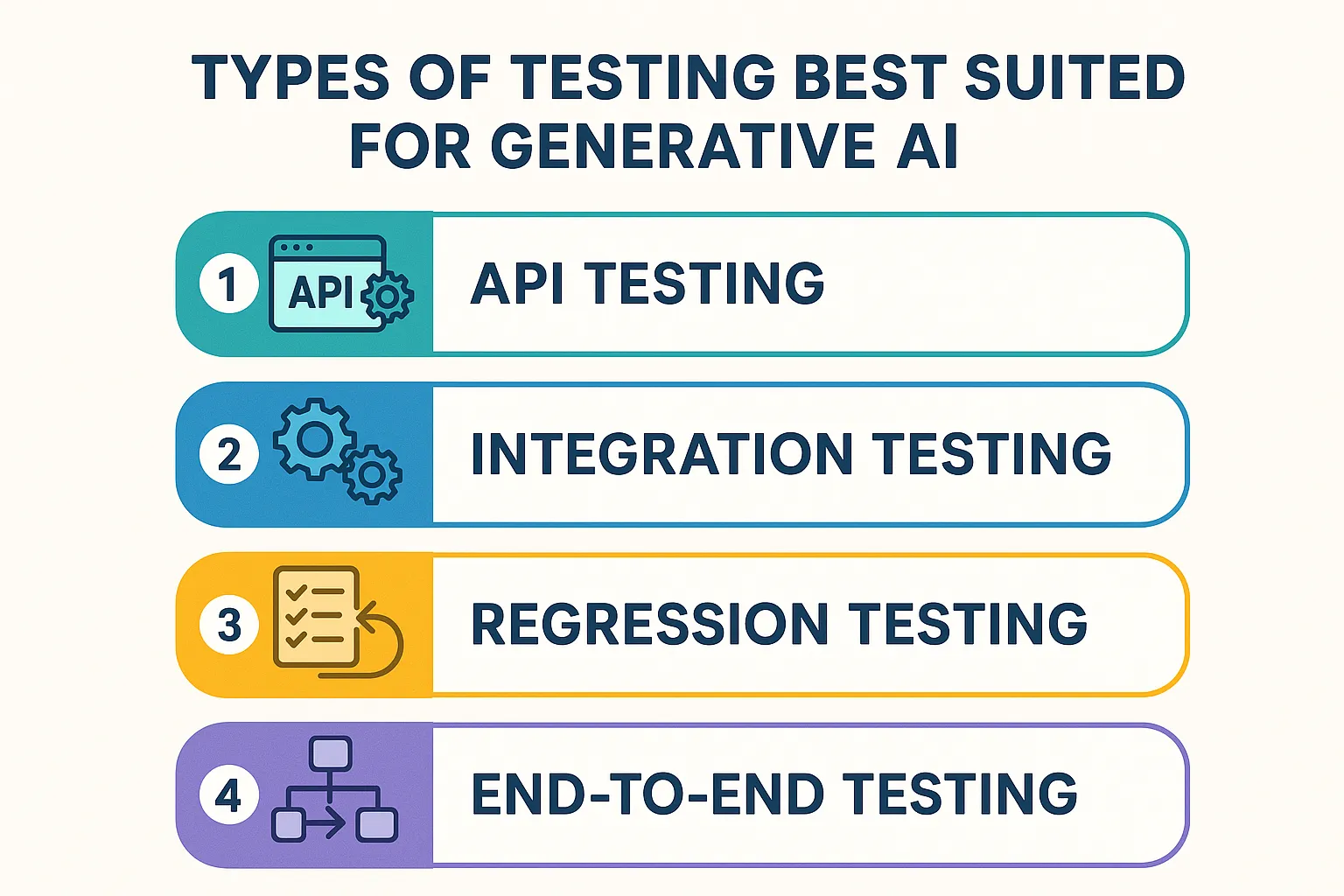
In my experience, generative AI earns its keep fastest in these four areas:
- API testing: reusable test cases generated straight from real API calls.
- Integration testing: validating how microservices actually behave together.
- Regression testing: capturing new edge cases quickly after each release.
- End-to-end testing: covering full user workflows with far less manual setup.
Anywhere you need speed and broad coverage at the same time, this is where these tools shine.
Benefits of generative AI testing tools
When I weigh up why a team would adopt one, it usually comes down to these:
- Far less time spent creating tests by hand
- Faster onboarding for both dev and QA
- More thorough, more realistic coverage
- Noticeably less ongoing maintenance over the life of the suite
- More confidence to ship frequently
Every one of those ties back to shorter release cycles, which is exactly what a CI/CD setup is supposed to deliver in the first place.
Popular generative AI testing tools
A handful of tools have become the ones I see teams reach for, especially in API- or microservice-heavy environments. Rather than bury them in prose, here’s how I’d compare them at a glance:
| Tool | Best for | Primary test type | How it uses generative AI |
|---|---|---|---|
| Keploy | Backend & API teams | API, integration | Records real API traffic and converts it into reusable test cases and mocks |
| Testim | UI-heavy web apps | UI, end-to-end | Generates and self-heals UI flows as the app changes |
| Mabl | Low-code QA teams | End-to-end | Creates and auto-maintains E2E journeys across the CI/CD pipeline |
| Applitools | Visual regression | Visual, UI | Uses Visual AI to generate and validate visual checkpoints |
| Functionize | Complex enterprise E2E | End-to-end | Turns natural-language test descriptions into executable tests |
| Qodo (formerly CodiumAI) | Developers writing unit tests | Unit | Generates unit tests directly from source code |
| Diffblue Cover | Java codebases | Unit | Autonomously writes Java unit tests from existing code |
To ground one example: Keploy captures real API traffic and turns it into reusable test cases and mocks, which is a fast way to lift coverage on API and microservice testing without pouring in manual effort. On the UI side, tools like Testim and Mabl lean on generative AI to build and maintain test automation workflows that learn from real interaction history, which is what keeps flaky UI tests under control.
Taken together, they show how AI testing has moved from plain automation toward systems that watch how an application actually runs, generate tests dynamically, and keep improving over time.
Real-world use cases
The teams I see getting the most out of generative AI testing tend to fall into a few buckets:
- SaaS companies shipping new features at a fast clip
- Cloud-native or microservices architectures
- Startups trying to stretch limited QA resources
- Larger organisations scaling their quality program without doubling headcount
The pattern is consistent: the benefit shows up most where traditional automation simply can’t keep pace with the rate of change.
Challenges and limitations
I’d be doing you a disservice if I only sold the upside. A few things to keep in mind:
- Generated tests still need human validation.
- Their quality depends heavily on the quality of the input data.
- Security and privacy of the captured data need real handling.
- Most teams need an adjustment period before these workflows click.
Going in with eyes open on these is, honestly, the difference between a smooth rollout and an abandoned one.
Best practices for using generative AI testing tools
What’s worked for me and the teams I’ve watched succeed:
- Start at the API layer before tackling UI
- Keep humans in the loop reviewing AI-generated tests
- Wire the tool into CI/CD early rather than as an afterthought
- Track coverage and defect detection so you know it’s actually working
The future of generative AI in software testing
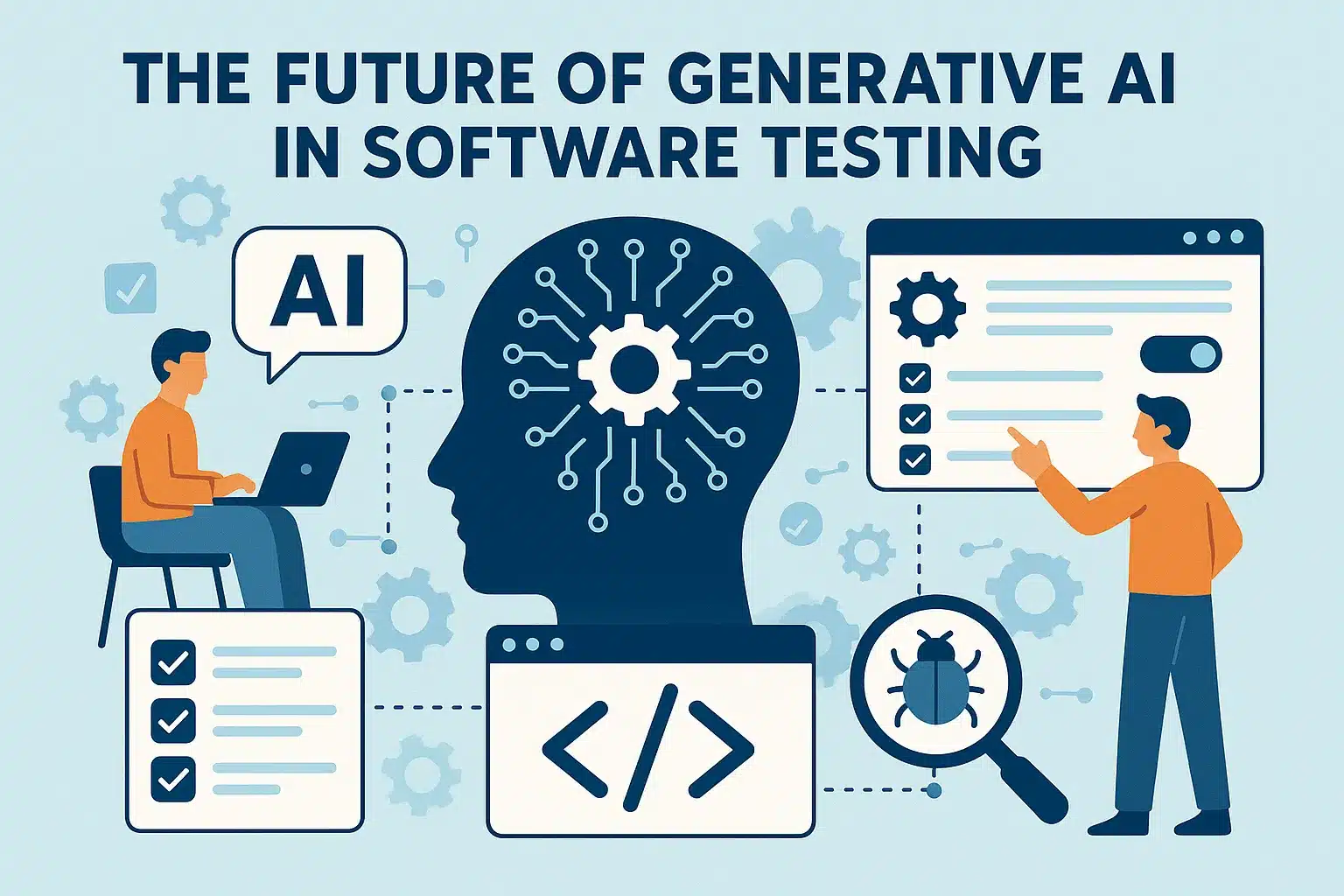
Where I think this heads is toward genuinely autonomous testing, frameworks that decide what to test, when, and how, rather than just execute what we hand them. That shift turns QA from a reactive, script-writing function into a more strategic, intelligence-led one. We’re not fully there yet, but the direction is clear.
Conclusion
For me, generative AI testing tools aren’t a gimmick bolted onto old workflows, they’re the next logical step. They tackle the oldest, most stubborn problems in QA: speed, coverage, and maintainability. If your team is already using AI testing tools, moving to generative AI is a natural evolution toward a more scalable, intelligent way of assuring quality.
Related read: How generative AI differs from traditional ML
Frequently asked questions (FAQs)
1. What problems do generative AI testing tools solve?
They cut down repetitive test creation, ease the maintenance burden, reduce flaky tests, and make testing scalable for microservices and fast-moving CI/CD environments.
2. How are generative AI testing tools different from AI testing tools?
AI testing tools optimise and analyse tests you already have, reducing flakiness, predicting failures. Generative AI testing tools go further by creating new test cases from real application behaviour and producing reusable testing assets.
3. Can generative AI testing tools replace manual testing?
No. They can’t replace human testers everywhere, and human validation stays essential for exploratory and UX testing. What they do is remove a large chunk of the repetitive creation and maintenance work.
4. Are generative AI testing tools suitable for API testing?
Yes, it’s arguably where they’re strongest. They can capture real API traffic and turn it into reusable test cases and mock objects.
5. Who benefits most from generative AI testing tools?
SaaS teams, startups, DevOps organisations, and enterprises running microservices or frequent release cycles get the most value.