Example Employee-Manager App
A sample Employee-Manager app to test Keploy integration capabilities using SpringBoot and PostgreSQL.
Pre-requisites
- Java 8+
Installation
Navigate to Installation guide to quickly install and run the keploy server.
Build configuration
-
Find the latest release of the Keploy Java SDK at maven central and add keploy-sdk as a dependency to your
pom.xml:io.keploy keploy-sdk 1.0.13
Sync dependencies or to build.gradle:
compile 'io.keploy:keploy-sdk:1.0.13'
- Install Keploy Jar
-
Download the latest jar from here (eg: 1.2.6) to mock external/internal dependency calls like DB queries, GMaps, S3 etc..
-
Add the jar into the
maindirectory-
Copy
-javaagent:prefix with absolute classpath of Keploy jar downloaded above(For example:
-javaagent:/Users/jhon/project/src/main/agent-1.2.5.jar)You can set this through 3 ways:-
-
<details><summary> Using Intellij </summary>
Go to
Edit Configuration->add VM options-> Paste-javaagent:/Users/jhon/project/src/main/agent-1.2.5.jar
Click
OK. </details> -
<details><summary> Using Command Line </summary>
export JAVA_OPTS="$JAVA_OPTS -javaagent:/Users/jhon/project/src/main/agent-1.2.5.jar"</details>
-
<details><summary> Running via Tomcat Server </summary>
export CATALINA_OPTS="$CATALINA_OPTS -javaagent:/Users/jhon/project/src/main/agent-1.2.5.jar"
</details>
-
-
-
Setup Sample Employee-Manager App
git clone https://github.com/keploy/samples-java && cd samples-java/employee-manager
Start PostgreSQL DB for Employee-Manager App
docker-compose up -d
Maven clean install
mvn clean install -D maven.test.skip=true
Set KEPLOY_MODE to record
- To record testcases use
KEPLOY_MODEenv variable and set the same torecordmode.
Generate testcases
To generate testcases we just need to make some API calls. You can use Postman or simply curl
1. Make an employee entry
curl --location --request POST 'http://localhost:6789/api/employees' \
--header 'Content-Type: application/json' \
--data-raw '{
    "firstName": "Myke",
    "lastName": "Tyson",
    "email": "mt@gmail.com",
    "timestamp":1
}'
this will return the resonse or an entry . The timestamp would automatically be ignored during testing because it'll always be different.
{
    "id": 1,
    "firstName": "Myke",
    "lastName": "Tyson",
    "email": "mt@gmail.com",
    "timestamp": 1661493301
}
2. Fetch recorded info about employees
curl --location --request GET 'http://localhost:6789/api/employees/1'
or by querying through the browser http://localhost:6789/api/employees/1
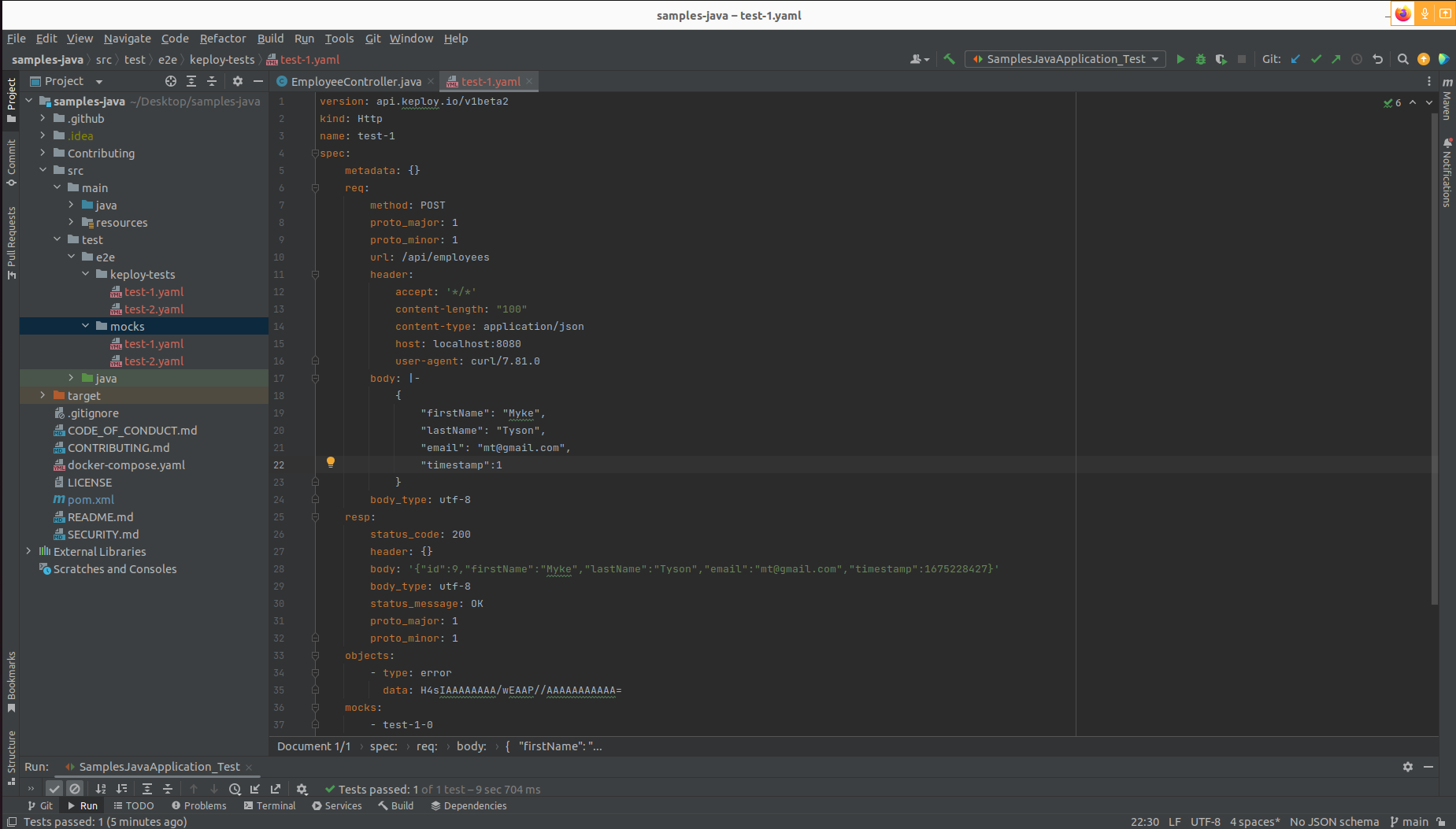
Now both these API calls were captured as editable testcases and written to test/e2e/keploy-tests folder. The
keploy directory would also have mocks folder.
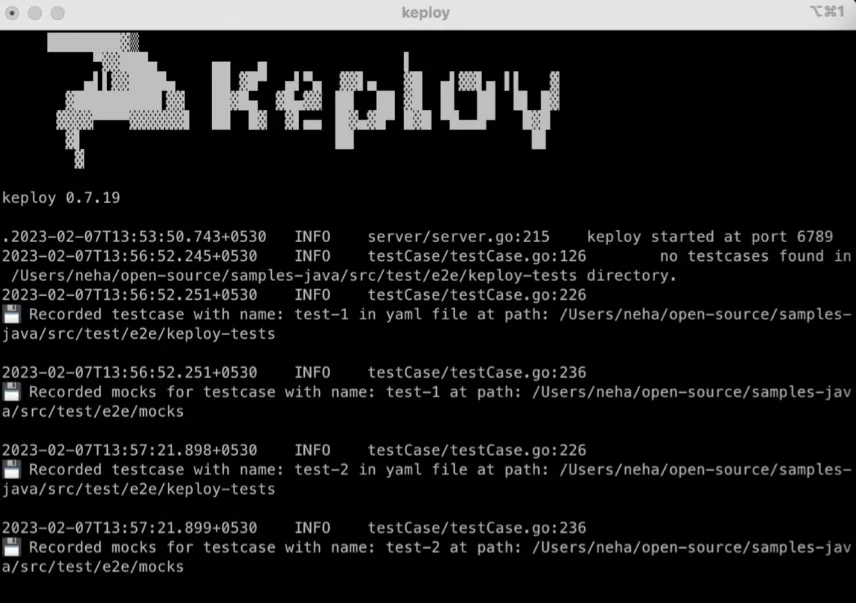
Now, let's see the magic! 🪄💫
Test mode
There are 2 ways to test the application with Keploy.
- Unit Test File
- Without Unit Test File
Testing using Unit Test File
- Set
KEPLOY_MODE = test(default "off")
NOTE: You will be required to set the javaagent again in your test profile just like below.
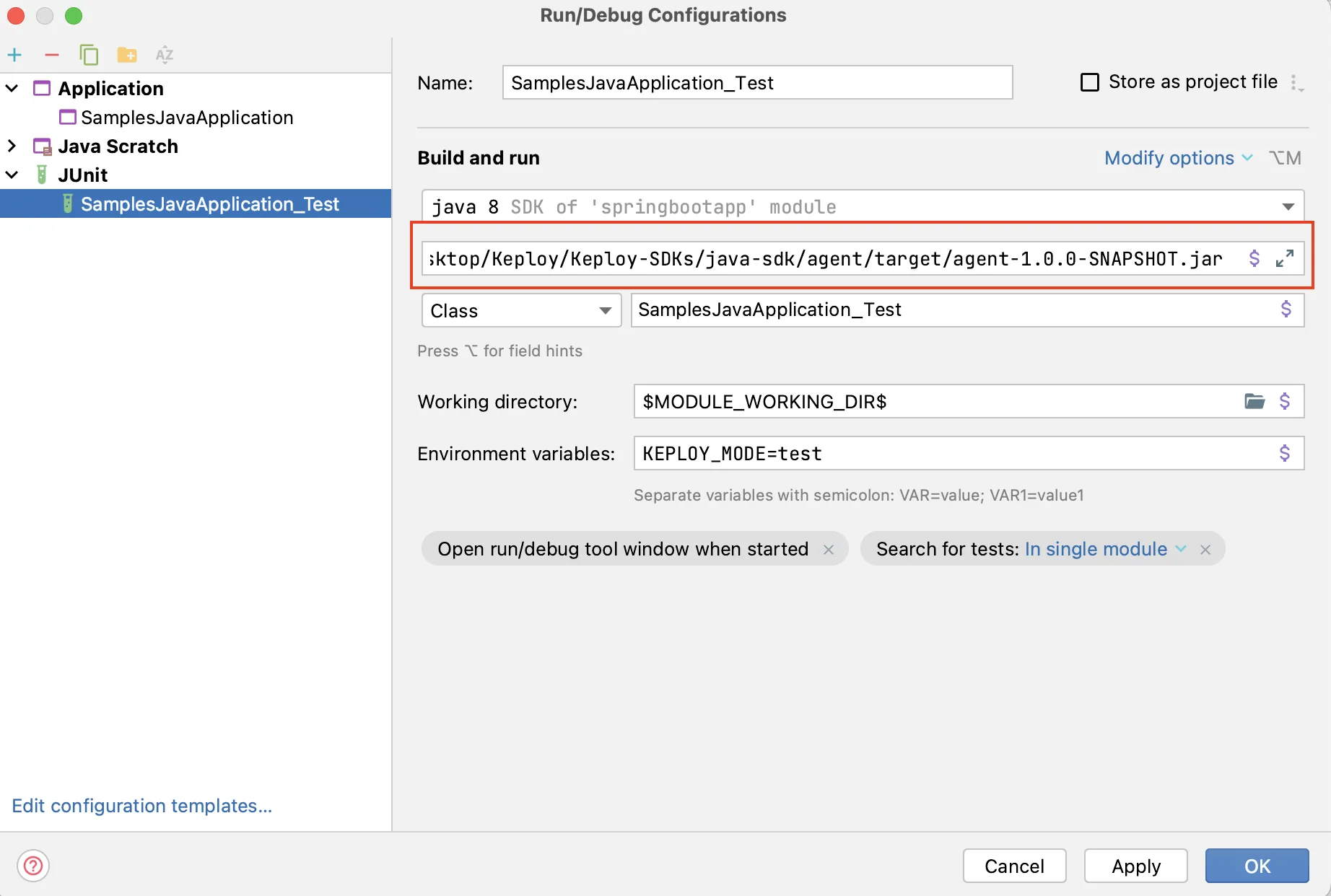
-
Now that we have our testcase captured, run the unit test file (
SampleJavaApplication_Test.java) already present in the sample app repo. -
If not present, you can make and add below code in
SampleJavaApplication_Test.javain the test module of your sample application.
   @Test
   public void TestKeploy() throws InterruptedException {

       CountDownLatch countDownLatch = HaltThread.getInstance().getCountDownLatch();
       Mode.setTestMode();

       new Thread(() -> {
           <Your Application Class>.main(new String[]{""});
           countDownLatch.countDown();
       }).start();

       countDownLatch.await();
       assertTrue(AssertKTests.result(), "Keploy Test Result");
   }
-
Using IDE: (for local use-case we prefer running tests via IDE)
- Run your application.
- You can also run the application with coverage to see the test coverage.
-
Using CLI
- Add maven-surefire-plugin to your
pom.xml. In<argLine > </ argLine >don't add jacoco agent if you don't want coverage report.
<details><summary> Add plugin </summary>
  <plugin>
     <groupId>org.apache.maven.plugins</groupId>
     <artifactId>maven-surefire-plugin</artifactId>
     <version>2.22.2</version>
     <configuration>

  <!-- <skipTests>true</skipTests> -->
     <argLine>
        <!---javaagent:<your full path to agent jar>.jar-->
        -javaagent:${settings.localRepository}/org/jacoco/org.jacoco.agent/0.8.7/org.jacoco.agent-0.8.7-runtime.jar=destfile=target/jacoco.exec
     </argLine>

         <systemPropertyVariables>
             <jacoco-agent.destfile>target/jacoco.exec
             </jacoco-agent.destfile>
         </systemPropertyVariables>
     </configuration>
</plugin></details> 2. If you want coverage report also add Jacoco plugin to your pom.xml.
<details><summary> Add plugin </summary>
  <plugin>
      <groupId>org.jacoco</groupId>
      <artifactId>jacoco-maven-plugin</artifactId>
      <version>0.8.5</version>
      <executions>
           <execution>
               <id>prepare-agent</id>
               <goals>
                 <goal>prepare-agent</goal>
               </goals>
           </execution>
           <execution>
               <id>report</id>
                 <phase>prepare-package</phase>
                 <goals>
                      <goal>report</goal>
                 </goals>
           </execution>
           <execution>
                <id>post-unit-test</id>
                  <phase>test</phase>
                  <goals>
                      <goal>report</goal>
                  </goals>
                  <configuration>
                      <!-- Sets the path to the file which contains the execution data. -->

                      <dataFile>target/jacoco.exec</dataFile>
                      <!-- Sets the output directory for the code coverage report. -->
                      <outputDirectory>target/my-reports</outputDirectory>
                  </configuration>
           </execution>
      </executions>
</plugin></details> 3. Run your tests using command :
mvn test. - Add maven-surefire-plugin to your
It will create .html files as test-reports which can be found in your target folder !!
We got 53% without writing any testcases. 🎉
Go to the Keploy Console TestRuns Page to get deeper insights on what testcases ran, what failed.
OR
Testing without using Unit Test File
To test using KEPLOY_MODE env variable, set the same to test mode.
export KEPLOY_MODE=test
Now simply run the application either by ide or using command:
java -javaagent:<your full path to agent jar>.jar -jar <your full path to appliation jar>.jar
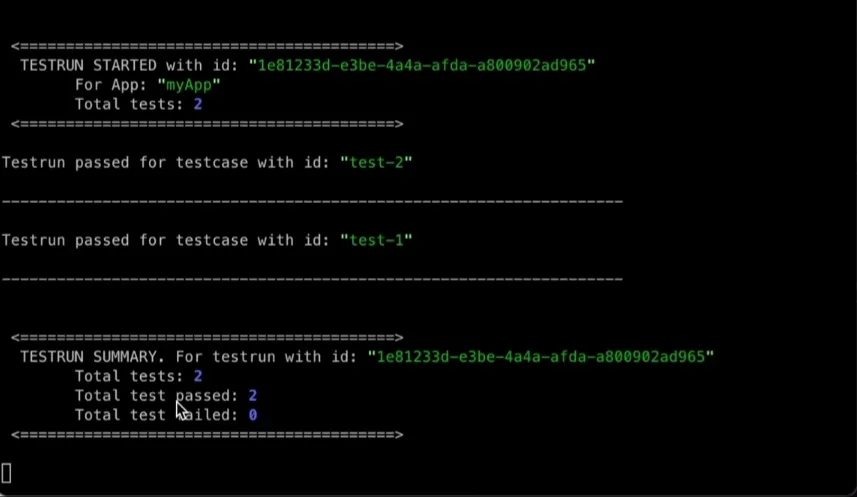
Keploy will run all the captures test-cases, compare and show the results on the console.
<details> <summary> Result on Console Logs </summary>
10b3ddd5-42fa-48e7-b98a-b47257272e39 total tests: 2
2022-08-26 14:13:08.993  INFO 11560 --- [       Thread-4] io.keploy.service.GrpcService            : testing 1 of 2 testcase id: [ae4a6c91-712a-4566-bf0d-97d708f94b2d]
2022-08-26 14:13:08.994  INFO 11560 --- [       Thread-4] io.keploy.service.GrpcService            : testing 2 of 2 testcase id: [4843e03e-76a8-4194-99cb-f62740978d15]
2022-08-26 14:13:09.061  INFO 11560 --- [nio-8080-exec-1] o.a.c.c.C.[Tomcat].[localhost].[/]       : Initializing Spring DispatcherServlet 'dispatcherServlet'
2022-08-26 14:13:09.061  INFO 11560 --- [nio-8080-exec-1] o.s.web.servlet.DispatcherServlet        : Initializing Servlet 'dispatcherServlet'
2022-08-26 14:13:09.062  INFO 11560 --- [nio-8080-exec-1] o.s.web.servlet.DispatcherServlet        : Completed initialization in 1 ms
Hibernate: insert into employees (email, first_name, last_name, timestamp) values (?, ?, ?, ?)
2022-08-26 14:13:09.247  INFO 11560 --- [pool-3-thread-1] io.keploy.service.GrpcService            : result : testcase id: [ae4a6c91-712a-4566-bf0d-97d708f94b2d]  passed: true
Hibernate: select employee0_.id as id1_0_0_, employee0_.email as email2_0_0_, employee0_.first_name as first_na3_0_0_, employee0_.last_name as last_nam4_0_0_, employee0_.timestamp as timestam5_0_0_ from employees employee0_ where employee0_.id=?
2022-08-26 14:13:09.291  INFO 11560 --- [pool-3-thread-1] io.keploy.service.GrpcService            : result : testcase id: [4843e03e-76a8-4194-99cb-f62740978d15]  passed: true
2022-08-26 14:13:09.388  INFO 11560 --- [       Thread-4] io.keploy.service.GrpcService            : test run completed with run id [1e81233d-e3be-4a4a-afda-a800902ad965]
2022-08-26 14:13:09.388  INFO 11560 --- [       Thread-4] io.keploy.service.GrpcService            : || passed overall: TRUE ||
2022-08-26 14:13:19.408  INFO 11560 --- [ionShutdownHook] j.LocalContainerEntityManagerFactoryBean : Closing JPA EntityManagerFactory for persistence unit 'default'
2022-08-26 14:13:19.410  INFO 11560 --- [ionShutdownHook] com.zaxxer.hikari.HikariDataSource       : HikariPool-1 - Shutdown initiated...
2022-08-26 14:13:19.414  INFO 11560 --- [ionShutdownHook] com.zaxxer.hikari.HikariDataSource       : HikariPool-1 - Shutdown completed.
</details>
Let's add a Bug in the App
Now let's introduce a bug! Let's try changing something like adding some extra headers in
controllers ./EmployeeController.java on line 35 like :
return ResponseEntity.ok().header("MyNewHeader","abc").body(employee);
Let's run the test-file to see if Keploy catches the regression introduced.
mvn test
You'll notice the failed test-case in the output.
2022-08-26 13:10:10.289 TRACE 70155 --- [nio-8080-exec-2] o.h.type.descriptor.sql.BasicBinder      : binding parameter [1] as [BIGINT] - [1]
2022-08-26 13:10:10.307  INFO 70155 --- [pool-3-thread-1] io.keploy.service.GrpcService            : result : testcase id: [d42a3724-2c78-4f42-8dc6-d25a9b611c7c]  passed: false
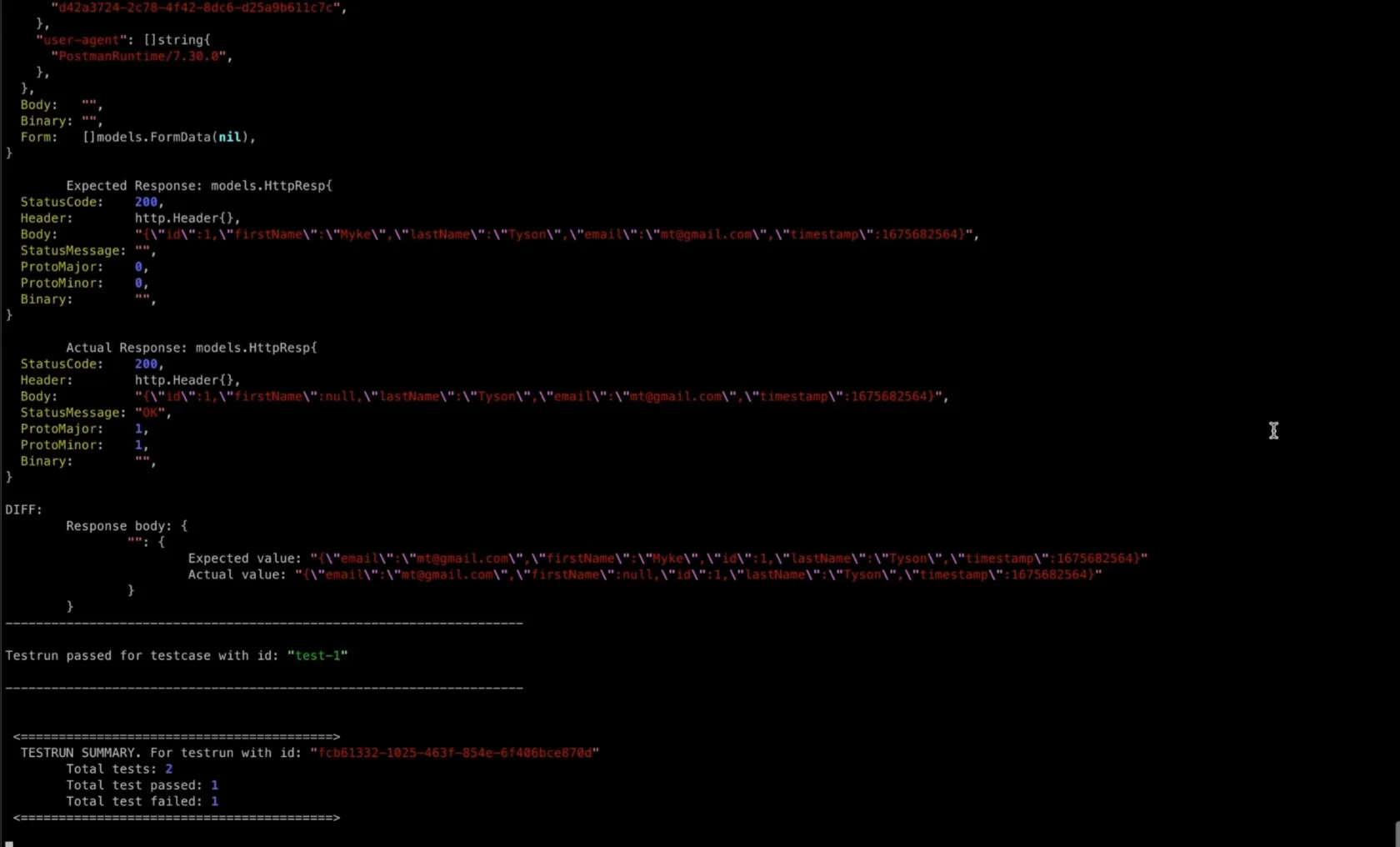
2022-08-26 13:10:10.312  INFO 70155 --- [       Thread-1] io.keploy.service.GrpcService            : test run completed with run id [fcb61332-1025-463f-854e-6f406bce870d]
2022-08-26 13:10:10.312  INFO 70155 --- [       Thread-1] io.keploy.service.GrpcService            : || passed overall: FALSE ||
To deep dive the problem go to localhost:6789/testrun