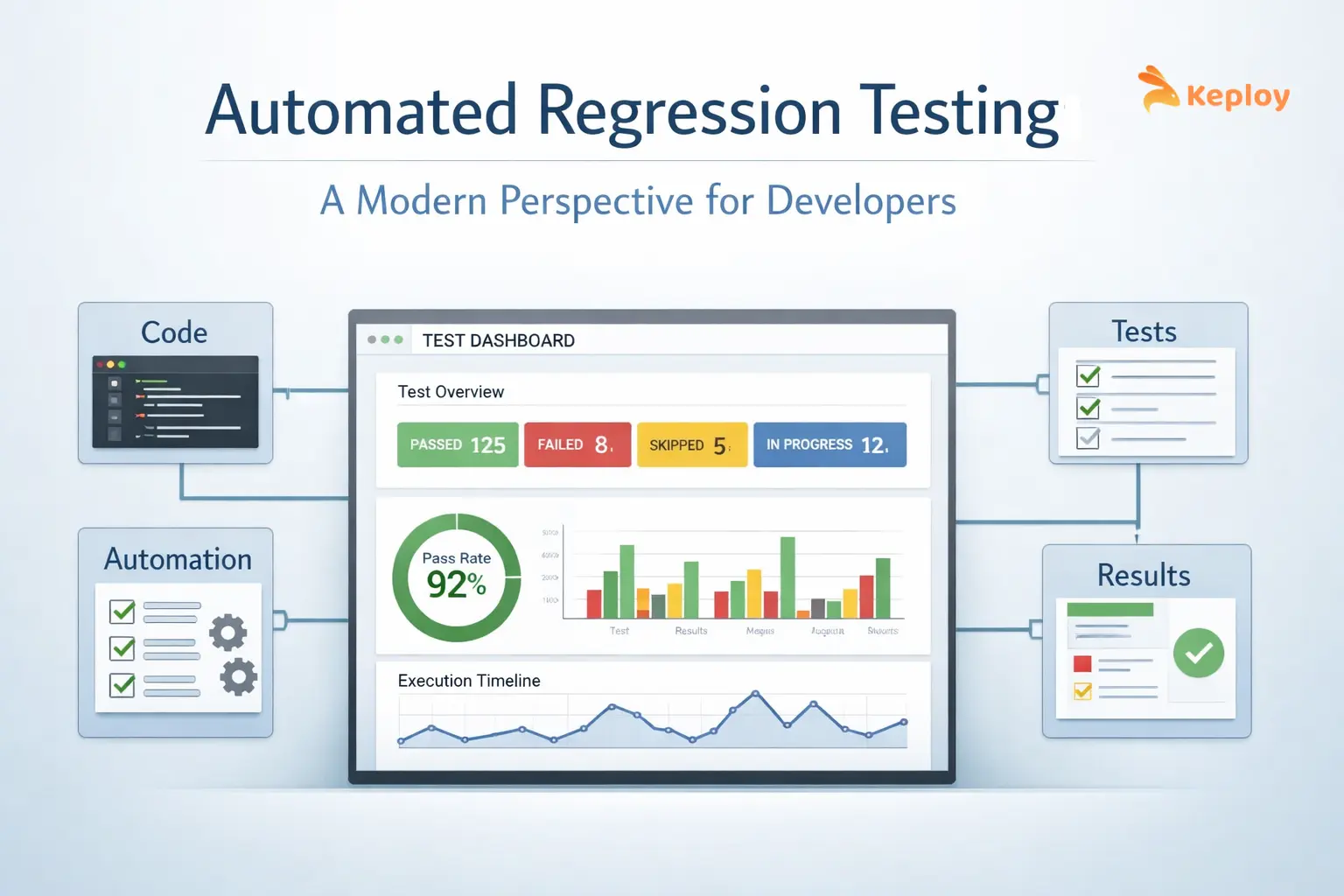






Automated regression testing re-runs previously validated test cases after every code change to confirm existing functionality hasn’t broken. The real challenge isn’t running more tests – it’s running the right ones efficiently in CI. With AI coding tools accelerating code output, suites need to grow at the same pace. Keploy addresses this by generating regression tests automatically from real API traffic, removing the manual scripting bottleneck.
Automated regression testing is no longer just about rerunning test cases after every change. In modern systems, it’s about ensuring that rapid releases, distributed architectures, and constant updates don’t silently break existing functionality.
As teams move faster, the real challenge is not running more tests, but running the right ones efficiently.
What is Automated Regression Testing?
Automated regression testing is the process of using scripts or tools to re-run previously executed test cases automatically to ensure that new changes haven’t introduced unexpected issues.
The core question it answers: did anything break after this change?
Instead of manually validating features every time, teams rely on automation to:
-
Re-run critical test cases
-
Confirm existing functionality holds
-
Surface regressions before they reach production
Modern systems have made this harder than it sounds.
Why Automate Regression Testing in Modern Development?
Speed is the biggest driver. With CI/CD pipelines and frequent deployments, manual regression testing simply cannot keep up.
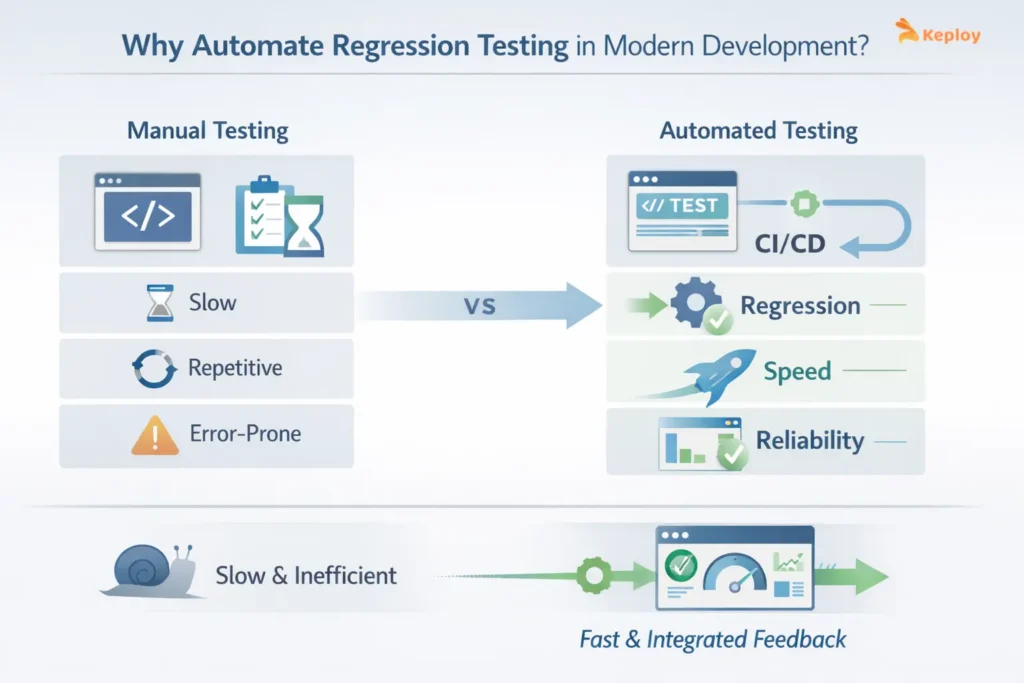
Automation helps teams:
-
Ship faster without compromising stability
-
Reduce repetitive testing effort
-
Catch regressions early in the pipeline
-
Maintain confidence during frequent releases
Example:
Teams at companies like Uber deal with constant state changes such as driver availability, trip status, and pricing updates, where even small regressions can disrupt core workflows.
Similarly, Stripe operates in a system where API-level changes can impact payment flows, retries, and transaction states, making automated regression testing critical to avoid silent failures.
These aren’t edge cases; regressions are a natural byproduct of continuous change.
Manual vs Automated Regression Testing
Manual regression testing involves testers re-running test cases by hand after every change. For small projects with infrequent releases, it is manageable. For anything running on a CI/CD pipeline, it becomes a bottleneck within weeks.
| Aspect | Manual Regression Testing | Automated Regression Testing |
|---|---|---|
| Speed | Slow, hours to days | Fast, minutes per run |
| Consistency | Prone to human error | Same result every time |
| CI/CD suitability | Not practical | Built for it |
| Maintenance effort | Low setup, high repeat effort | Higher setup, near-zero repeat effort |
| Best suited for | Exploratory, one-off checks | Repetitive, high-frequency validation |
When Should You Automate Regression Testing?
Not everything should be automated. This is where many teams go wrong.
Automation makes sense when:
-
Test cases run frequently
-
Features are stable
-
Scenarios are critical to business workflows
-
Tests need to run across multiple environments
Skip automating:
-
One-time scenarios
-
Rapidly changing features
-
Tests where the expected outcome isn’t clear
Full automation isn’t the goal – the right coverage is. Selecting the right automated software testing tools for each coverage layer: UI, API, mobile, and performance – is what makes that balance achievable in practice.
Types of Regression Testing and When Each Applies
Most automated suites combine four types: selective regression on every pull request, progressive regression as new features add tests, corrective regression when a change doesn’t alter behaviour, and retest-all before major releases.
For a full breakdown with examples, see types of regression testing in software testing.
How to Automate Regression Testing Effectively
Automation is not just about writing scripts. It is about building a process that keeps working as the product grows. Start by deciding what to automate, then follow the steps below.
What to Automate First: A Checklist
Run each candidate test through this list. The more boxes it ticks, the higher it goes on your automation list.
☐ It runs on every release or pull request
☐ It covers a business-critical flow (login, checkout, payments, data submission)
☐ The feature is stable, and its UI or API contract is not changing this sprint
☐ The expected result is clear and deterministic
☐ It covers something that has broken in production before
☐ It tests an API or service contract other teams depend on
☐ It needs to run across multiple browsers, devices, or environments
☐ It takes significant time to run by hand
Leave these manual for now: exploratory testing, features still changing every sprint, one-off scenarios, and checks that need human visual judgment.
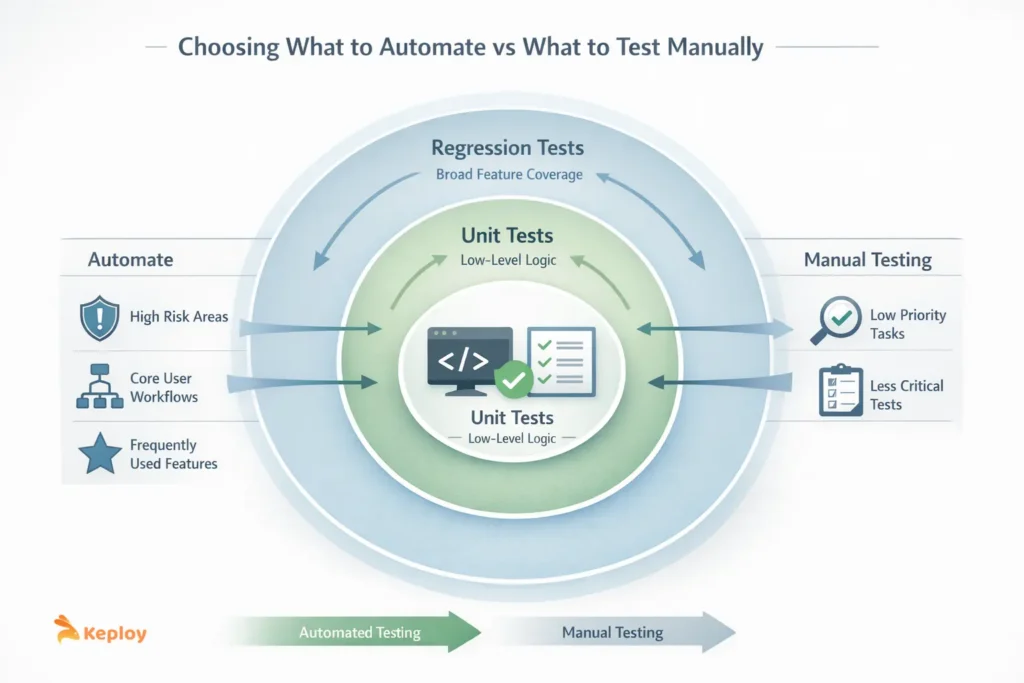
Also be clear about what belongs at the unit level versus what needs regression coverage. Overlapping the two creates redundant work. Our guide on unit testing vs functional testing covers this in detail.
Steps to Automate Regression Testing
1. Audit your existing manual tests. Identify the ones that are stable, run often, and cover critical workflows. These are your automation candidates.
2. Prioritise using the checklist above. Automate the tests that tick the most boxes first.
3. Choose a tool that fits your stack. UI-heavy flows need Selenium, Playwright, or Cypress. API-heavy systems benefit from Keploy or REST Assured. Whatever you pick must run cleanly in your CI pipeline.
4. Build tests for your highest-risk flows first. Start with the small set of tests that protects the most business risk. Keep them modular so one change does not mean rewriting the suite.
5. Run them in CI on every pull request. A typical workflow for regression testing in DevOps: a code push triggers the pipeline, When feedback is slow, developers have already moved on, and the real cost is the context-switching to go back and investigate.
6. Deal with flaky tests early. Isolate tests from shared state, mock unstable dependencies, and quarantine tests that fail inconsistently so they do not block real results. Self-healing tools can update broken UI locators automatically, which cuts maintenance on web suites.
7. Set measurable thresholds. Track execution time, failure rate, and flaky test percentage from the start. The metrics section below covers what to watch.
8. Review and prune the suite regularly. Remove tests for deprecated features, update tests when intended behaviour changes, and keep the suite focused on what still matters.
Example: Automating API Regression Tests with Keploy
This example uses Keploy’s Express + MongoDB sample to show the full loop: record tests once, replay them in CI on every pull request, and review the differences.
Step 1: Record tests from real traffic (locally)
With the app running, send a few API requests using curl or Postman. Keploy saves each one as a test case, plus mocks of the MongoDB calls, in the keploy/ folder. Commit that folder to your repository.
Step 2: Replay the tests in CI on every pull request
Add your Keploy API key as a repository secret named KEPLOY_API_KEY, then create .github/workflows/keploy-regression.yml:
No database is needed in CI. Keploy replays the recorded MongoDB calls as mocks, so the job runs the same way on every pull request.
Step 3: Review the diffs
If a pull request changes an API response, the job fails and the log shows which test case failed, with the expected and actual responses side by side.
- If the change was unintended, it is a regression. Fix the code before merging.
- If the change was intended, re-record that flow so the test reflects the new behaviour.
- If a field changes on every run (timestamps, IDs), add it to the test’s noise list so it stops causing false failures.
Overlapping those two layers creates redundant work and bloats pipelines. Our comprehensive guide on Unit testing vs functional testing covers this if you want to dig in.
Automated Regression Testing Tools and Software
The right tool depends on which layer you are testing:
- UI and web: Selenium, Playwright, Cypress – pair with visual regression testing for layout changes
- API: Keploy, Postman, REST Assured
- End-to-end: Playwright, Cypress, TestCafe, Keploy
- AI-driven: Mabl, Keploy, Functionize, Testim
Whichever you choose, judge it on execution speed, ease of maintenance, and how cleanly it runs in your CI pipeline. For detailed comparisons, see our guide to regression testing tools.
Where Regression Testing Fits?
Once you’re setting up automation, you’ll run into overlap. Different testing types start bleeding into each other, and without clear boundaries, you either:
-
Duplicate work
-
Miss gaps
-
Load pipelines with unnecessary tests
Regression Testing vs Integration Testing
Integration testing checks how different components communicate. Regression testing checks whether existing functionality still works after a change.
| Aspect | Regression Testing | Integration Testing |
|---|---|---|
| Purpose | Ensure existing features still work after changes | Validate interaction between components |
| Focus | Stability over time | Communication between modules |
| When Used | After code changes | During system integration |
| Scope | Broad, repeated checks | Specific interaction points |
Both are necessary, but they solve different problems.
End-to-End Testing vs Regression Testing
End-to-end testing validate complete user workflows. Regression tests check that those workflows keep working after every update.End-to-end tests are:
-
Fewer
-
Broader
-
Slower
Regression tests are:
-
More frequent
-
More targeted
-
Continuous
| Aspect | Regression Testing | End-to-End Testing |
|---|---|---|
| Goal | Ensure nothing breaks after updates | Validate complete workflows |
| Scope | Targeted and frequent | Broad and comprehensive |
| Speed | Faster | Slower |
| Frequency | High | Lower |
Functional vs Regression Testing
Functional testing verifies if a feature works.
-
Functional: “Does it work?”
-
Regression: “Does it still work?”
Key takeaway: Understanding this distinction between functional and regression testing avoids redundant testing.
| Aspect | Functional Testing | Regression Testing |
|---|---|---|
| Purpose | Validate feature behavior | Ensure existing features still work |
| Question | Does it work? | Does it still work? |
| Timing | During development | After changes |
| Role | Initial validation | Continuous validation |
Metrics and KPIs for Automated Regression Tests
Having automation in place is one thing. Knowing whether it’s trustworthy is another. Teams often track test count – which tells you almost nothing useful. Instead, keep a track of the following metrics:
-
Test execution time – Ideally under 15 minutes
-
Test coverage – Focus on 80–90% of critical workflows
-
Failure rate – Keep false positives under 2%
-
Flaky tests – Maintain below 5%
Tracking these metrics with specific thresholds helps teams prioritize effort, identify real issues faster, and maintain confidence in automated regression tests.
At the delivery level, the real proof shows up in DORA’s Change Failure Rate – a sustained drop in this metric is the clearest signal that your regression suite is preventing production failures, not just generating green builds.
Best Practices to Automate Regression Testing Successfully
Teams succeed when they:
-
Keep test suites lean and relevant
-
Prioritize high-risk features
-
Run tests frequently and efficiently
-
Regularly clean up outdated tests
Teams at Stripe and Netflix keep suites lean and focus on high-risk features. Not because they lack resources, but because a bloated test suite is its own kind of problem.
For larger organizations, some teams split the work: regression testing services handle scale while internal teams focus on new features.
How to Handle Dynamic Fields in Automated Regression Tests
Timestamps, UUIDs, tokens and auto-generated IDs change on every run, so comparing them literally makes regression tests fail even when nothing is broken. The fix is to stop checking their exact value while still checking their type, format or position in the response.
| Approach | Example tools | How it works | Best for |
|---|---|---|---|
| Property matchers in snapshots | Jest, syrupy | Replace dynamic values with a type or pattern matcher before the snapshot is compared | Unit and snapshot tests |
| Ignore rules in diff libraries | DeepDiff, JSONAssert | Exclude specific JSON paths, or use a custom comparator, when comparing responses | Custom comparison scripts |
| Freezing time | freezegun, time-machine | Fix the clock during the test so generated timestamps are predictable | Code that creates timestamps |
| Format matchers in contracts | Pact | Check that a value matches a type, date-time format or regex instead of an exact value | Contract tests between services |
| Automatic noise detection | Keploy, Diffy | Detect fields that change between runs and ignore them during replay | Record-and-replay API regression tests |
Keploy detects common dynamic fields such as timestamps and UUIDs automatically and lets you add your own noise rules for application-specific fields. See how noise handling works in API tests.
Automated Regression Testing for AI-Generated Codebases
AI coding tools like GitHub Copilot, Cursor, and Claude Code have changed the equation. Teams now ship code significantly faster, which means regression suites need to grow at the same pace. The problem is that manually writing regression tests for AI-generated code creates a bottleneck – the code comes out faster than tests can be written for it.
This is where automated regression testing approaches that eliminate manual scripting become critical. Keploy’s PR Agent addresses this directly. When a developer opens a pull request, the agent automatically generates unit tests for every changed file, including files containing AI-generated code. Regression coverage grows in step with the codebase without any manual test writing effort.
For API-heavy systems, Keploy’s eBPF-based traffic capture goes further – it records actual API behavior in the running application and converts those interactions into regression tests automatically. Teams using AI coding tools to generate backend services can have regression coverage from day one without a dedicated test-writing sprint.
The pattern that works: let AI generate the application code, let Keploy generate the regression tests, and let CI run them on every commit.
Challenges of Automated Regression Tests in Modern Systems
Common challenges include:
-
Flaky tests → Flaky tests erode trust faster than almost anything else. Fix flaky tests via isolation and stable environments
-
High maintenance → Maintenance overhead compounds as the application changes. Regular reviews and a focus on stable, high-value scenarios keep it manageable
-
Slow execution → Slow execution gets worse as suites grow. Running in parallel and prioritizing critical tests keeps pipelines from becoming bottlenecks
-
Unrealistic environments → Simulating real behavior is harder than it looks. Most test environments don’t reflect production accurately. Testing with real traffic or replayed interactions addresses this more directly than synthetic environments
None of these challenges are reasons to avoid automation. In fact, these are reasons to be thoughtful about how you build it.
The Future of Automated Regression Testing
The focus of regression testing is shifting from volume to meaningful validation. Instead of running thousands of tests blindly, teams are moving toward:
-
Smart test selection- Prioritizing tests based on risk and recent changes.
-
AI-driven prioritization- Leveraging machine learning to optimize coverage without slowing pipelines.
-
Production-aware testing- Validating real system behavior rather than synthetic test cases.
-
API-level validation- Ensuring backend logic and workflows remain stable across releases.
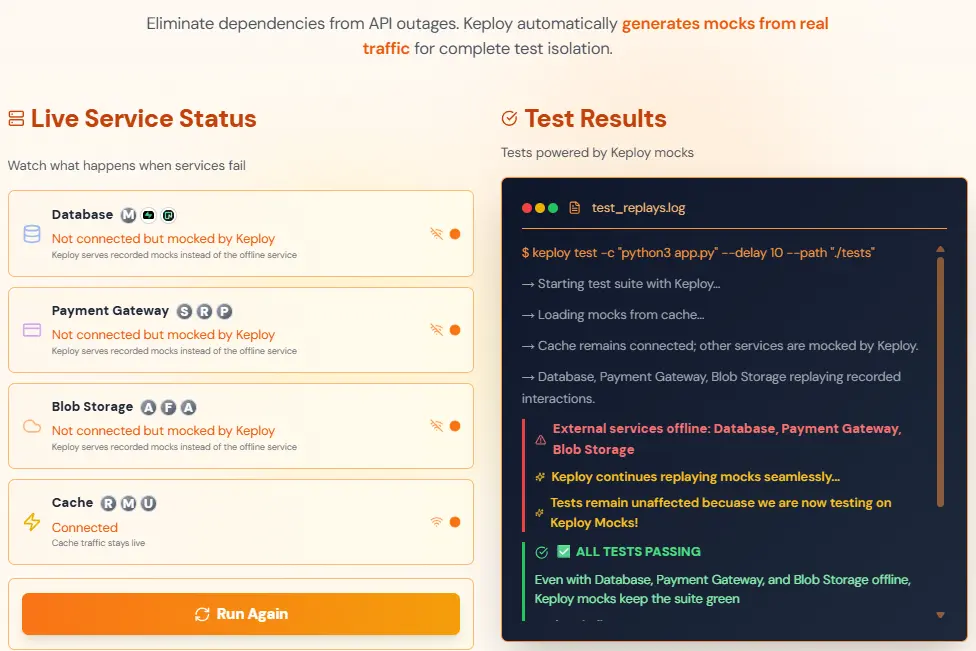
Keploy’s approach, replaying real API interactions, exemplifies this future. It allows teams to validate workflows continuously while reducing flaky regression cycles and dependency on staging.
Conclusion
Automated regression testing is about building trust in every release. Speed only matters if you’re confident the changes are validated.
Effective regression testing isn’t about:
-
Coverage percentages
-
Test counts
It’s about:
-
Reliable feedback
-
Fast enough to act on
-
Covering the things that actually matter
The teams doing this well are:
-
Testing real behavior
-
At the API layer
-
With short feedback loops
-
Using small, focused suites they actually trust
By focusing on relevance, real-world validation, and efficient workflows, teams can scale reliably and sustainably.
FAQs
1. Can regression testing be fully automated?
Mostly, but not completely. Repetitive, stable, high-frequency checks such as API responses, core user flows, and cross-browser runs should be automated. Exploratory testing, visual judgment, usability checks, and features still changing every sprint are better handled manually. Most teams automate the bulk of their regression suite and keep a small manual layer for what automation cannot judge.
2. How often should automated regression tests run?
On every code commit, or at minimum once per CI/CD cycle.
3. What is the difference between regression testing and retesting?
Retesting verifies that a specific defect has been fixed. Regression testing checks that the fix has not broken anything else in the system. Both are often run after a bug fix, but they serve different purposes. Retesting is targeted; regression testing is broad.
4. How do you reduce flaky tests in regression suites?
-
Use real data mocks
-
Test in isolated containers
-
Track flake rates weekly
Add retries only as a last resort – they hide the problem rather than fixing it.
5. Does automated regression testing scale for serverless architectures?
Yes. Focus on API endpoints. Tools that replay real traffic work well here because you’re not depending on infrastructure state.
6. How do you automate regression testing for web apps?
Pick a browser automation tool such as Playwright, Cypress, or Selenium, and script your critical user flows first. Use dedicated data-testid attributes as selectors so tests do not break when CSS classes or layouts change. Run the suite headless in CI on every pull request across the browsers you support, and test the API layer separately so UI tests stay focused on what users see. Add visual regression checks for layout changes, and quarantine flaky tests so they do not hide real failures.