Running App Locally on Linux/WSL 🐧
This guide walks you through generating tests and DB mocks for a sample CRUD app built with FastHttp and Postgres using Keploy.
This section runs on Linux or WSL. On macOS, run it inside a Lima VM — natively on macOS and Windows, Keploy captures PostgreSQL calls only as raw bytes, which usually don't replay.
Don’t have Keploy installed yet?
Before running this sample, make sure Keploy is installed on your system.
👉 Go to Installation GuideClone the sample CRUD application 🧪
git clone https://github.com/keploy/samples-go.git && cd samples-go/fasthttp-postgres
go mod download
We'll be running our sample application right on Linux, but just to make things a tad more thrilling, we'll have the database (Postgres) chill on Docker. Ready? Let's get the party started! 🎉
Point the app to local Postgres
Update the Postgres URL to localhost:5432 in app.go (mentioned at line 21 in the sample).
Start Postgres
docker compose up postgres
Record with Keploy while running the app
go build -o app
Lights, Camera, Record! 🎥
keploy record -c "./app"
Keep an eye out for the -c flag! It's the command charm to run the app. Whether you're using go run main.go or the binary path like ./app, it's your call.
If you're seeing logs that resemble the ones below, you're on the right track:
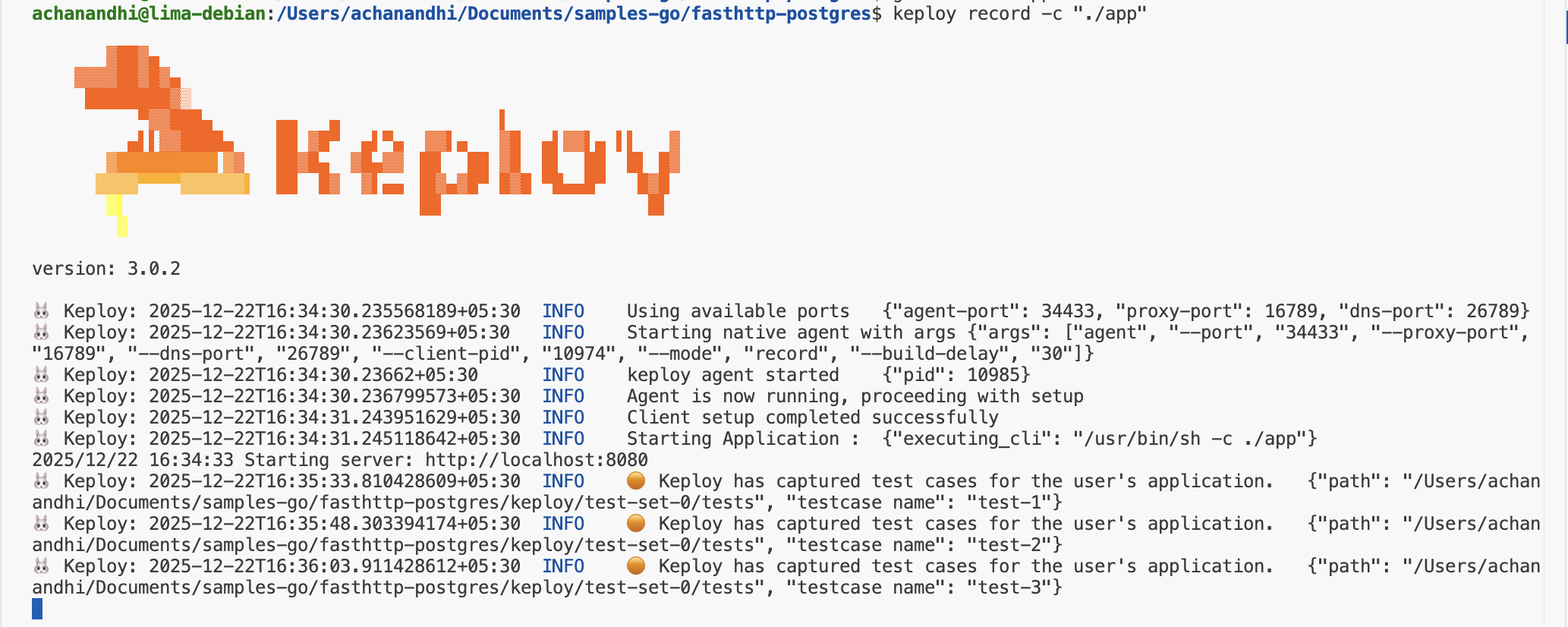
Alright! With the app alive and kicking, let's weave some test cases. Making some API calls! Postman, Hoppscotch,
or even the classic curl - take your pick!
Time to create some users and books:
Generate traffic
Post Requests
curl -X POST -H "Content-Type: application/json" -d '{"name":"Author Name"}' http://localhost:8080/authors
curl -X POST -H "Content-Type: application/json" -d '{"title":"Book Title","author_id":1}' http://localhost:8080/books
Get Request
curl -i http://localhost:8080/books
Look at you go! With a few simple API calls, you've crafted test cases with mocks! Peek into the Keploy directory and behold the freshly minted test-1.yml and mocks.yml.
🏃♀️ Run the Tests!
Time to put it all to the test:
keploy test -c "./app" --delay 5
That
--delayflag? Just a little pause (in seconds) to let your app catch its breath before the test cases start rolling in.
When all is said and done, your test results should look a little something like this:
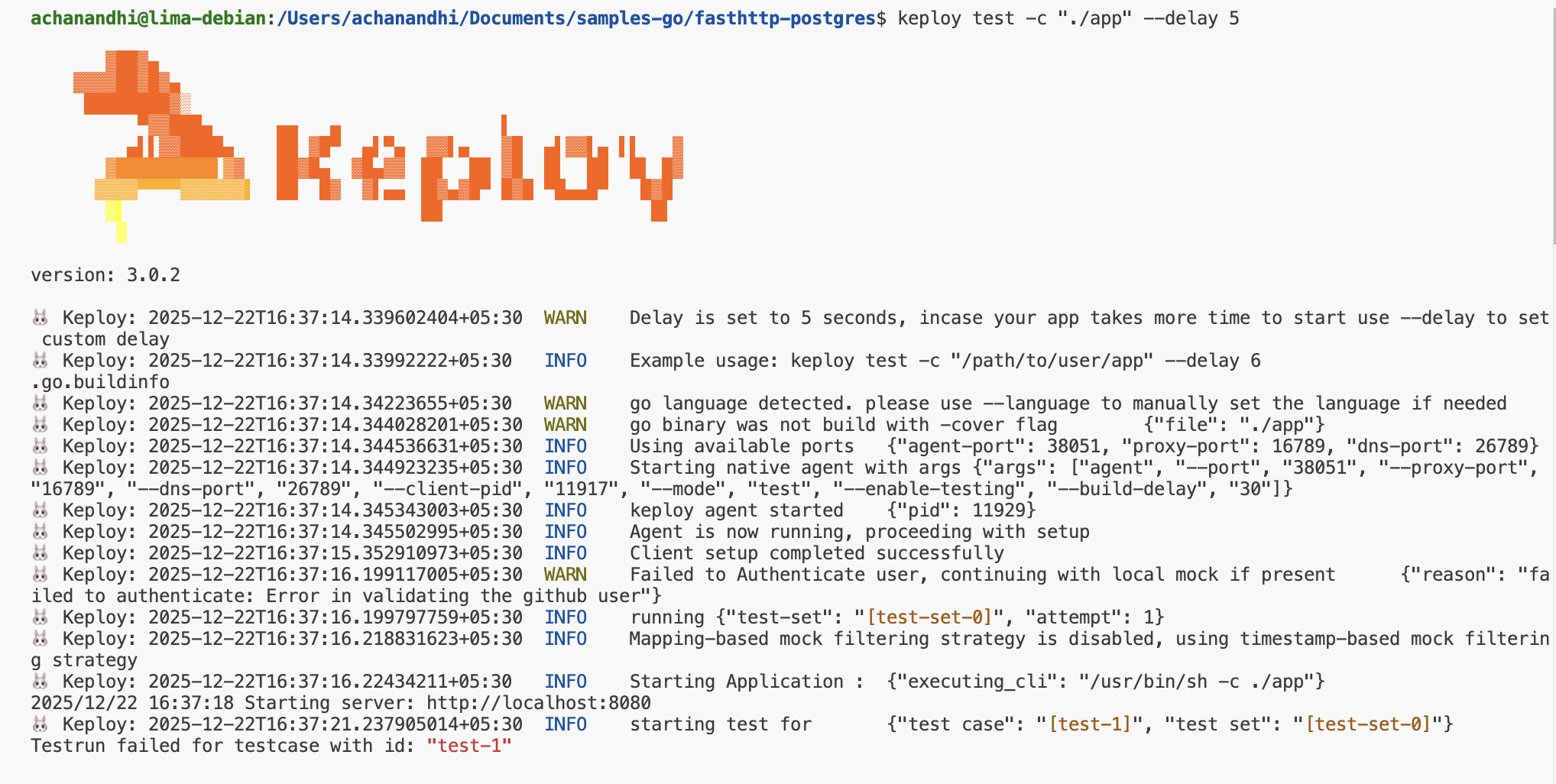
Final thoughts? Dive deeper! Try different API calls, tweak the DB response in the mocks.yml, or fiddle with the request or response in test-x.yml. Run the tests again and see the magic unfold!
Wrapping it up 🎉
Congrats on the journey so far! You've seen Keploy's power, flexed your coding muscles, and had a bit of fun too! Now, go out there and keep exploring, innovating, and creating! Remember, with the right tools and a sprinkle of fun, anything's possible
Happy coding! ✨👩💻👨💻✨
Related
- Sample Golang Apps — browse more Go samples.
- Sample Product Catalog App (Golang) — another Go Postgres app.
- Mux MySQL Sample Application — Go with a SQL datastore.
- Sample URL Shortener App (Golang) — another Go sample.