The Problem
Even with strong staging tests, teams kept finding surprises in production. Real user behavior never matched the synthetic data in dev or QA environments. The result: "It worked in staging, but not in prod."
What's New
Keploy introduces Environment Replay — record API traffic in production and replay it safely in staging or development. It's production-like testing without impacting live users.
Replay Environment: Run previously captured production traffic in staging and generate a fresh report — all without re-running or spinning up the actual environment again.
| Capability | How It Works |
|---|---|
| Traffic Recording | Capture live API requests/responses from production (read-only) |
| Environment Replay | Replays captured traffic into staging or dev |
| Realistic Data | Use actual production patterns, including real user edge cases |
| Zero Impact | Completely passive — no load or risk to production |
| Pattern Analysis | Identify top user flows, peak load scenarios, and common errors |
Workflow Overview
1. Production
- Record 10K+ API requests in 24 hours (read-only)
- Capture real behavior, errors, and edge cases
2. Export
Captured traffic is stored securely and sanitized.
3. Replay in Staging
- Replay traffic in test environments safely
- Compare API responses vs. production baseline
- Detect behavior or data mismatches automatically
Before vs After
Before
Traditional Staging
- Simplified, synthetic data
- Only ~40% of production coverage
- Edge cases rarely simulated
- False sense of "green" builds
→
After
Environment Replay
- 95% coverage using real traffic
- Tests match true production behavior
- Passive, safe monitoring
- Detects discrepancies early
Real Example
E-commerce API — 24h of production traffic (100K requests)
- Detected untested card types in staging
- Found checkout flow failures in specific countries
- Fixed 8 discrepancies before release
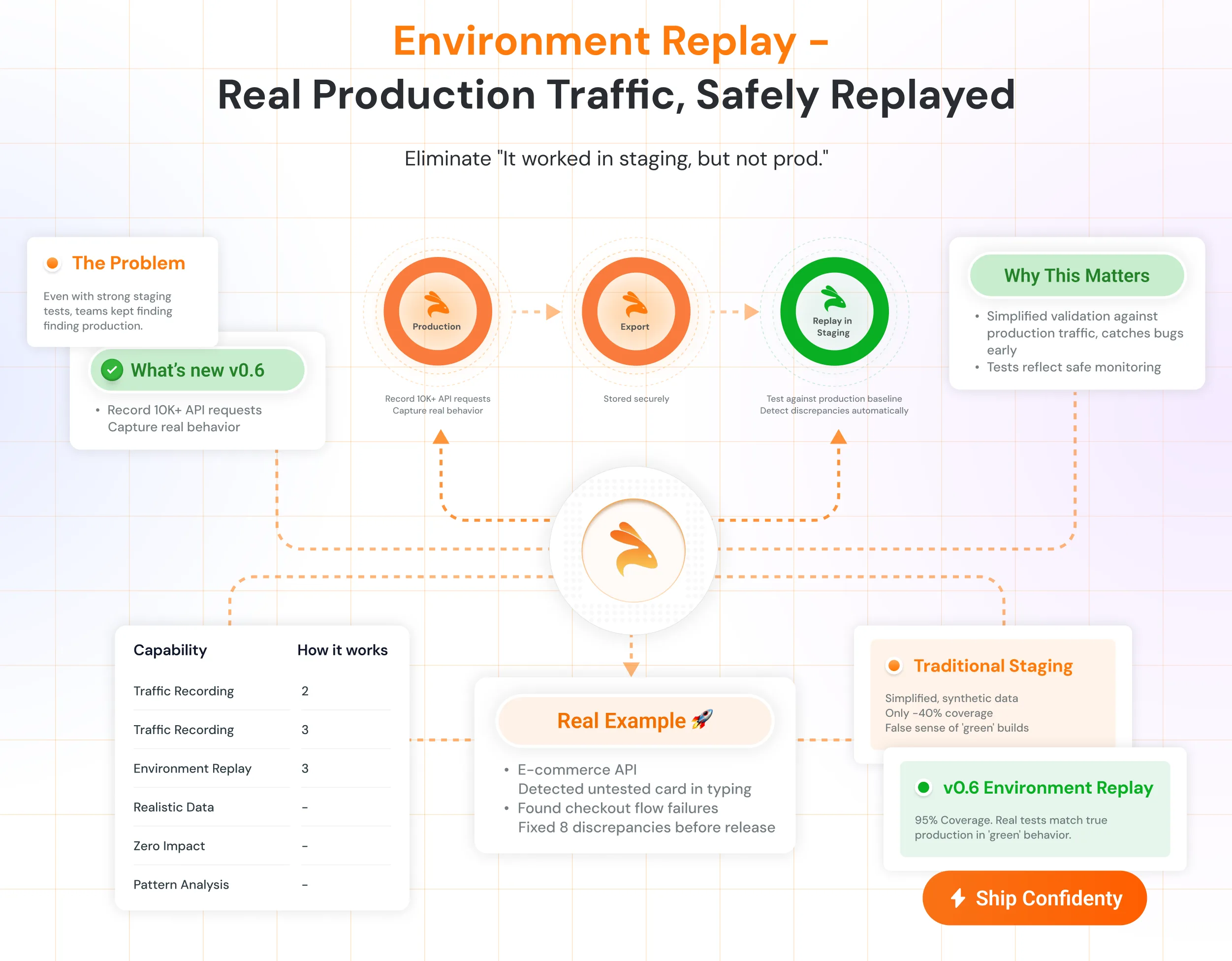
Environment Replay — Real production traffic, safely replayed in staging.