Check coverage
Keploy measures how much of your API your recorded test cases cover, so you can see what is still untested and record it.
Check schema coverage
From the test cases you record, Keploy builds an OpenAPI schema of your API, with one version for each release of your app.
- Open Recordings, with your app selected. The Schema Coverage badge shows the percentage of schema fields, across all releases, that your test cases cover.
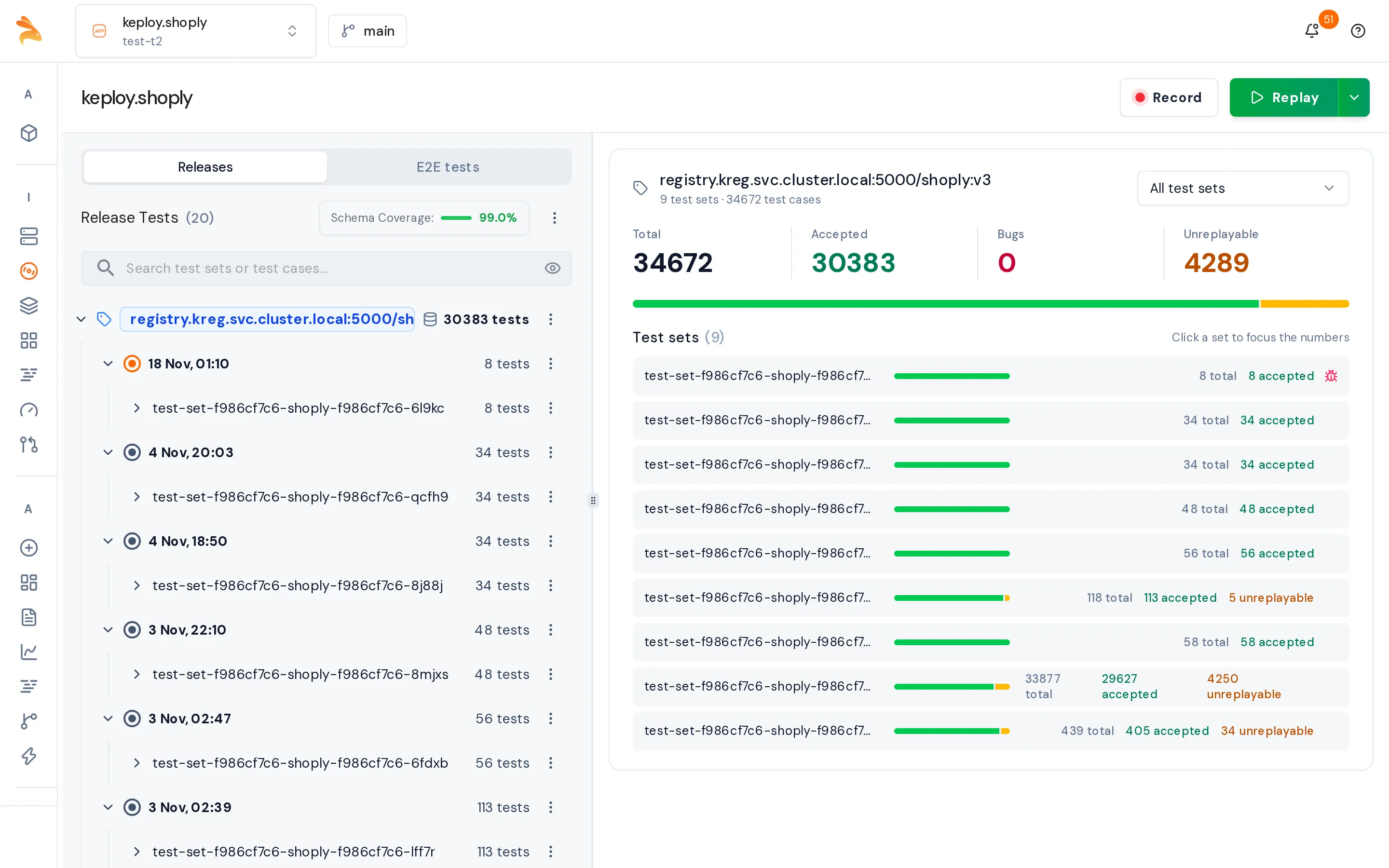
-
Click the badge to open the Test Coverage page. It is also in the sidebar.
-
Review the coverage:
- The header shows the coverage percentage, the covered and total lines, and how many endpoints your tests hit.
- Each part of the schema is highlighted as Covered, Partial or Uncovered.
- The tag selector shows all releases (union) by default. Choose a release to see only its schema.
- The OpenAPI, GraphQL and gRPC tabs switch between API types.
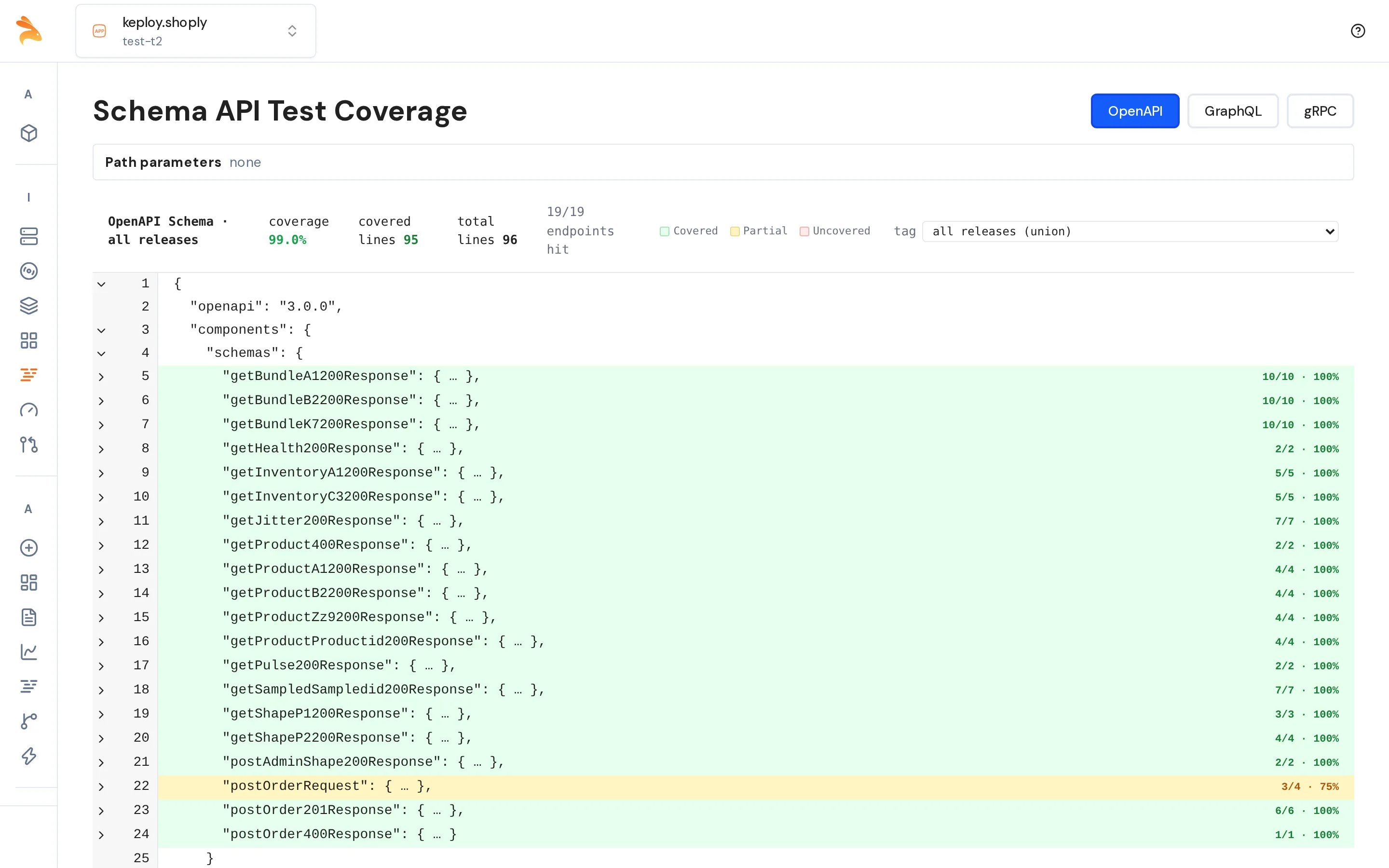
To increase coverage, record traffic that reaches the Uncovered parts of the schema.
Check code coverage (Java)
Code coverage is available only for Java apps recorded with Dynamic deduplication turned on, on the Record config step of the Start Recording dialog.
When the recording ends, Keploy calculates code coverage for each test set. On the Recordings page, select a test set to see the percentage of lines covered and branches covered. Until the numbers are ready, the panel shows Calculating….
If the app runs a newer Java version than Keploy supports, the panel shows No code coverage, with the detected and the supported versions.
The dashboard doesn't show code coverage for other apps. To measure it locally with the Keploy CLI, see Test Coverage Integration.
Related
- Dynamic Deduplication: how dynamic deduplication works and how to set it up for Java.
- Kubernetes Proxy REST API: schema generation per release, and the schema-coverage endpoints.